
Memory and storage
Belajar sambil bermain
Jawab soal-soal ini untuk dapat energi, lalu memancing dan menjelajah. Tanpa akun.
Untuk pendidik: slide pelajaran, catatan ulasan siap pakai untuk Memory and storage (Computer Science, Computer Systems) — gunakan dalam pelajaranmu, atau jalankan topik sebagai aktivitas kelas interaktif yang dimainkan pembelajar sebagai permainan langsung.
Catatan pelajaran
Primary memory
- RAM (random access memory): volatile (loses data when power is off), holds programs and data currently in use; read and write.
- ROM (read-only memory): non-volatile, holds the boot-up instructions (BIOS/firmware); cannot normally be changed.
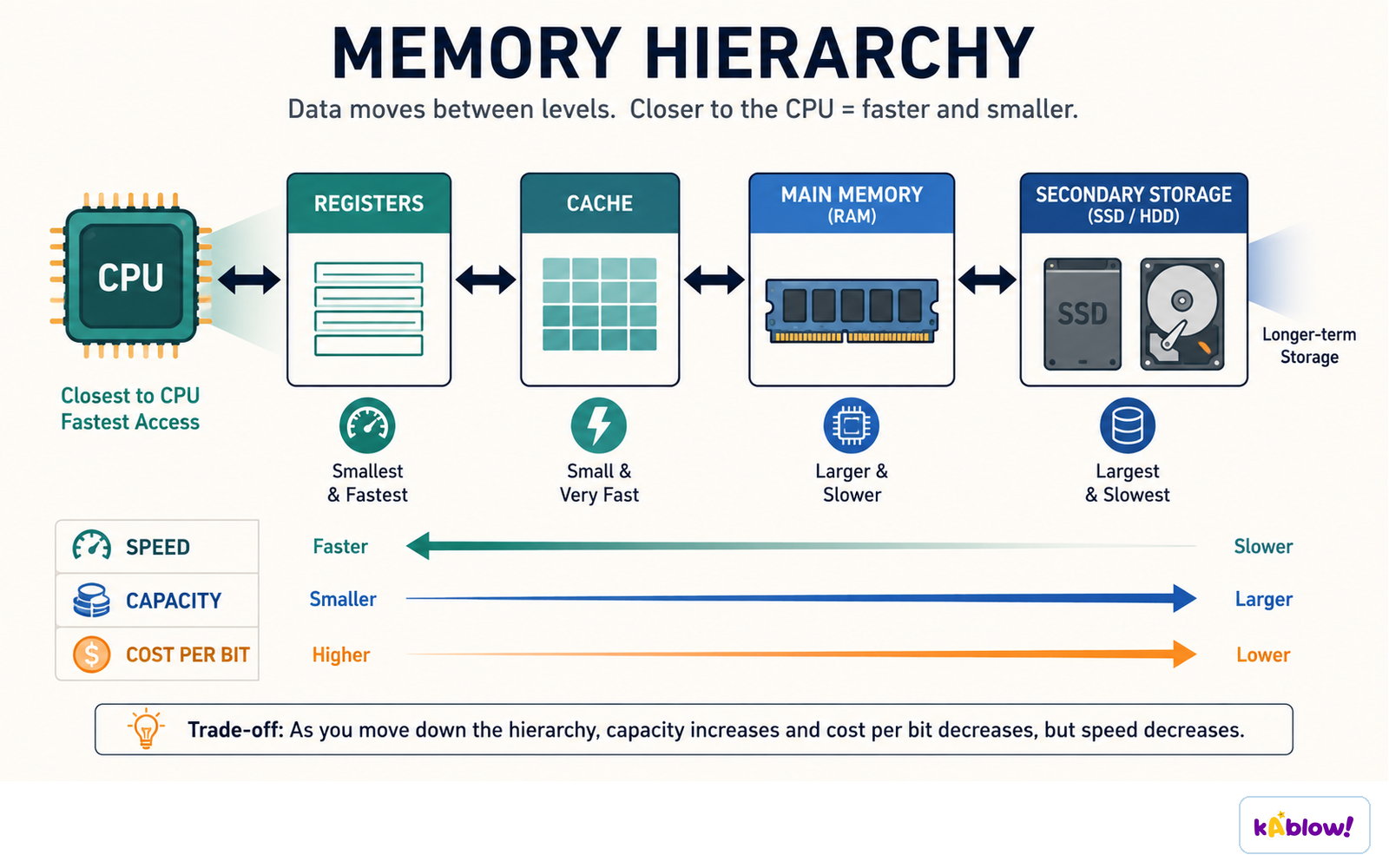
- Cache: small, very fast memory in or near the CPU.
- Virtual memory: secondary storage (an SSD or HDD) used to hold memory pages when they cannot all remain in RAM; accessing it is slower than RAM.
Memory hierarchy
Secondary storage
- Secondary storage retains saved files without continuous power, but devices can fail or wear out; non-volatile does not mean permanent.
- Magnetic (hard disk drive, HDD): large capacity, cheap, slower, moving parts, can be damaged.
- Solid-state (SSD, USB flash): no moving parts, fast, durable, quiet, more expensive per GB.
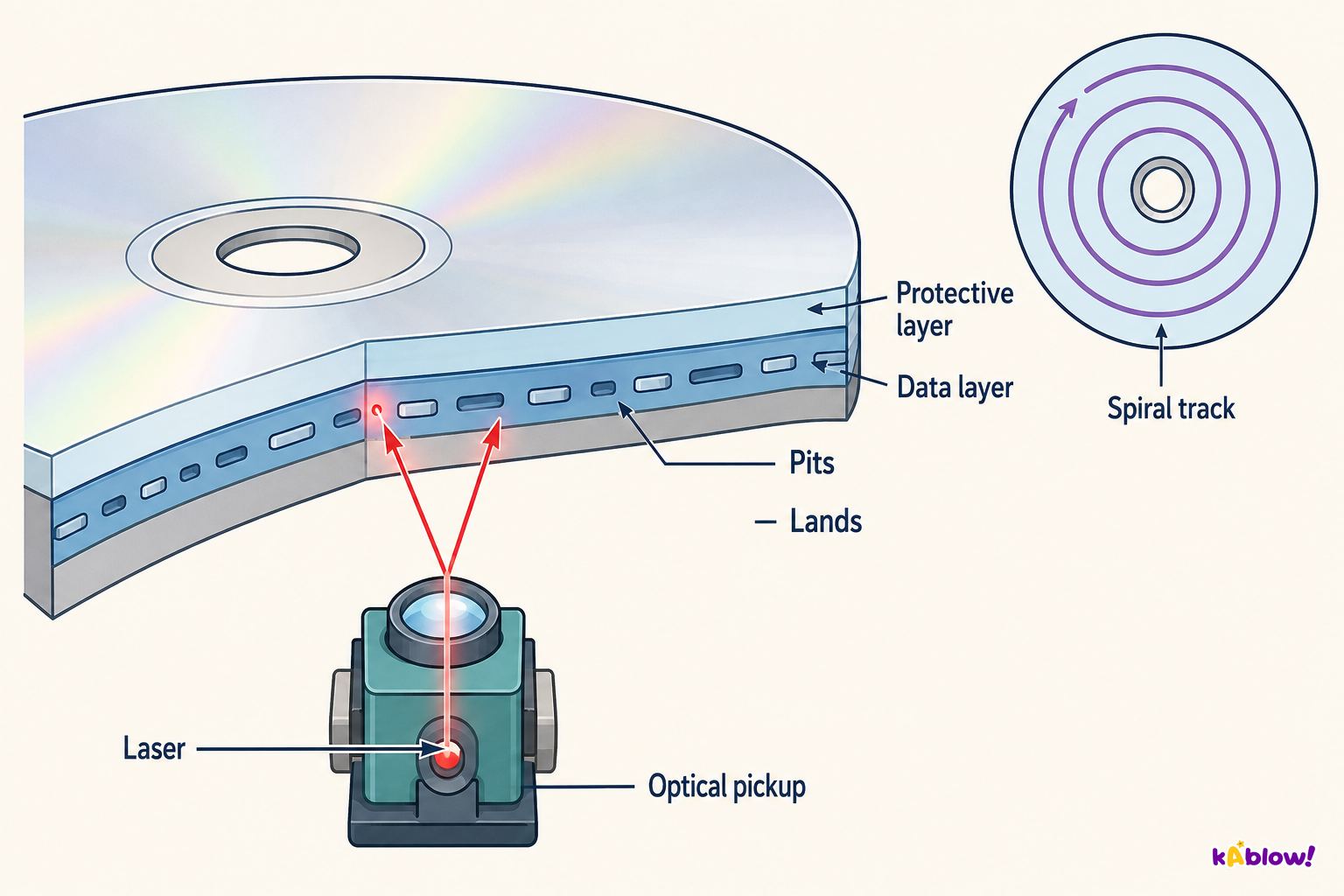
- Optical (CD, DVD, Blu-ray): portable, low capacity, can scratch; used for media.
Optical storage
Comparing storage
- Consider capacity, speed, portability, durability, reliability and cost.
Cloud storage
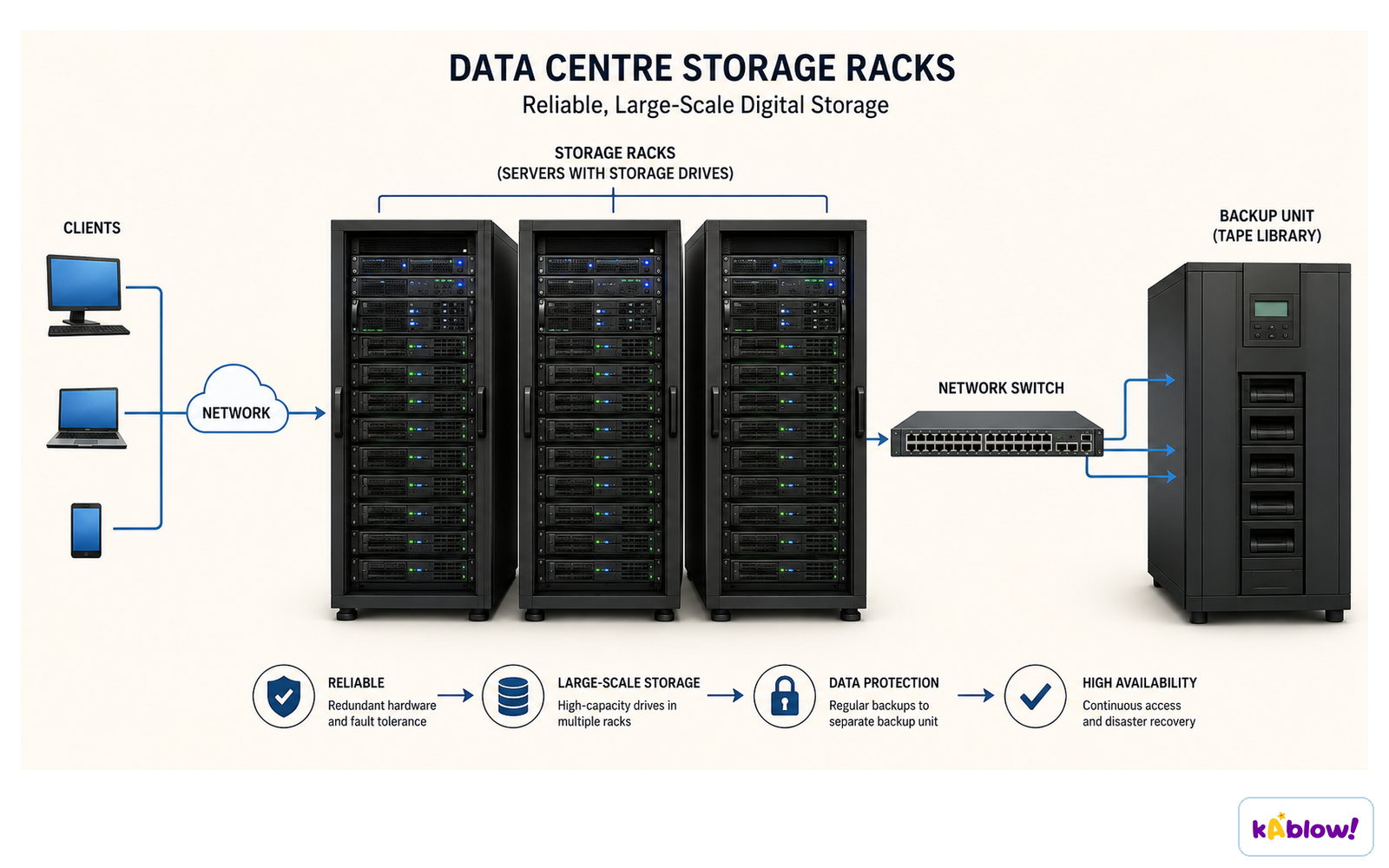
- Cloud storage uses remote systems reached through a network, typically the Internet. Compatible devices and authorised access are required.
- Synchronised local copies may remain usable offline. Synchronisation is not automatically a separate backup: deletions or corruption may propagate, so check version history and recovery arrangements.
Remote storage in a data centre
Units
- Capacity in bytes: KB, MB, GB, TB.
Slide
Sign up free to view the lesson slides
Step through every slide for this topic — plus flashcards and revision notes — with a free account.
Soal latihan
Pratinjau gratis — 8 dari 33 soal. Daftar untuk melihat semuanya.
1.What does RAM stand for?
Easy- Arandom access memory
- Bread access memory
- Crapid access memory
- Dremote access memory
2.What does ROM stand for?
Easy- Aread-only memory
- Brandom-only memory
- Creal-time memory
- Dremote memory
3.In the simplified GCSE model, which kind of instructions is commonly stored in ROM?
Easy- Aboot-up instructions
- Bdocuments
- Cphotos
- Dgames
4.What does volatile mean?
Easy- Adata is lost without power
- Bdata is kept
- Cdata is hidden
- Ddata is large
5.What is secondary storage for?
Easy- Aretaining files and programs without continuous power
- Breplacing every CPU register
- Cperforming every arithmetic instruction
- Dshowing images on a screen
6.Which is magnetic storage?
Easy- AHDD
- BSSD
- CDVD
- DROM
7.Which is optical storage?
Easy- ADVD
- BSSD
- CHDD
- DRAM
8.What is virtual memory?
Easy- Ausing secondary storage for memory pages that cannot all remain in RAM
- Badding physical cache to the CPU
- Ca type of read-only memory
- Dstoring all data only in the cloud
Unlock all 33 questions & more
Buat akun gratis untuk melihat setiap soal, slide, kartu flash, dan catatan ulasan topik ini.
Soal ujian lampau
Latihan soal ujian lampau untuk topik ini segera hadir.
Segera hadir