Computer Sub Systems
Learn it by playing
Answer these questions to earn energy, then fish and explore. No account needed.
Lesson notes
What is a Sub-System?
- A sub-system is a smaller part of a computer system that works together with other sub-systems to create a fully functional system.
- Example: a car's sub-systems include the engine, brakes, and wheels; each can be broken down further (e.g., engine → spark plugs, sensors, pistons).
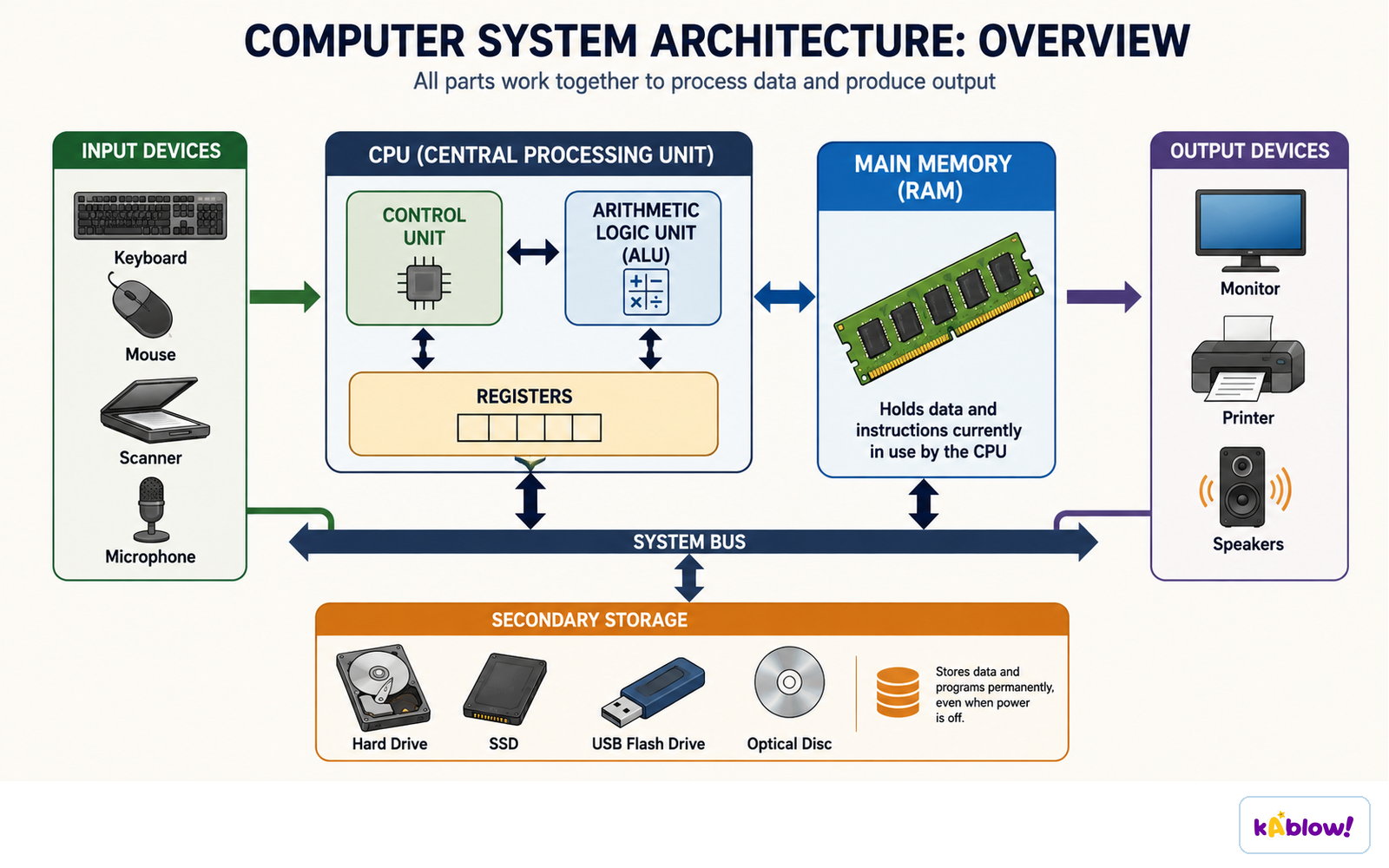
- In computers, the five main sub-systems are: CPU, memory, storage, input devices, and output devices.
- CPU sub-systems include the control unit, registers, and arithmetic logic unit (ALU).
- Sub-systems help troubleshoot problems by isolating each part for separate examination.
- They give developers a clear picture of how complex systems are built.
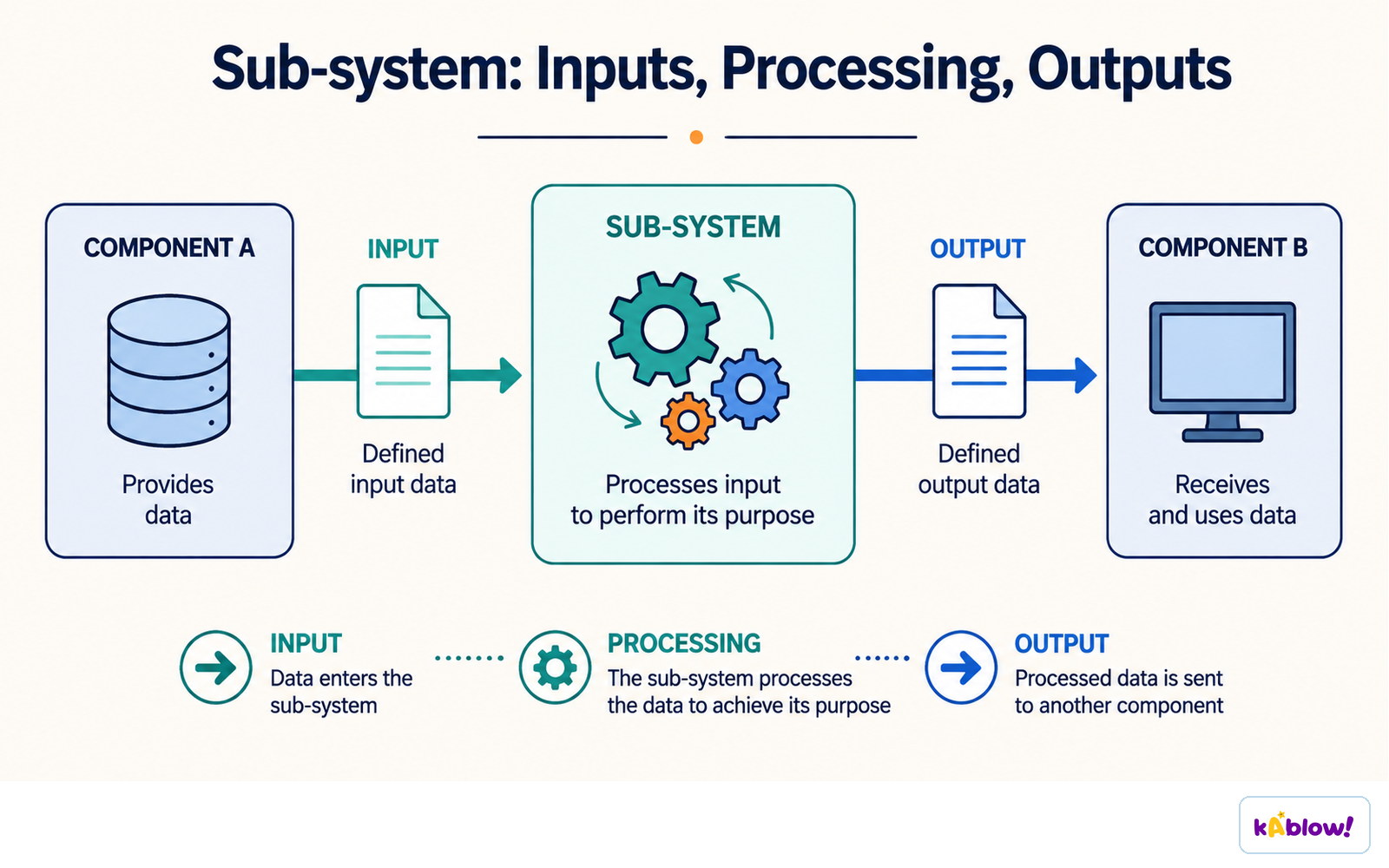
A sub-system takes defined input data, processes it for its own purpose, and passes defined output on.
The Five Main Computer Sub-Systems
- Central Processing Unit (CPU) – executes instructions.
- Memory – stores data and instructions temporarily for the CPU (e.g., RAM).
- Storage – stores data and software permanently (e.g., HDD, SSD).
- Input devices – allow a user to enter information (e.g., keyboard, mouse).
- Output devices – display information or create physical output (e.g., monitor, printer).
Input devices, the CPU, main memory, secondary storage and output devices connected by the system bus.
Problem Decomposition
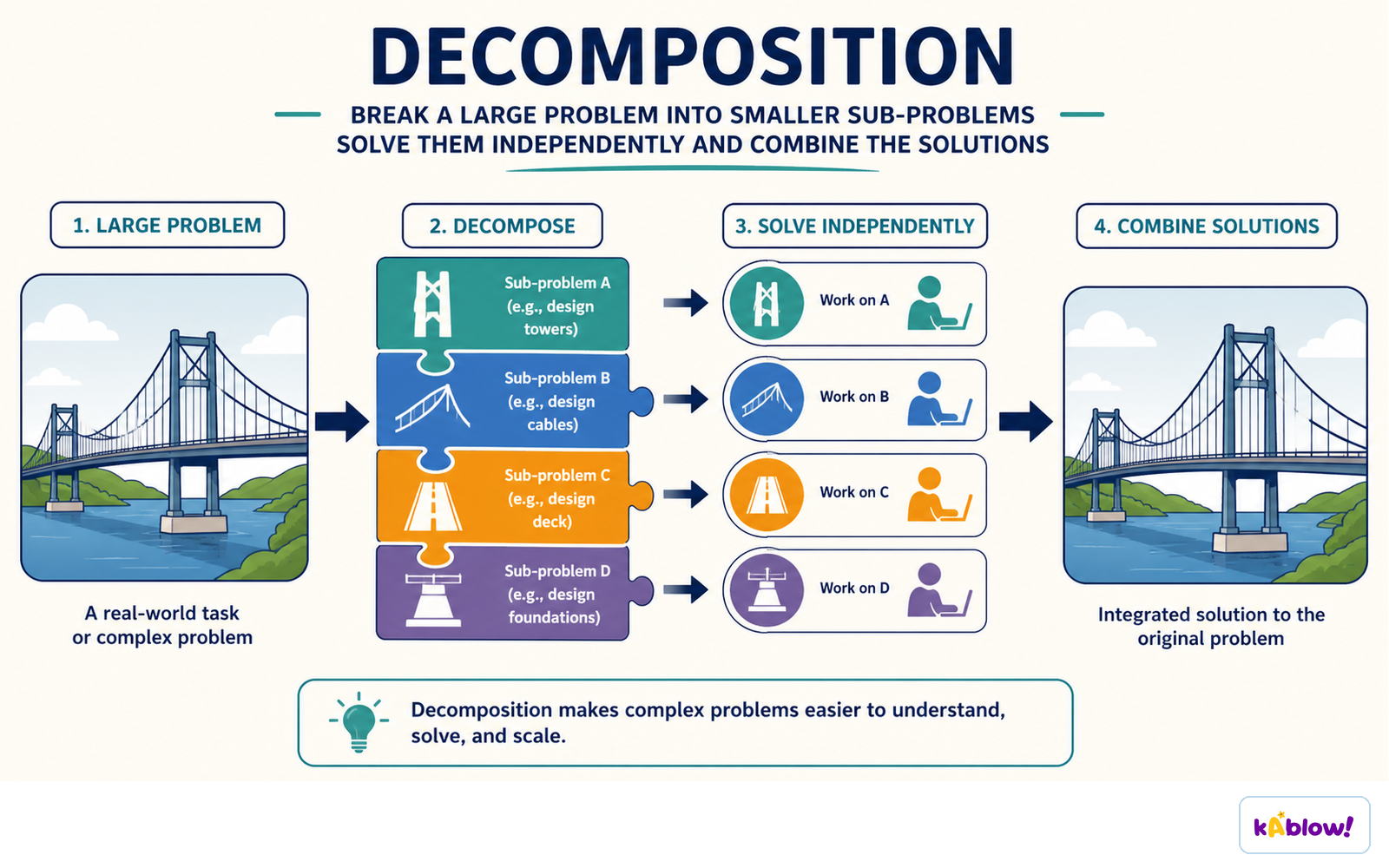
- Decomposition is the process of breaking down a large problem into a set of smaller problems.
- Smaller problems are easier to solve and can be solved independently.
- Each smaller problem can be tested independently and then combined to produce the full solution.
- Example: creating a computer game can be decomposed into levels, characters, and landscape – each handled by separate teams.
- Decomposition requires thinking about four component parts: inputs, processes, outputs, and storage.
Decomposition breaks a large problem into sub-problems that are solved separately and then combined.
Inputs, Processes, Outputs, and Storage (IPOS)
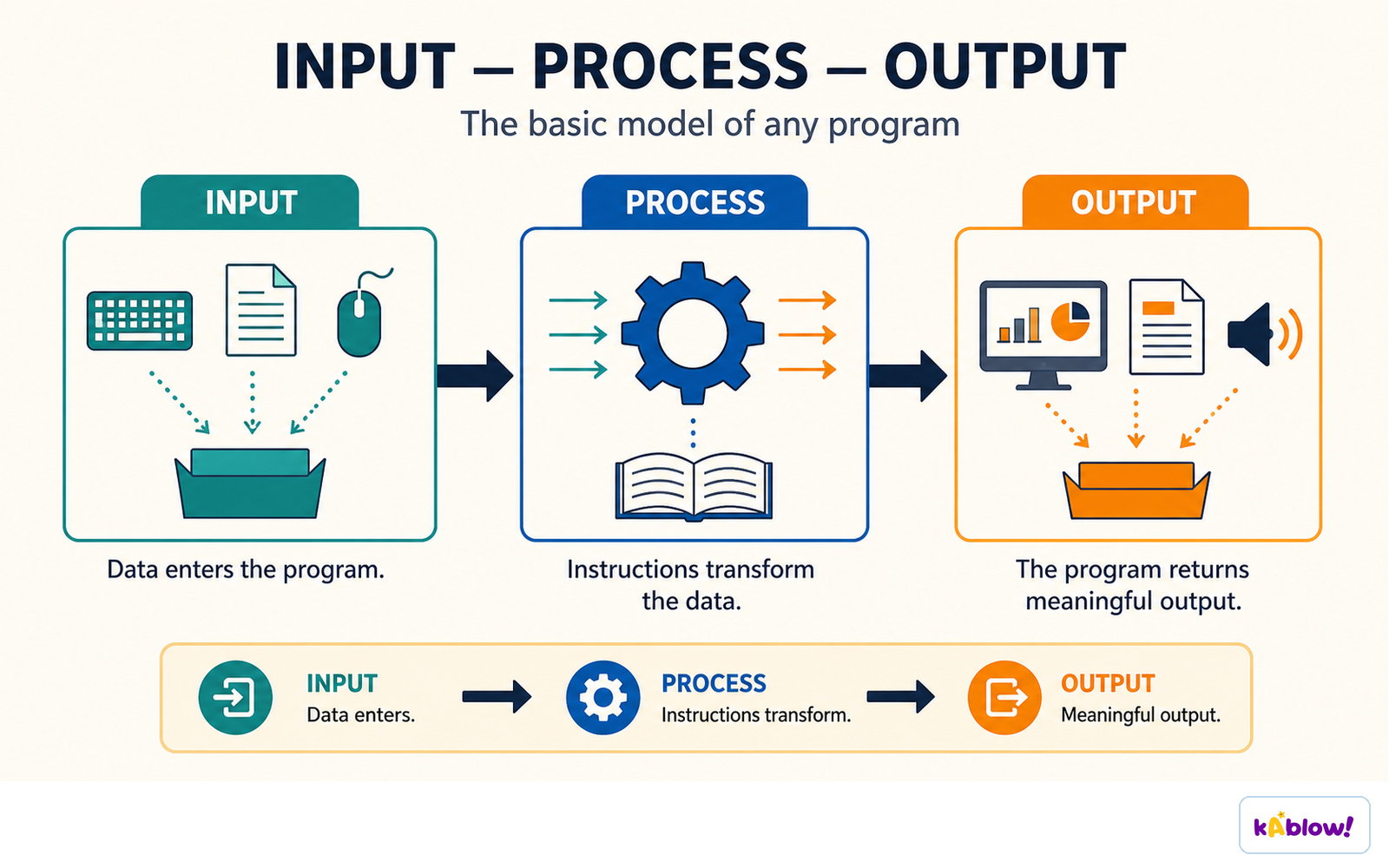
- Inputs – data entered into the system (e.g., width and height of a rectangle).
- Processes – subroutines and algorithms that turn inputs and stored data into outputs (e.g., width × height).
- Outputs – data produced by the system (e.g., calculated area displayed on screen).
- Storage – data stored on a physical device or in memory while the program runs (e.g., width, height, area stored temporarily in RAM).
Every program has the same shape: data enters, instructions transform it, and meaningful output leaves.
Benefits of Decomposition
- Smaller problems are easier to solve than one large problem.
- Each smaller problem can be solved independently of the others.
- Smaller problems can be tested independently.
- Smaller problems can be combined to produce a solution to the full problem.
Slides
Sign up free to view the lesson slides
Step through every slide for this topic — plus flashcards and revision notes — with a free account.
Practice questions
Free preview — 8 of 58 questions. Sign up to see them all.
1.What is a sub-system in a computer system?
Easy- AA smaller part of a computer system that works together with other sub-systems to create a fully functional computer system
- BA program that manages hardware resources
- CA type of storage device
- DA network of computers
2.Which of the following is NOT one of the five main sub-systems of a computer?
Easy- ACentral Processing Unit (CPU)
- BMemory
- COperating system
- DInput devices
3.Which sub-system is responsible for executing instructions?
Easy- AMemory
- BStorage
- CCentral Processing Unit (CPU)
- DOutput devices
4.What is the main function of the memory sub-system?
Easy- ATo store data and software permanently
- BTo execute instructions
- CTo store data and instructions temporarily for the CPU
- DTo allow a user to enter information
5.Which of the following is an example of how computer sub-systems can be further broken down?
Medium- ACPU - control unit, registers & arithmetic logic unit (ALU)
- BMemory - ROM and RAM
- CStorage - HDD and SSD
- DInput devices - keyboard and mouse
6.What is an advantage of using sub-systems in a computer system?
Medium- AThey make the system more complex and harder to understand
- BThey allow developers to isolate and troubleshoot problems more easily
- CThey increase the cost of the system
- DThey reduce the need for software
7.What is decomposition in problem solving?
Easy- ABreaking down a large problem into a set of smaller problems
- BCombining multiple problems into one large problem
- CIgnoring the details of a problem
- DSolving a problem without any planning
8.Which of the following is a benefit of decomposition?
Easy- ASmaller problems are harder to solve
- BEach smaller problem can be solved independently of the others
- CSmaller problems cannot be tested independently
- DSmaller problems cannot be combined to produce a solution
Unlock all 58 questions & more
Create a free account to see every question, the slides, flashcards and revision notes for this topic.