Data Storage
Learn it by playing
Answer these questions to earn energy, then fish and explore. No account needed.
Lesson notes
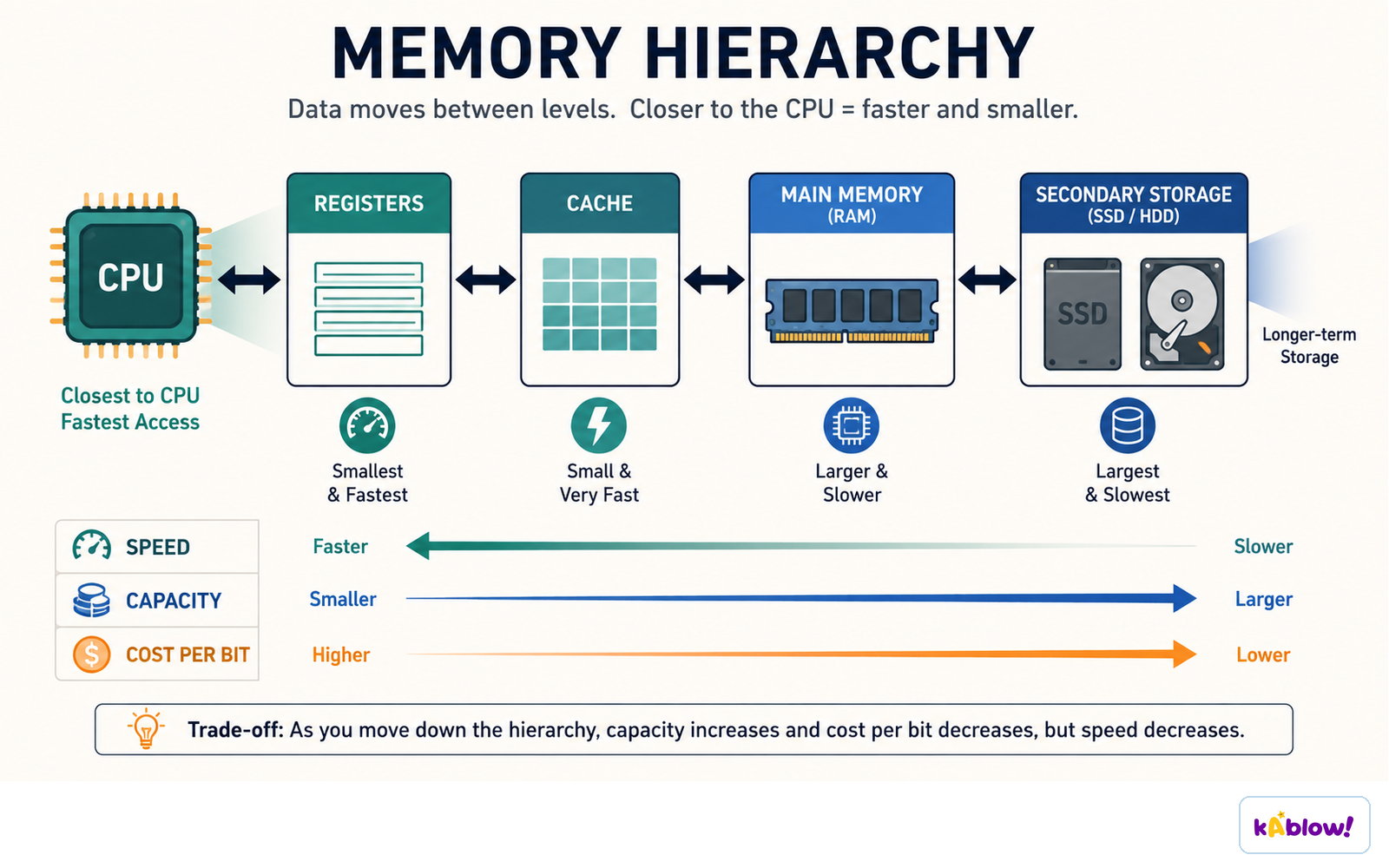
Primary Storage
- Primary storage is directly accessed by the CPU and holds data/instructions currently in use.
- It is volatile (except ROM) and has small capacity but fast access times.
- Examples: RAM, ROM, cache, and registers.
- Primary storage is more expensive per gigabyte than secondary storage.
Cache is smallest and fastest, RAM is larger and slower, secondary storage is largest and slowest.
RAM (Random Access Memory)
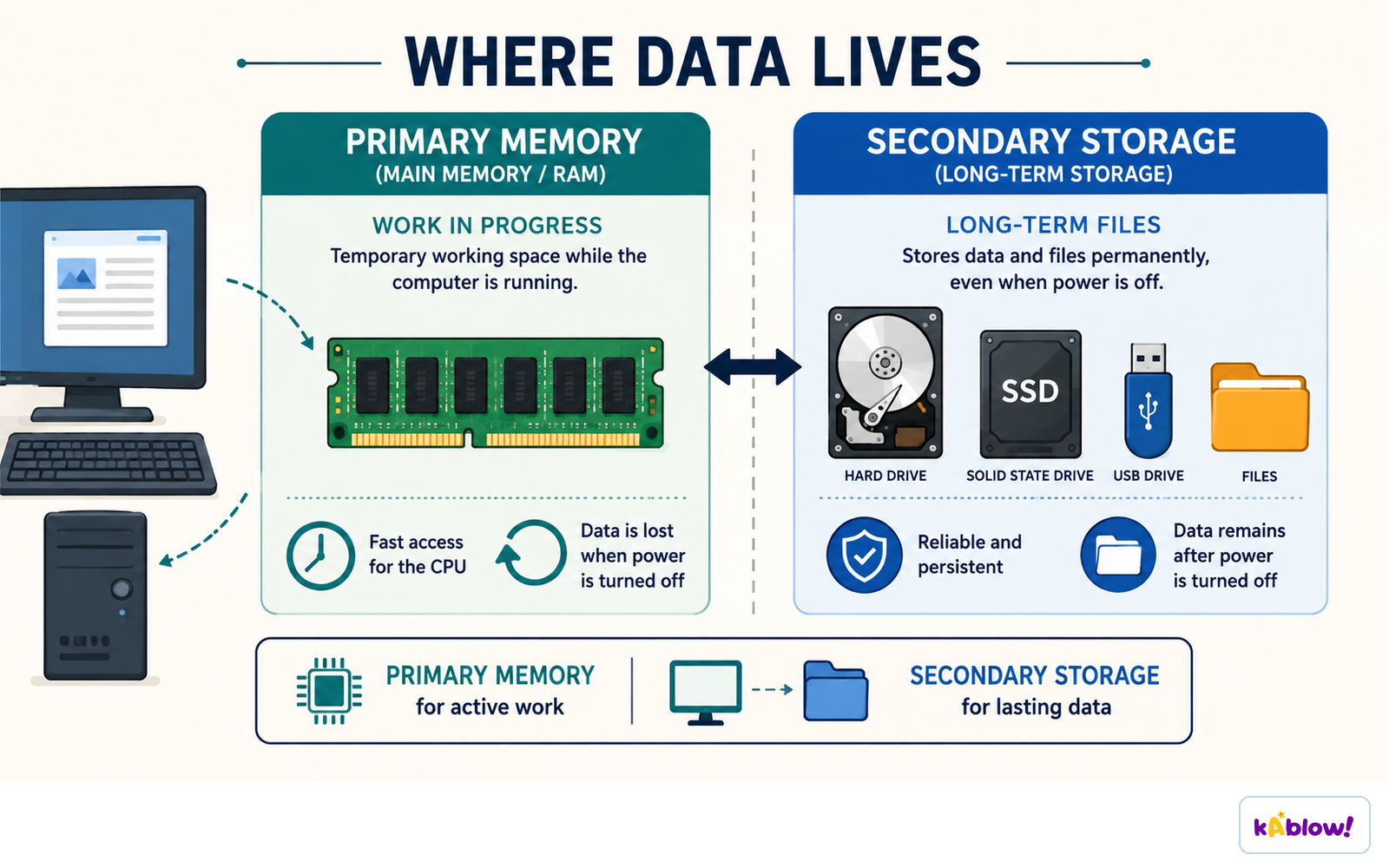
- RAM is volatile primary storage that holds data and instructions currently in use.
- Contents are lost when power is off; data must be copied from secondary storage for CPU access.
- RAM is read/write and has a much larger capacity than ROM.
- Used in devices like smart TVs to store current video stream or active game state.
Main memory holds work in progress and is lost when power goes off; secondary storage keeps files permanently.
ROM (Read Only Memory)
- ROM is non-volatile primary storage that holds the bootstrap loader and BIOS.
- It is read-only and has a small capacity (e.g., 512 KB).
- ROM is located on the motherboard and is faster than secondary storage but slower than RAM.
- Its purpose is to store start-up instructions to boot the computer.
Secondary Storage
- Secondary storage is non-volatile and used for long-term storage of programs and data.
- It has large capacity but slower access than primary storage.
- Three main types: magnetic, solid-state (flash), and optical.
- Key characteristics: capacity, speed, cost, portability, durability, reliability.
Magnetic Storage
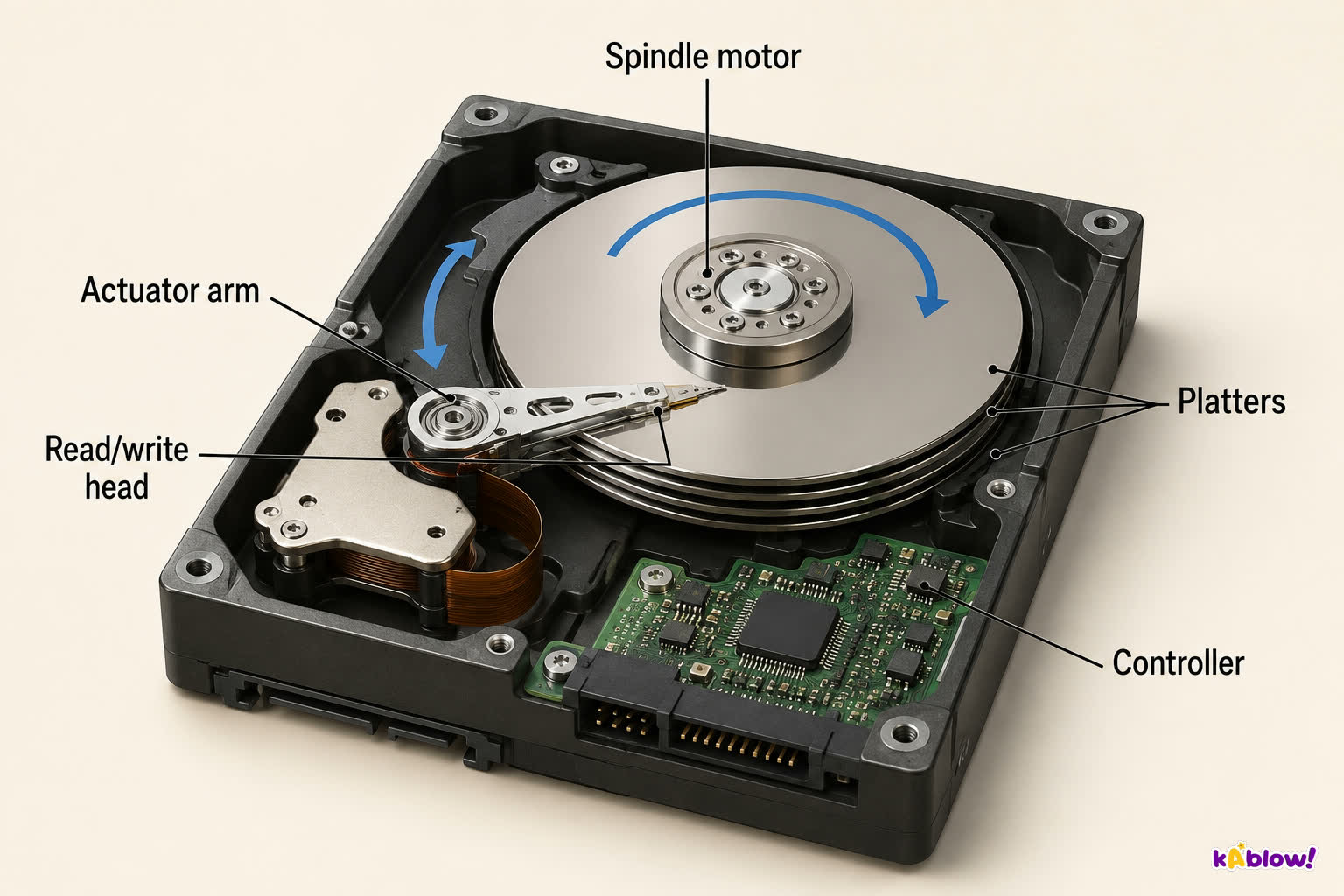
- Uses magnetised particles on spinning platters to store binary 0s and 1s.
- Data is organised into tracks and sectors; a read/write head accesses data via an actuator.
- Advantages: high capacity, low cost per GB, moderate speed.
- Disadvantages: moving parts prone to damage, noisy, less portable.
Hard disk drive mechanism
Solid-State (Flash) Storage
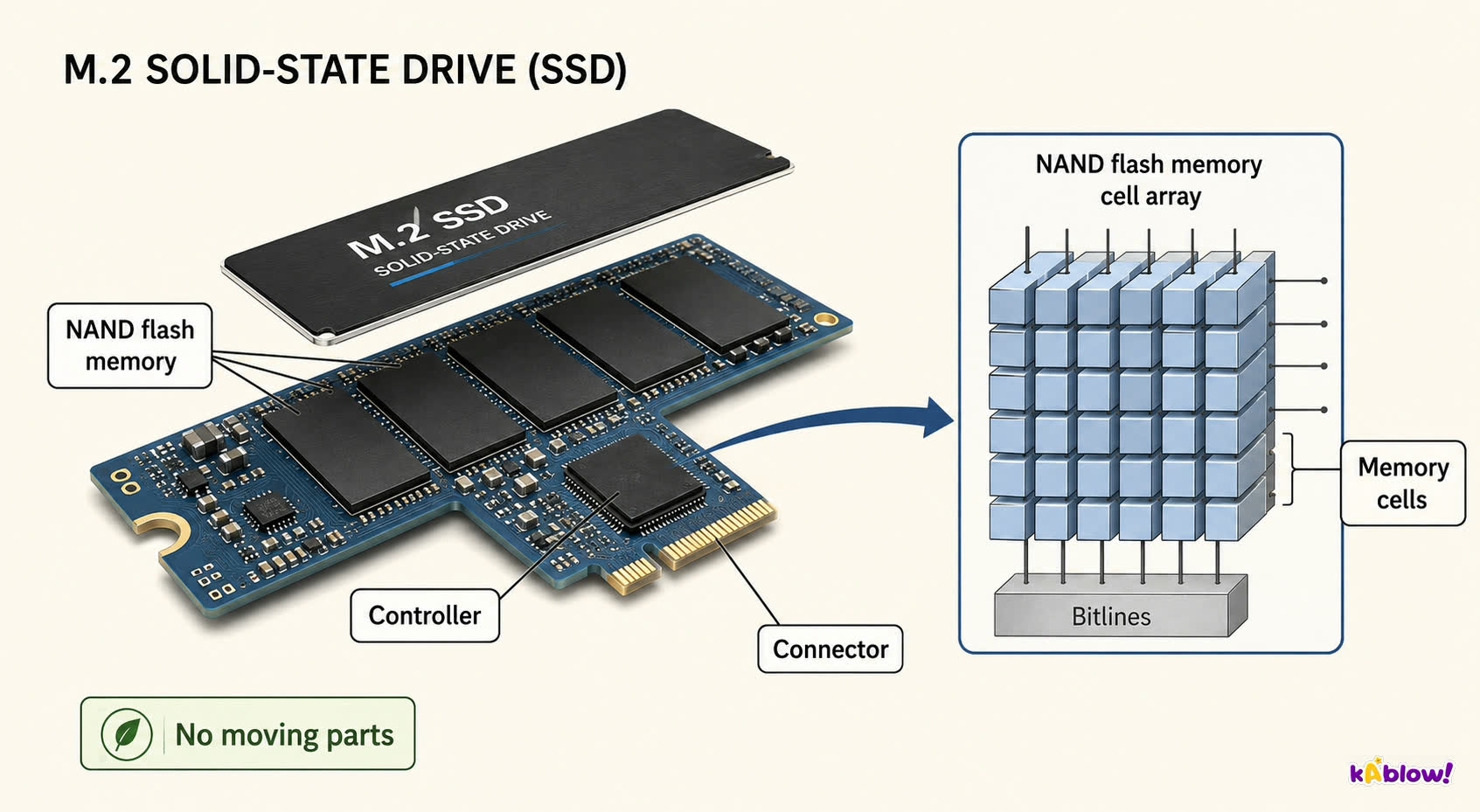
- Uses electronic circuits (NAND/NOR gates) with floating-gate transistors to store charge.
- Each cell holds one bit; a charge on the floating gate represents a 0 or 1.
- Advantages: very fast, durable (no moving parts), silent, portable.
- Disadvantages: higher cost per GB, limited read/write cycles.
Solid-state drive architecture
Optical Storage
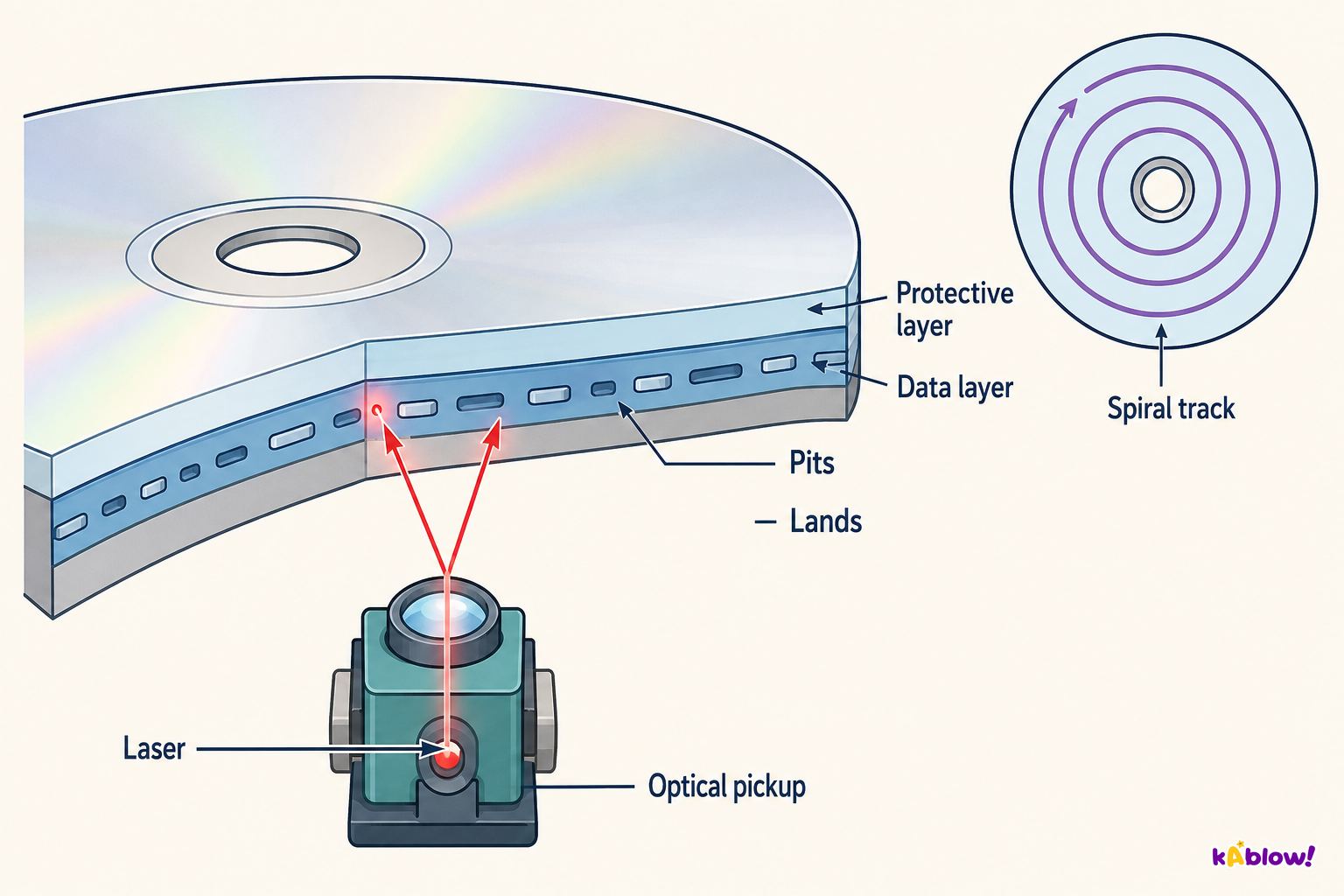
- Uses a laser to create pits and lands on a disc surface to represent binary data.
- Examples: CD, DVD, Blu-ray; CD-R is read-only, CD-RW is rewritable.
- Advantages: very low cost, portable, silent.
- Disadvantages: low capacity, slow speed, prone to scratches.
Optical disc storage
Virtual Memory
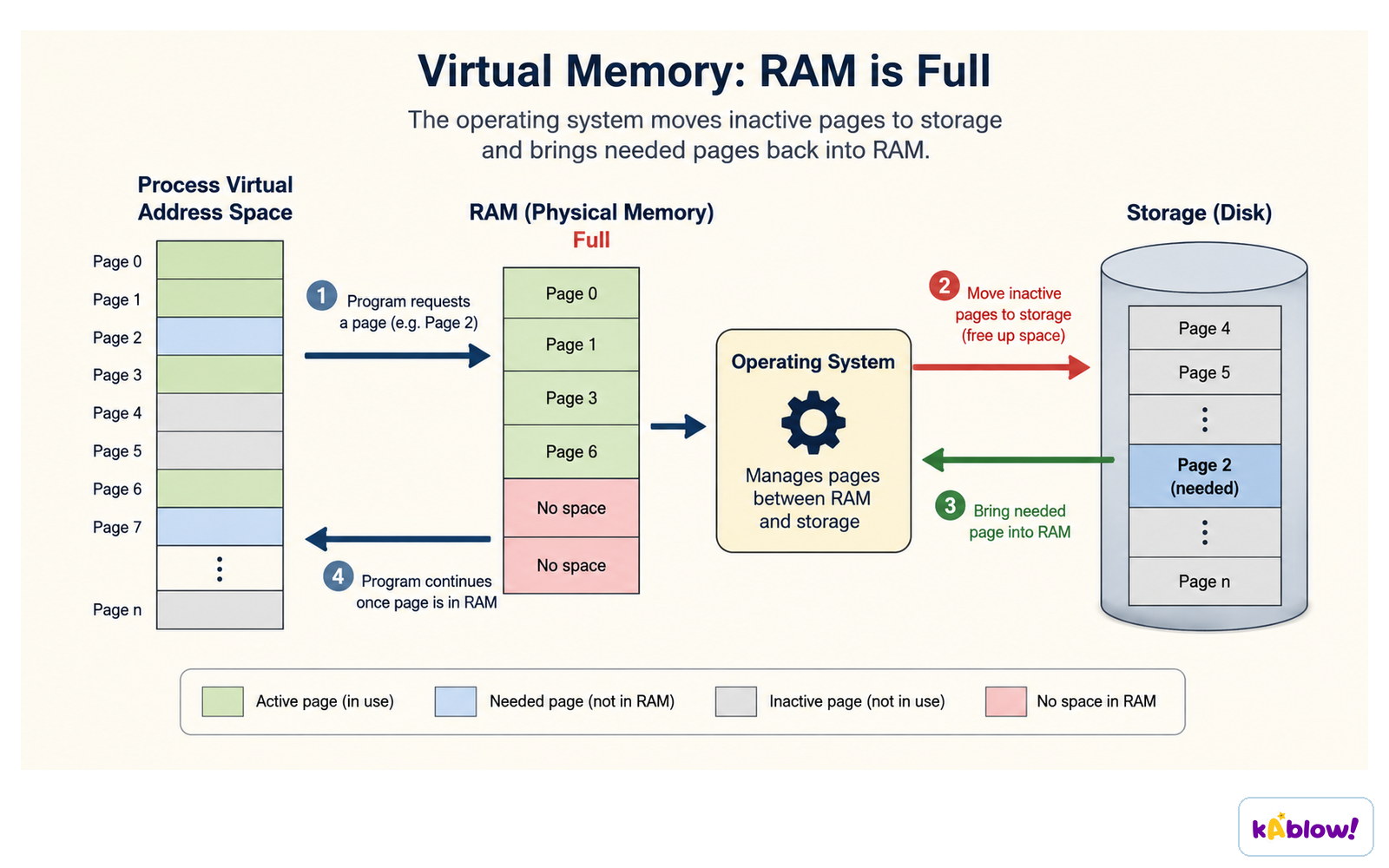
- Virtual memory is an extension of RAM located on secondary storage.
- Used when RAM is full: inactive pages are moved to virtual memory to free RAM.
- Virtual memory is much slower than RAM and negatively impacts performance.
- Increasing physical RAM reduces reliance on virtual memory and improves speed.
When RAM is full the operating system moves inactive pages out to storage and brings needed pages back in.
Cloud Storage
- Cloud storage stores data on remote servers accessed via the Internet.
- Advantages: accessibility from anywhere, scalability, automatic backups, collaboration.
- Disadvantages: requires internet connection, ongoing subscription cost, security concerns.
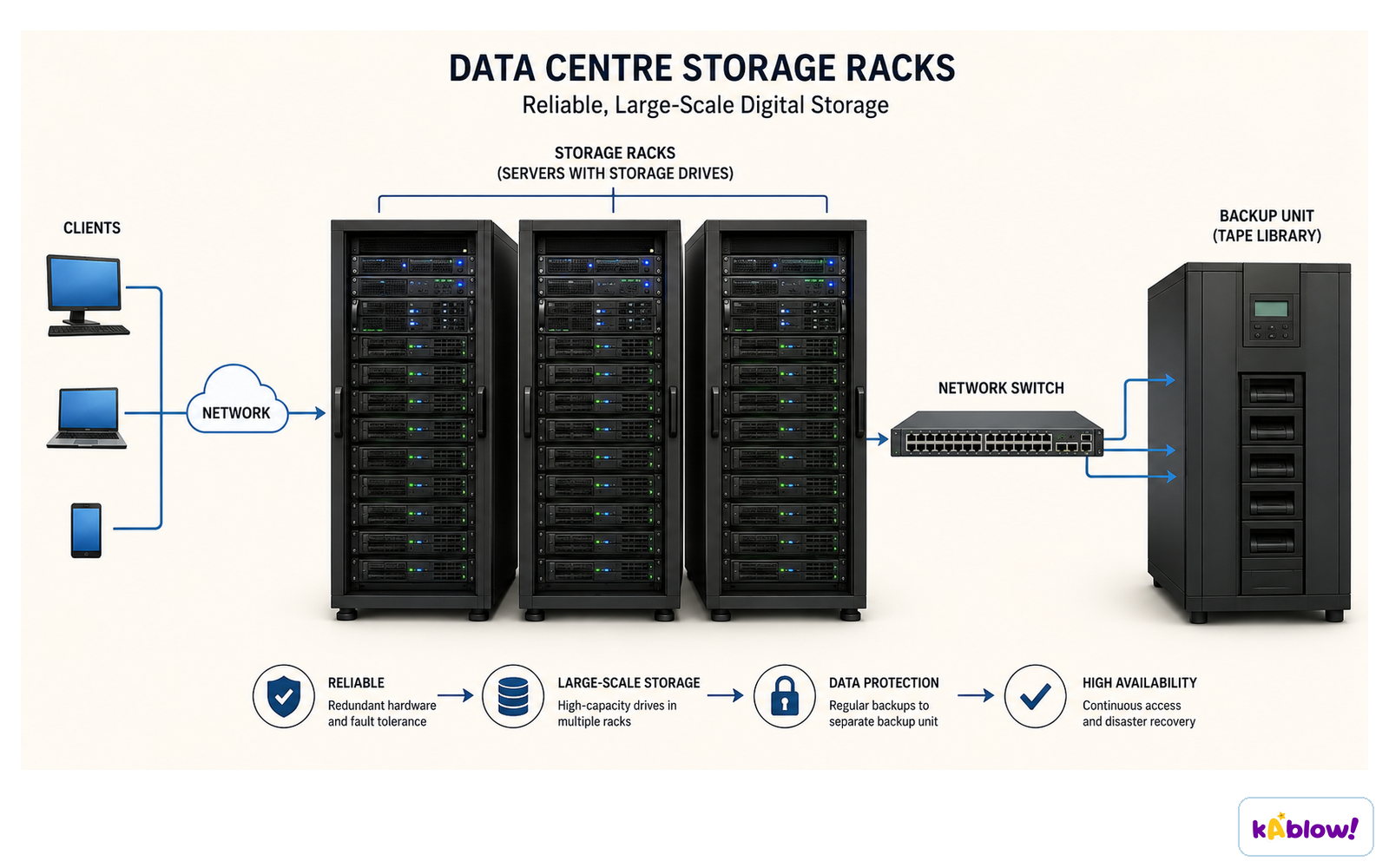
- Data is typically stored on magnetic or solid-state drives in data centres.
Cloud storage keeps data on racks of drives in a data centre, reached over a network.
Slides
Sign up free to view the lesson slides
Step through every slide for this topic — plus flashcards and revision notes — with a free account.
Practice questions
Free preview — 8 of 56 questions. Sign up to see them all.
1.Which of the following is a characteristic of RAM?
Easy- AIt is non-volatile
- BIt is read-only
- CIt is volatile
- DIt holds the bootstrap instructions
2.What is the purpose of ROM in a computer?
Easy- ATo store data currently in use by the CPU
- BTo store the bootstrap instructions for starting the computer
- CTo provide large-capacity long-term storage
- DTo act as virtual memory when RAM is full
3.Which type of secondary storage uses a laser to read and write data by creating pits and lands?
Easy- AMagnetic storage
- BSolid-state storage
- COptical storage
- DCloud storage
4.Which of the following is an advantage of solid-state storage compared to magnetic storage?
Easy- ALower cost per gigabyte
- BHigher storage capacity
- CNo moving parts
- DLouder operation
5.A computer has 4 GB of RAM and frequently uses virtual memory. What is a consequence of relying heavily on virtual memory?
Medium- AThe computer's performance improves
- BThe computer's performance decreases
- CThe RAM size is effectively increased
- DData is lost when the power is turned off
6.Which of the following is a disadvantage of cloud storage?
Easy- AData can be accessed from anywhere
- BAutomatic backups are provided
- CAn internet connection is required
- DStorage capacity can be scaled easily
7.In a magnetic hard disk, data is stored on:
Easy- APits and lands
- BPlatters coated with magnetic material
- CNAND gates
- DFloating gates
8.Which of the following best describes why a computer needs both primary and secondary storage?
Medium- APrimary storage is non-volatile and secondary storage is volatile
- BPrimary storage provides fast access for current data, while secondary storage provides long-term non-volatile storage
- CPrimary storage has a larger capacity than secondary storage
- DSecondary storage is directly accessed by the CPU
Unlock all 56 questions & more
Create a free account to see every question, the slides, flashcards and revision notes for this topic.