Data Storage & Compression
Learn it by playing
Answer these questions to earn energy, then fish and explore. No account needed.
Lesson notes
Units of Data Storage
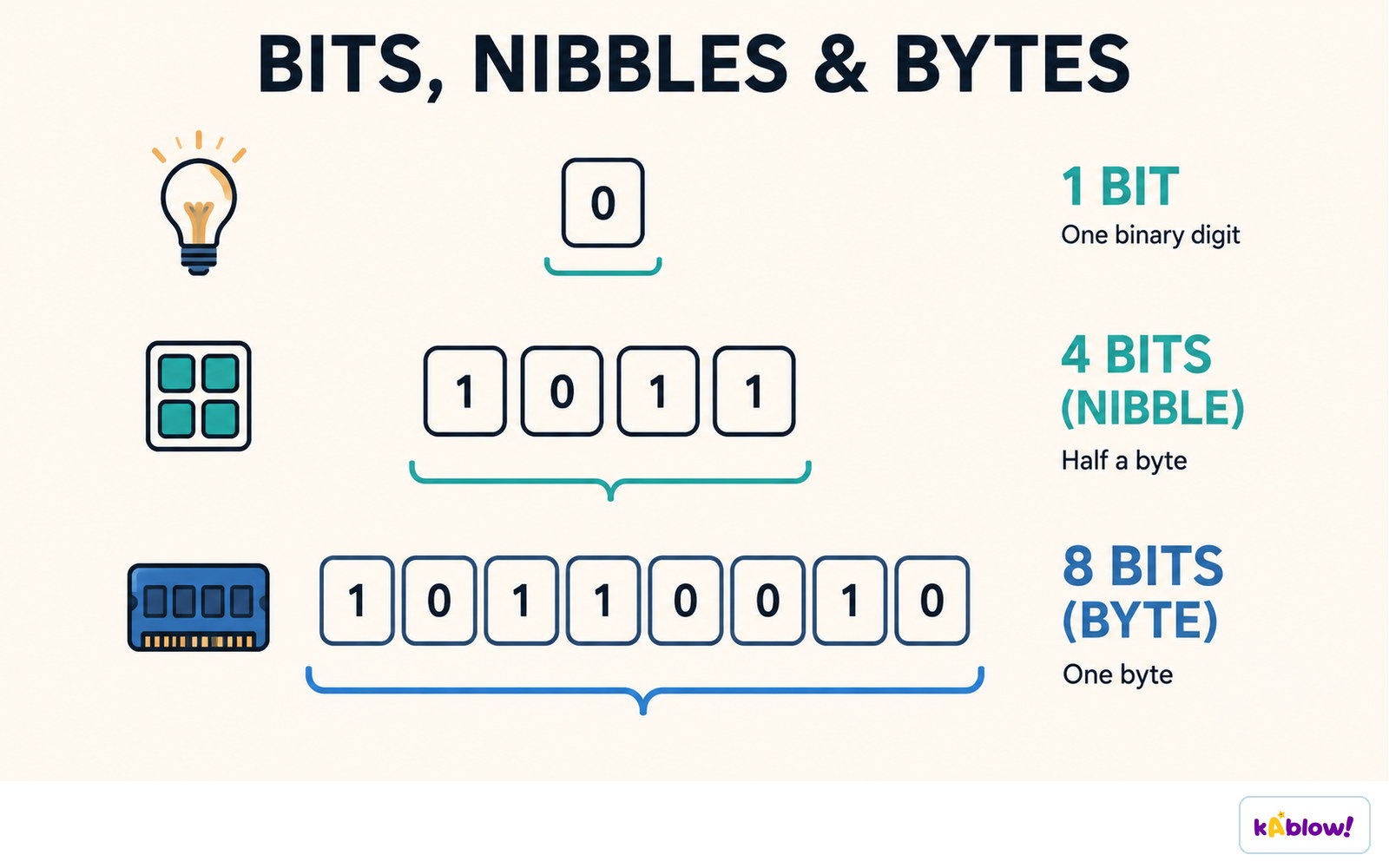
- A bit (b) is the smallest unit, representing a 1 or 0.
- A nibble = 4 bits; a byte (B) = 8 bits.
- Larger units: Kibibyte (KiB) = 1024 B, Mebibyte (MiB) = 1024 KiB, Gibibyte (GiB) = 1024 MiB, Tebibyte (TiB) = 1024 GiB, Pebibyte (PiB) = 1024 TiB, Exbibyte (EiB) = 1024 PiB.
- Binary prefixes (KiB, MiB) use powers of 2 (1024); decimal prefixes (KB, MB) use powers of 10 (1000).
- To convert to a larger unit, divide by 1024; to a smaller unit, multiply by 1024.
- Between bits and bytes: multiply/divide by 8.
One binary digit is a bit, four bits are a nibble, and eight bits are a byte.
Calculating File Sizes
- Bitmap image size = Resolution × Colour Depth (or width × height × colour depth).
- Resolution = width × height in pixels; colour depth = bits per pixel.
- Sound file size = Sample Rate × Duration (seconds) × Sample Resolution.
- Sample rate = samples per second; sample resolution = bits per sample.
- Convert bits to bytes by dividing by 8; bytes to KiB by dividing by 1024.
Compression Overview
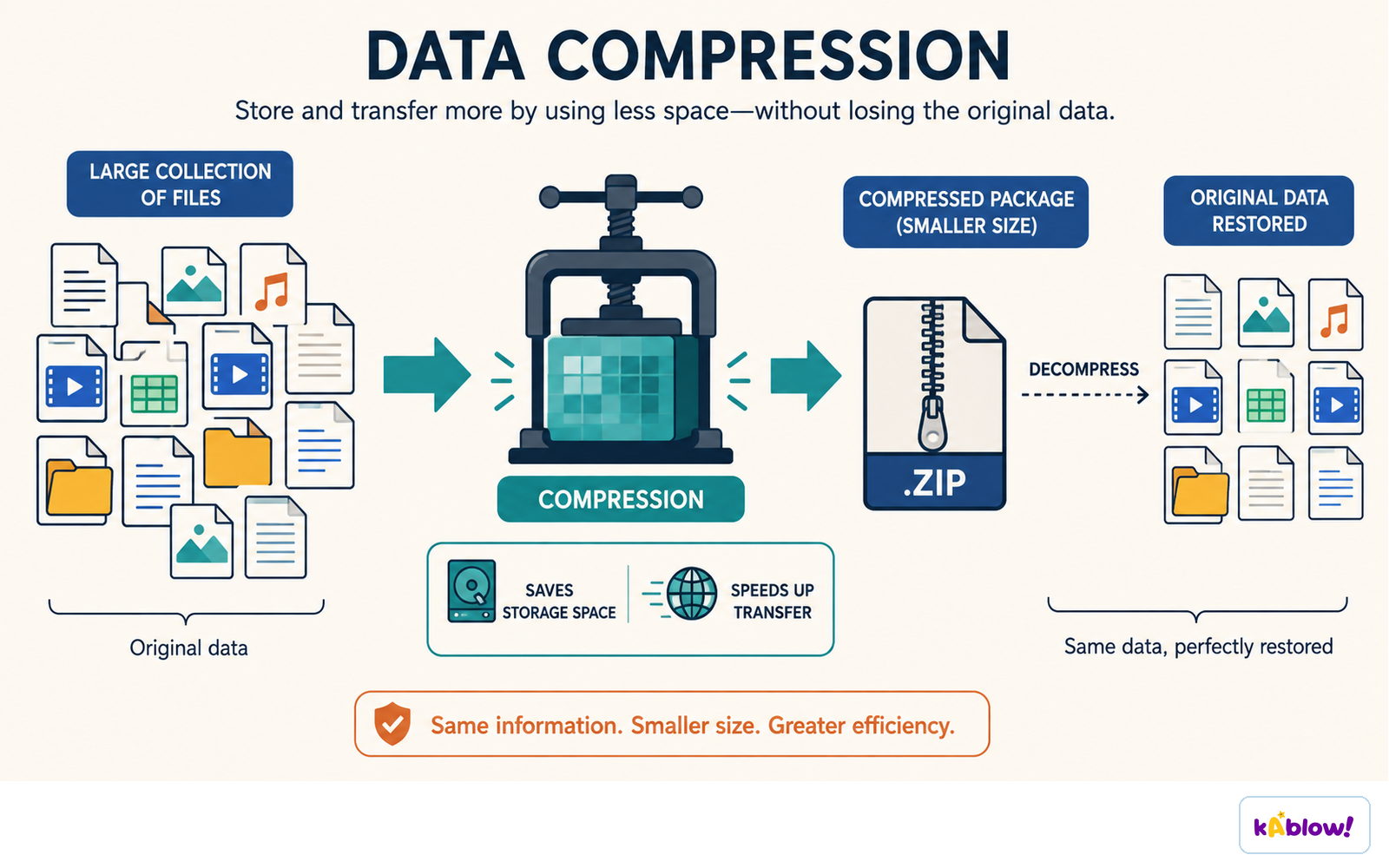
- Compression reduces file size to save storage space, reduce bandwidth, and shorten transmission time.
- Two types: lossy and lossless.
Compression stores and transfers the same information in less space.
Lossy Compression
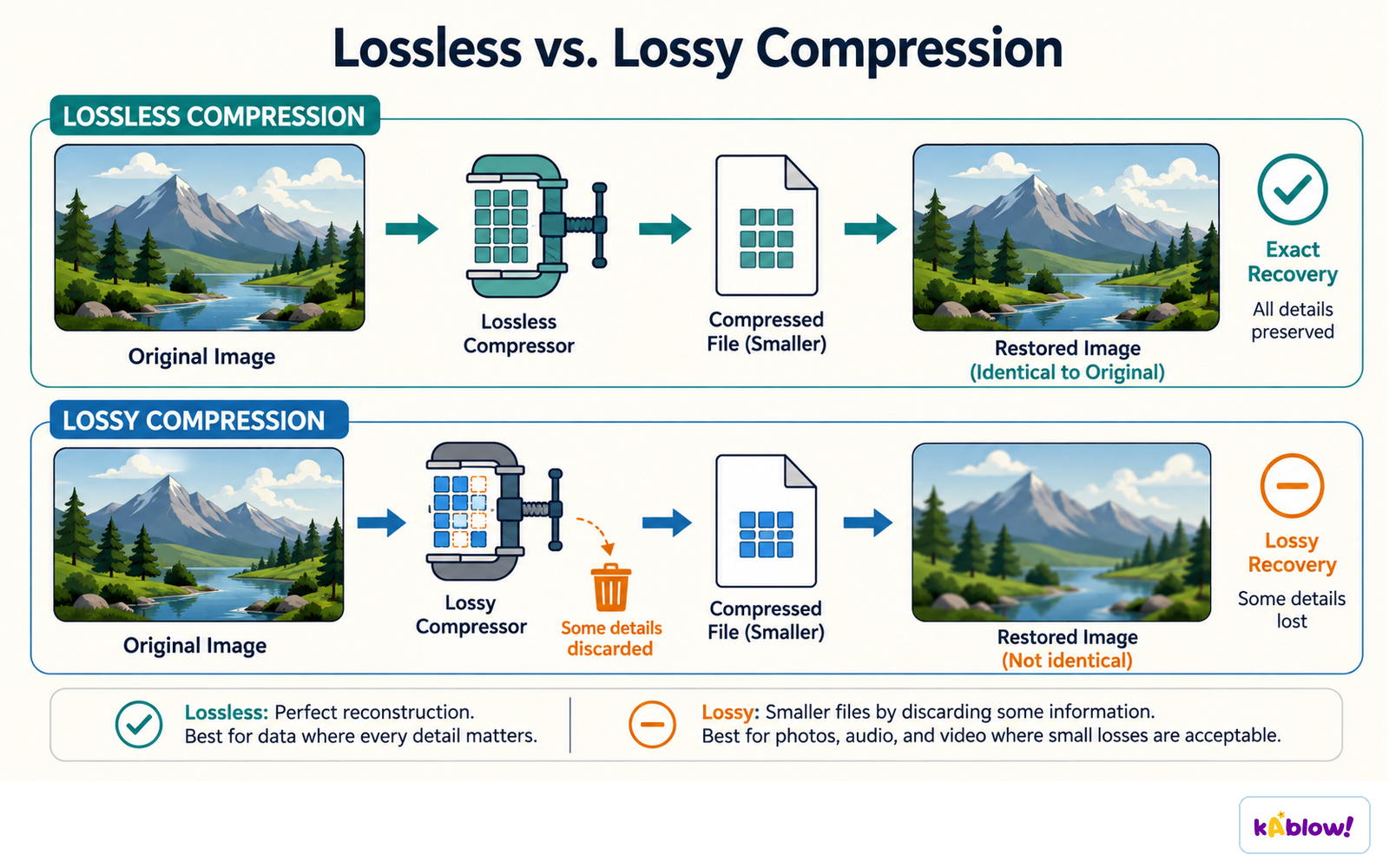
- Lossy compression permanently removes data to reduce file size; it is irreversible.
- Achieves large size reductions but at the cost of quality loss.
- Suitable for images, video, and sound where some quality loss is acceptable.
- Example: grouping similar colours in a photograph reduces colour count while keeping visual quality.
Lossless compression restores the original exactly; lossy compression discards some detail to shrink the file further.
Lossless Compression
- Lossless compression encodes data to reduce size without losing information; it is reversible.
- Produces smaller files than original but not as small as lossy.
- Suitable for text/documents where quality must be preserved.
- Uses algorithms like Run-Length Encoding (RLE) to find patterns and repetition.
Run-Length Encoding (RLE)
- RLE compresses consecutive identical elements into a count and the value.
- Example: `AAAABBBCCDAA` becomes `4A3B2C1D2A`.
- Used in bitmap images to compress runs of the same colour (e.g., `5R3B` for 5 red, 3 blue pixels).
Slides
Sign up free to view the lesson slides
Step through every slide for this topic — plus flashcards and revision notes — with a free account.
Practice questions
Free preview — 8 of 69 questions. Sign up to see them all.
1.Which of the following is the smallest unit of data storage?
Easy- ABit
- BByte
- CNibble
- DKilobyte
2.How many bits are there in one byte?
Easy- A4
- B8
- C16
- D1024
3.What is the value of 1 KiB (kibibyte) in bytes?
Easy- A1000
- B1024
- C8
- D10242
4.Convert 2 MiB to KiB.
Easy- A2048
- B2000
- C1024
- D4096
5.A sound file has a sample rate of 44,100 Hz, a duration of 10 seconds, and a sample resolution of 16 bits. What is the file size in bytes?
Medium- A882,000
- B705,600
- C7,056,000
- D44,100
6.Which formula correctly calculates the size of a bitmap image?
Easy- AResolution × colour depth
- BWidth × height × sample rate
- CSample rate × duration × colour depth
- DWidth × height × duration
7.What is compression?
Easy- AReducing the size of a file
- BIncreasing the quality of a file
- CConverting a file to a different format
- DEncrypting a file for security
8.Which type of compression is irreversible?
Easy- ALossy
- BLossless
- CRun length encoding
- DAll compression
Unlock all 69 questions & more
Create a free account to see every question, the slides, flashcards and revision notes for this topic.