Number Systems
Learn it by playing
Answer these questions to earn energy, then fish and explore. No account needed.
Lesson notes
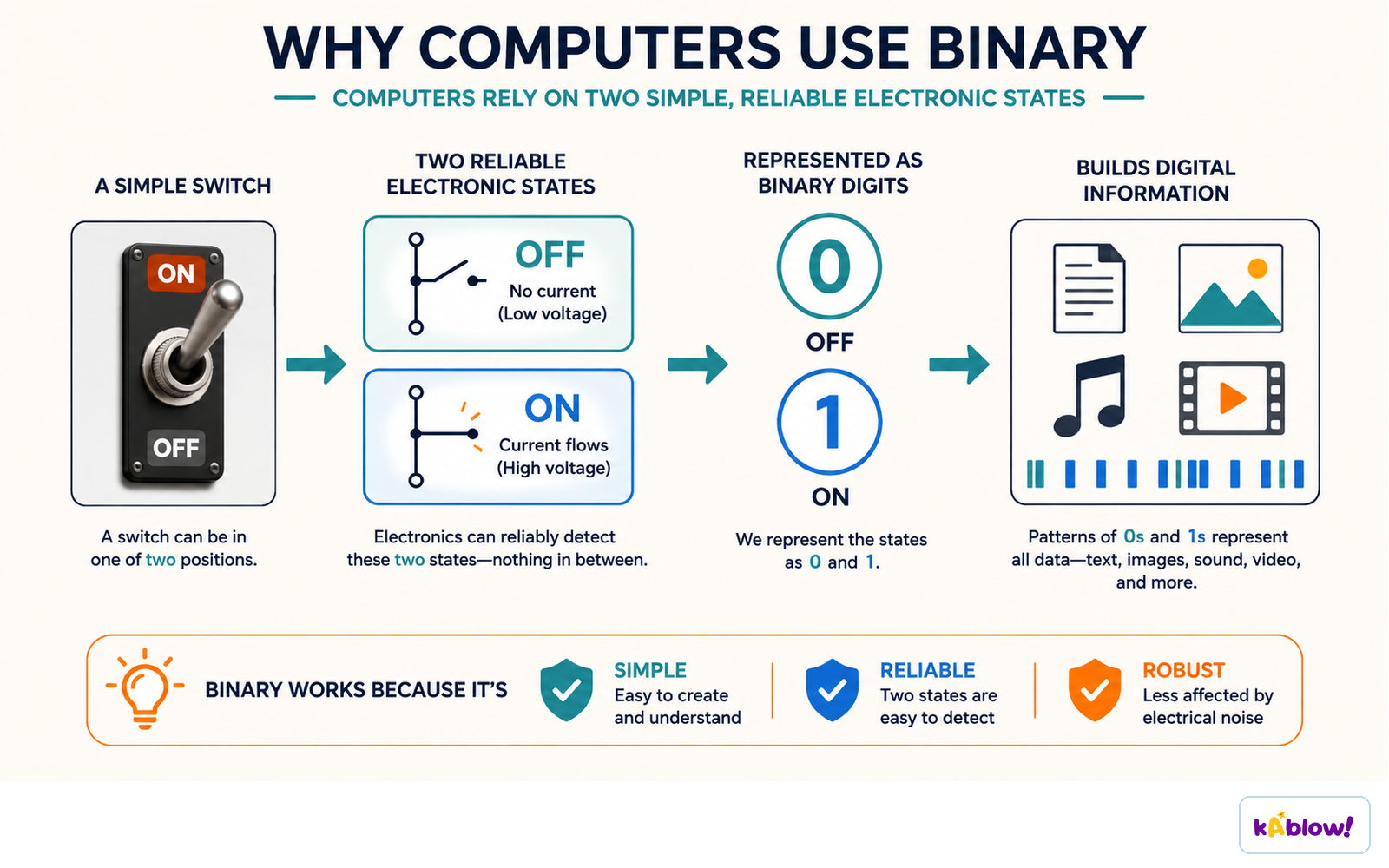
Why Computers Use Binary
- Computers process data using logic gates that have only two states (on/off).
- Binary (base-2) uses digits 1 (on) and 0 (off) to match these states.
- All data must be converted to binary before a computer can process it.
- Examples: magnetic hard drives use North/South polarity; optical disks use land/pit.
- Binary allows fast processing and efficient storage.
Computers use binary because a switch has two reliable states, easy to detect and hard to confuse.
Number Systems Overview
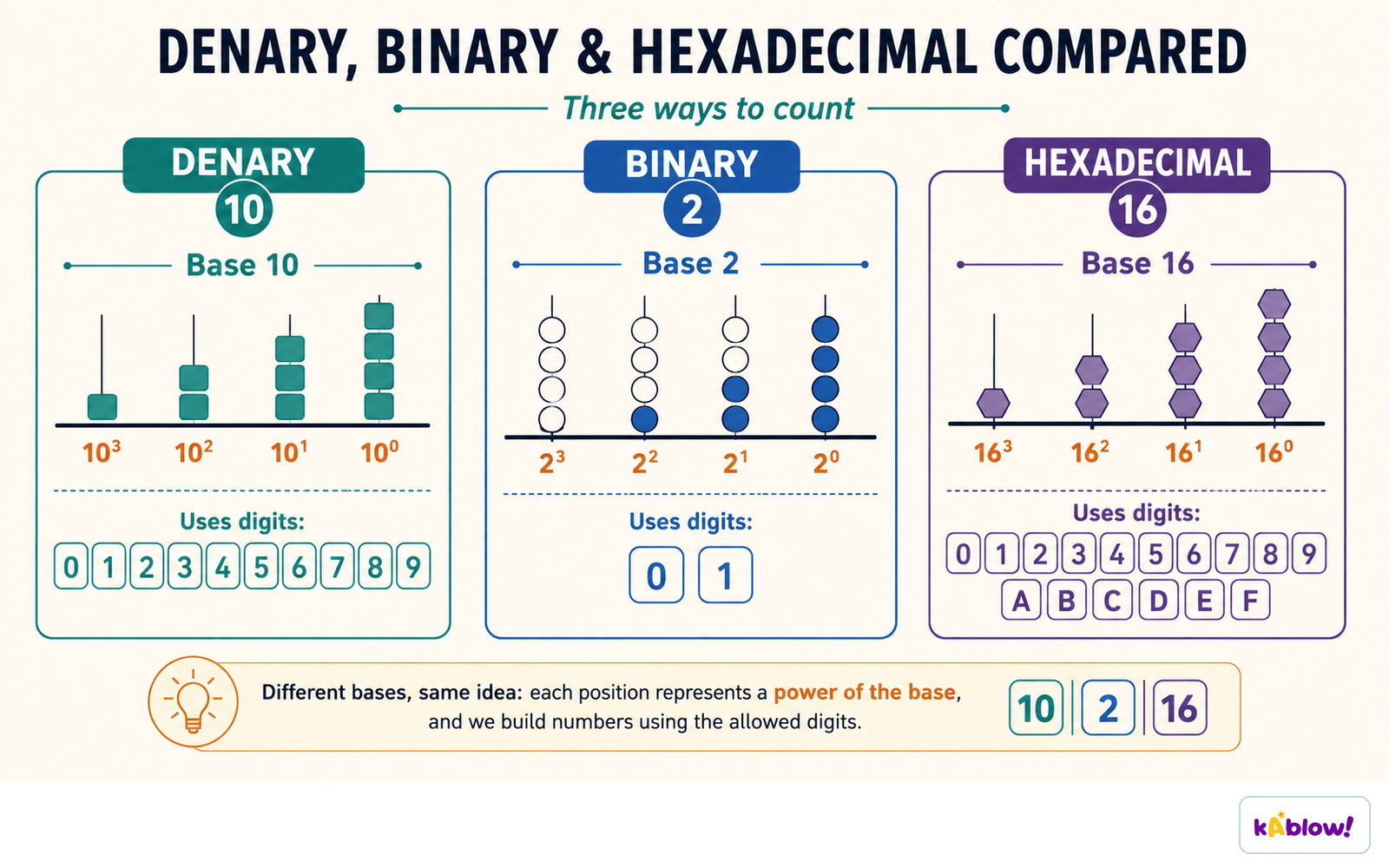
- Denary (base-10): digits 0–9, each column is a power of 10.
- Binary (base-2): digits 0–1, each column is a power of 2.
- Hexadecimal (base-16): digits 0–9 and letters A–F (A=10, B=11, C=12, D=13, E=14, F=15).
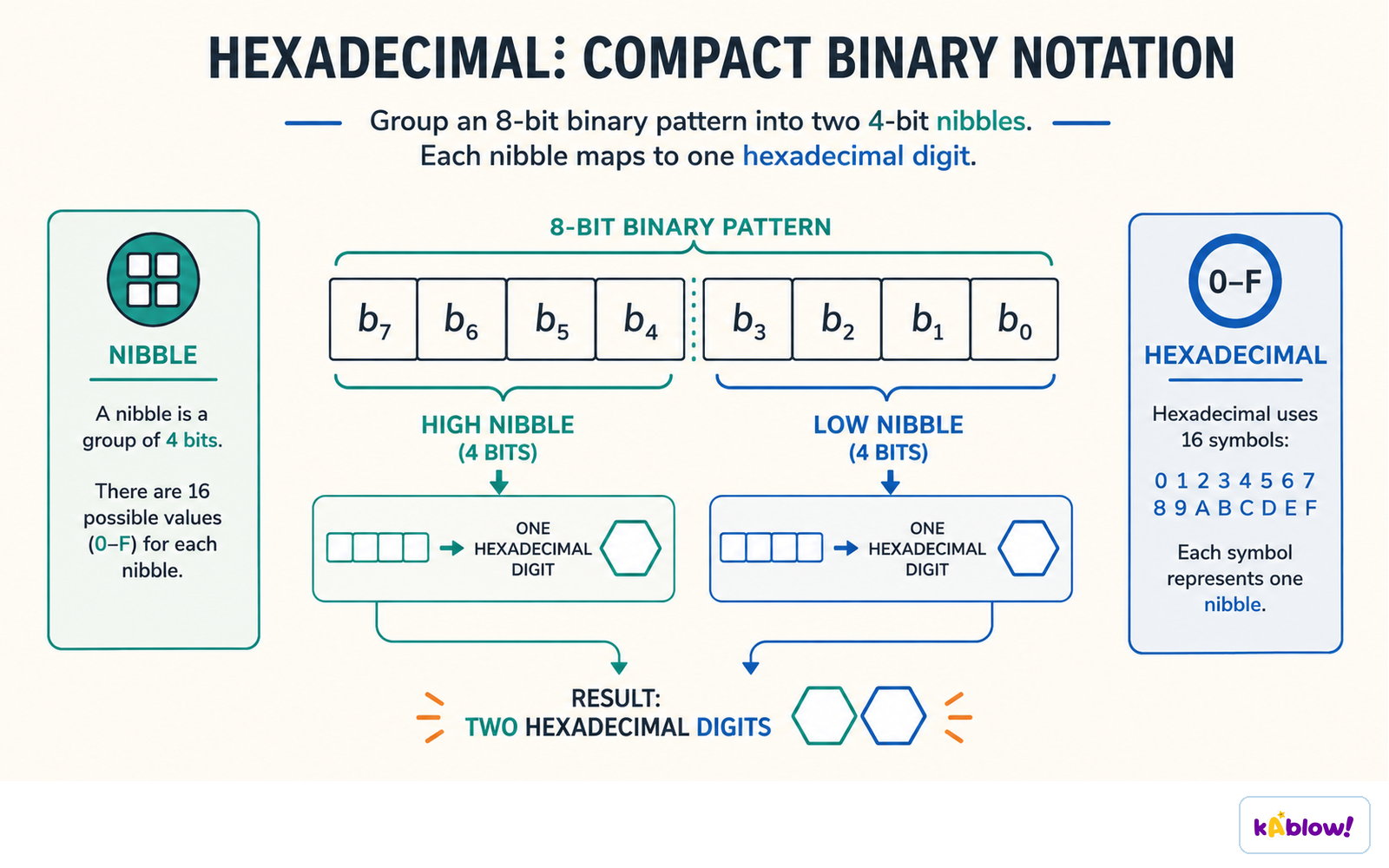
- One hex digit represents exactly 4 bits (a nibble).
- Largest 16-bit denary value: 65,535 (binary 1111111111111111).
Denary, binary and hexadecimal are three ways to count: the same idea in a different base.
Converting Between Binary & Denary
- Denary → Binary: write column headings (powers of 2) from largest ≤ number down to 1; for each column, put 1 if the value fits, subtract it, else 0.
- Binary → Denary: write column headings, multiply each 1-bit by its heading, sum the results.
- If a binary number ends in 1, the denary result is odd (quick check).
- Pad with leading zeros if a specific bit-length is required (e.g., 8-bit).
Converting Between Hexadecimal & Denary
- Denary → Hex: Method 1: convert denary to binary, split into nibbles, convert each nibble to hex. Method 2: divide by 16; quotient = first hex digit, remainder = second hex digit.
- Hex → Denary: Method 1: convert each hex digit to a nibble, join to 8-bit binary, convert to denary. Method 2: multiply first digit by 16, add second digit.
- Exam is non-calculator; use binary method if unsure of multiplication/division by 16.
Converting Between Hexadecimal & Binary
- Binary → Hex: split 8-bit binary into two nibbles (4 bits each); convert each nibble to its hex digit (0–F).
- Hex → Binary: convert each hex digit to its 4-bit binary nibble; join the nibbles.
- Always write out the full 8-bit binary result for clarity.
An 8-bit pattern splits into two nibbles, and each nibble becomes one hexadecimal digit.
Uses of Hexadecimal
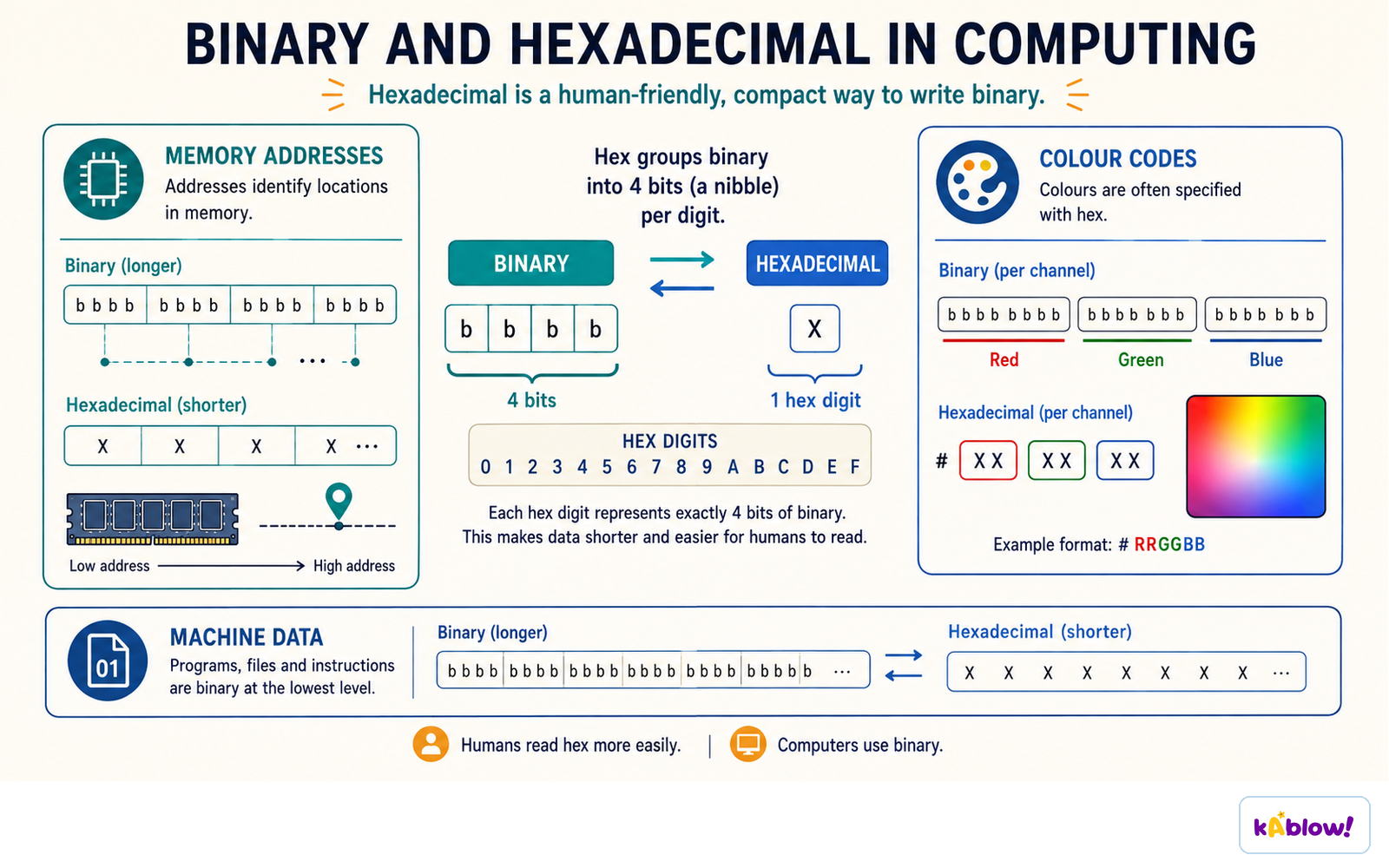
- Hex is used because it is shorter than binary and easier for humans to read with fewer copying errors.
- MAC addresses: 12 hex digits (e.g., AA:BB:CC:DD:EE:FF) instead of 48 binary digits.
- Colour codes: 6 hex digits (e.g., #66FF33) instead of 24 binary digits.
- URLs: non-standard characters are encoded as hex preceded by % (e.g., %20 for space).
Hexadecimal writes long binary patterns compactly for memory addresses, colour codes and machine data.
Binary Addition
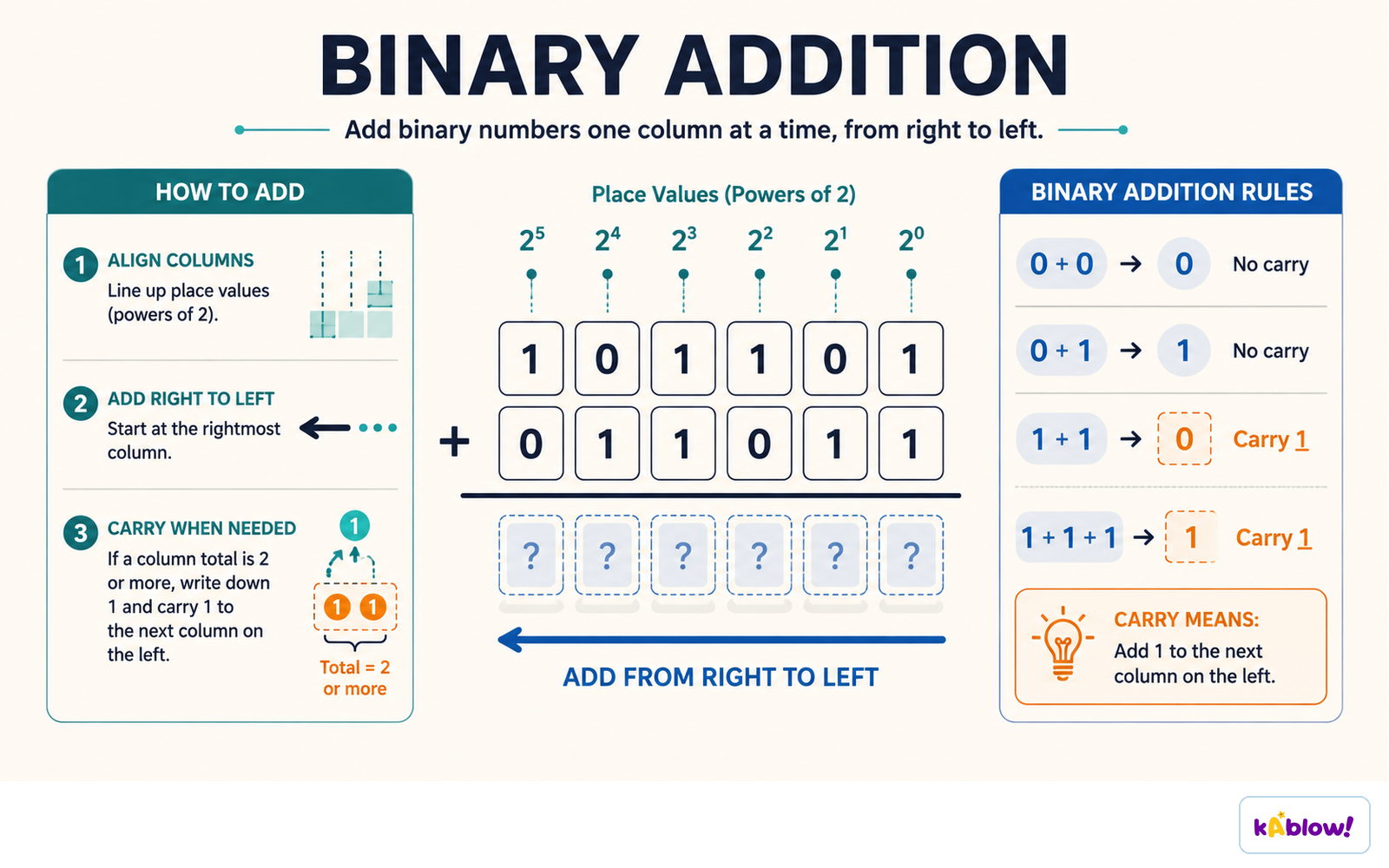
- Rules: 0+0=0, 0+1=1, 1+0=1, 1+1=0 carry 1, 1+1+1=1 carry 1.
- Add from rightmost bit to left, carrying over when sum ≥ 2.
- Overflow occurs when the result exceeds the available bits (e.g., 8-bit sum > 255).
- Always show carry bits clearly; marks are awarded for correct carries even if final answer is wrong.
Binary addition works column by column from the right, carrying whenever a column totals two or more.
Binary Shifts
- Logical left shift multiplies by 2 for each shift (e.g., shift left 1 → ×2).
- Logical right shift divides by 2 for each shift (e.g., shift right 1 → ÷2).
- Bits shifted out are lost; empty positions are filled with 0.
- Overflow occurs when a 1 is shifted out of the most significant bit (MSB) on a left shift.
Two's Complement
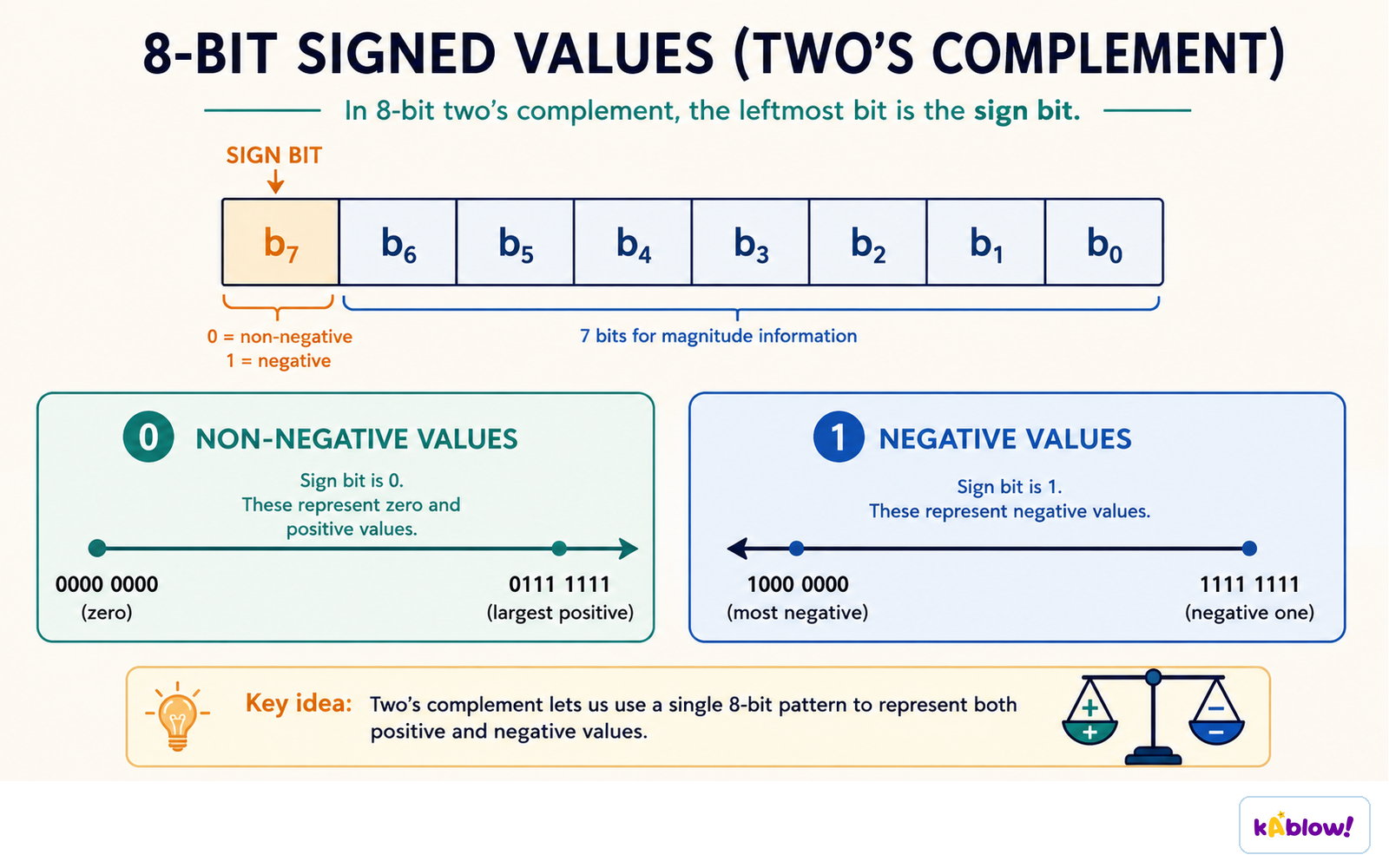
- Two's complement represents signed (positive and negative) binary numbers.
- The MSB has a negative weight (−128 in 8-bit); remaining bits are positive.
- To convert a negative denary number: write the positive binary, then copy bits from right until the first 1, then invert all remaining bits.
- Example: −76 → positive 01001100 → copy rightmost bits (100) → invert rest → 10110100.
In 8-bit two's complement the leftmost bit is the sign bit: 0 marks zero and positive values, 1 marks negative ones.
Slides
Sign up free to view the lesson slides
Step through every slide for this topic — plus flashcards and revision notes — with a free account.
Practice questions
Free preview — 8 of 55 questions. Sign up to see them all.
1.Why do computers use binary to process data?
Easy- ABecause logic gates have only two states, on and off
- BBecause binary is easier for humans to read than denary
- CBecause binary uses digits 0-9
- DBecause binary is the only number system that can represent negative numbers
2.What is the denary value of the binary number 1011?
Easy- A11
- B13
- C9
- D14
3.Convert the denary number 45 to binary.
Medium- A101101
- B111101
- C101011
- D110101
4.Convert the hexadecimal number B9 to denary.
Medium- A185
- B177
- C169
- D191
5.What is the result of adding the binary numbers 00011001 and 10001001?
Medium- A10100010
- B10000010
- C10101010
- D10010010
6.What is the denary value of the two's complement binary number 11111111?
Hard- A-1
- B255
- C-127
- D0
7.What is the two's complement representation of -76?
Hard- A10110100
- B11001100
- C10101100
- D10010100
8.Which of the following is a valid use of hexadecimal in computing?
Easy- ARepresenting MAC addresses
- BStoring text files
- CPerforming arithmetic in spreadsheets
- DDisplaying images
Unlock all 55 questions & more
Create a free account to see every question, the slides, flashcards and revision notes for this topic.