The Internet & The World Wide Web
Learn it by playing
Answer these questions to earn energy, then fish and explore. No account needed.
Lesson notes
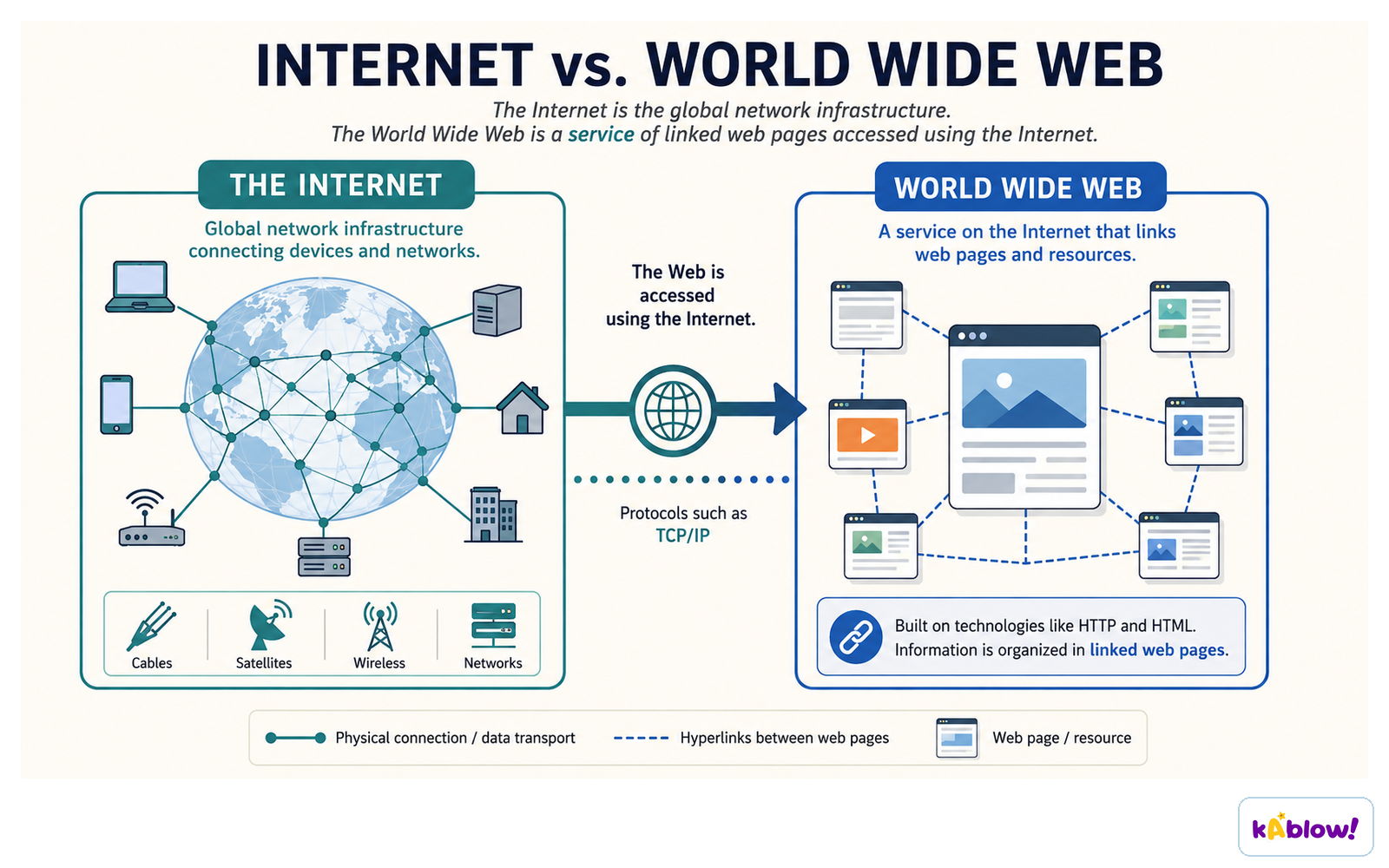
Internet vs World Wide Web
- The Internet is a global network of networks (a WAN) that provides connectivity.
- The World Wide Web is a collection of websites and web pages accessed via the Internet.
- The Internet includes other services like email, FTP, and VoIP, not just the web.
- The web was created in 1989 by Tim Berners-Lee.
The internet is the global network infrastructure; the World Wide Web is a service of linked pages that runs on it.
Network Protocols: HTTP & HTTPS
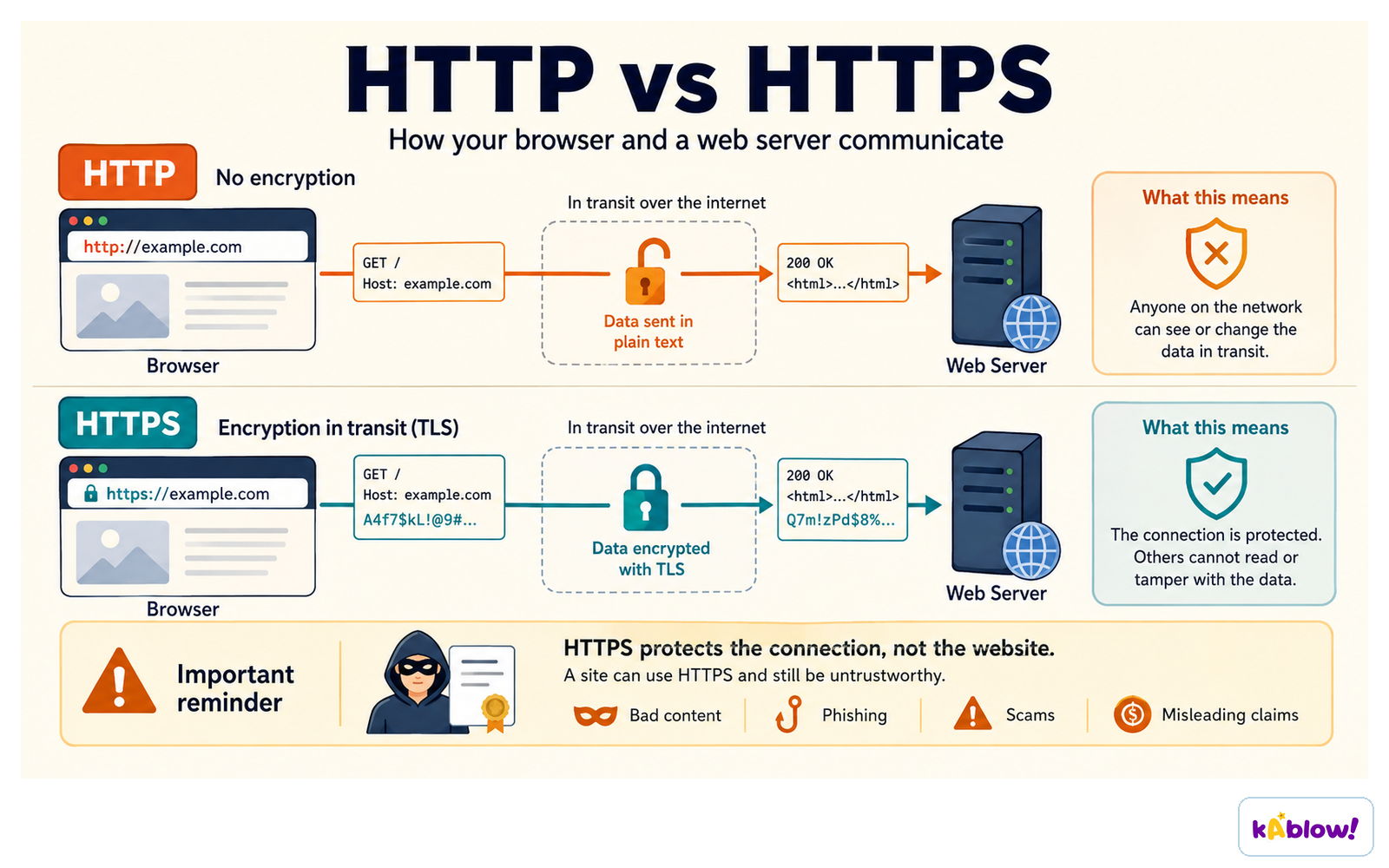
- HTTP (Hypertext Transfer Protocol) governs communication between a client and server for web pages.
- HTTPS is HTTP with an added layer of encryption for security.
- HTTPS protects sensitive data like passwords and financial information.
- A common exam answer: 'HTTPS encrypts data being transmitted, unlike HTTP.'
HTTP sends data in plain text; HTTPS encrypts it in transit so it cannot be read or altered on the way.
Web Browser
- A web browser is software to access and display web pages by rendering HTML.
- Key functions: navigation tools (back/forward), bookmarks, cookies, history, address bar, multiple tabs.
- Browsers interpret HTML code and translate it into a visual display.
Web Servers
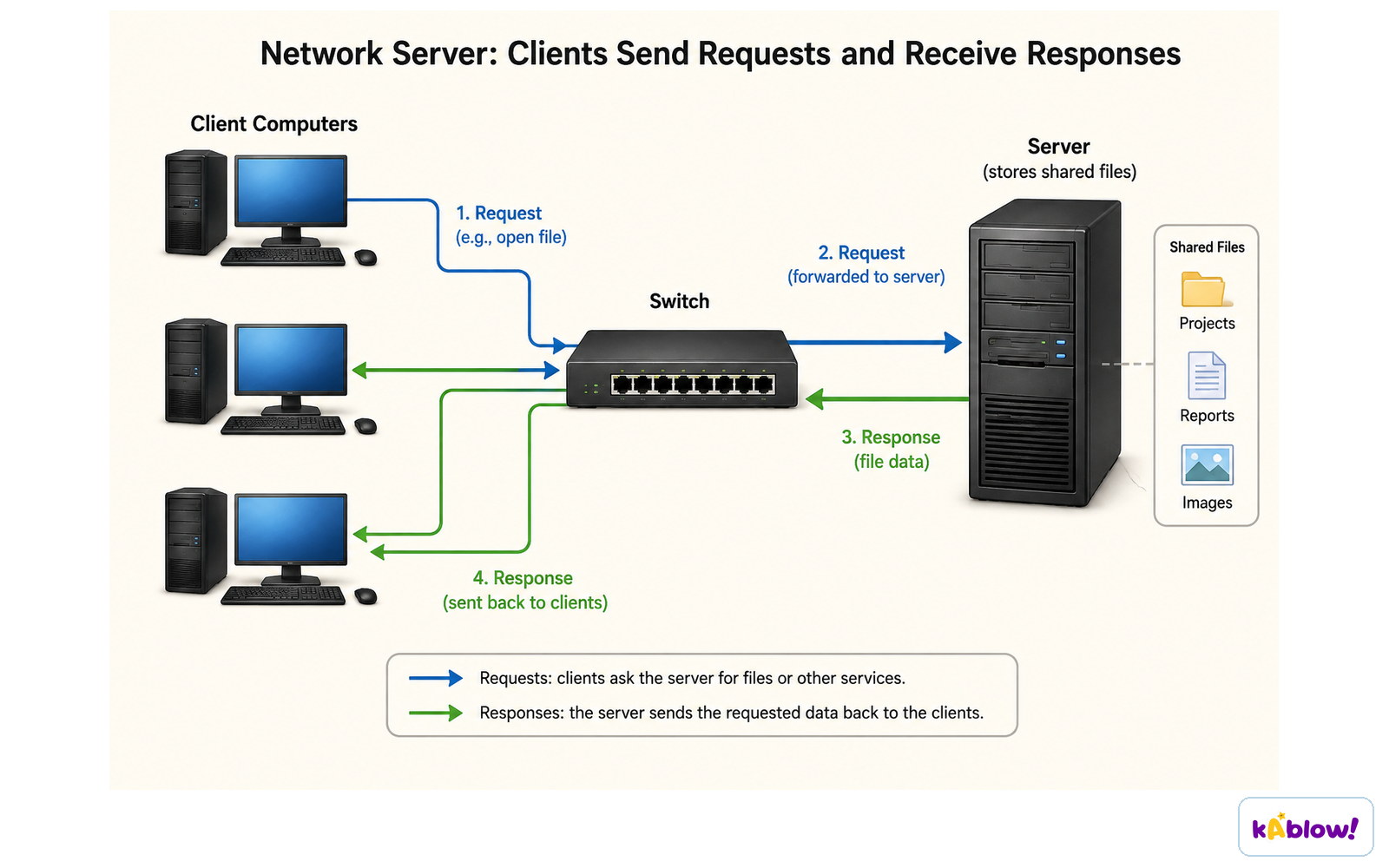
- A web server is a remote computer that stores website files (hosting).
- Servers are typically available 24/7 and can handle multiple users simultaneously.
Clients send requests to a server, which returns the files they asked for.
URL (Uniform Resource Locator)
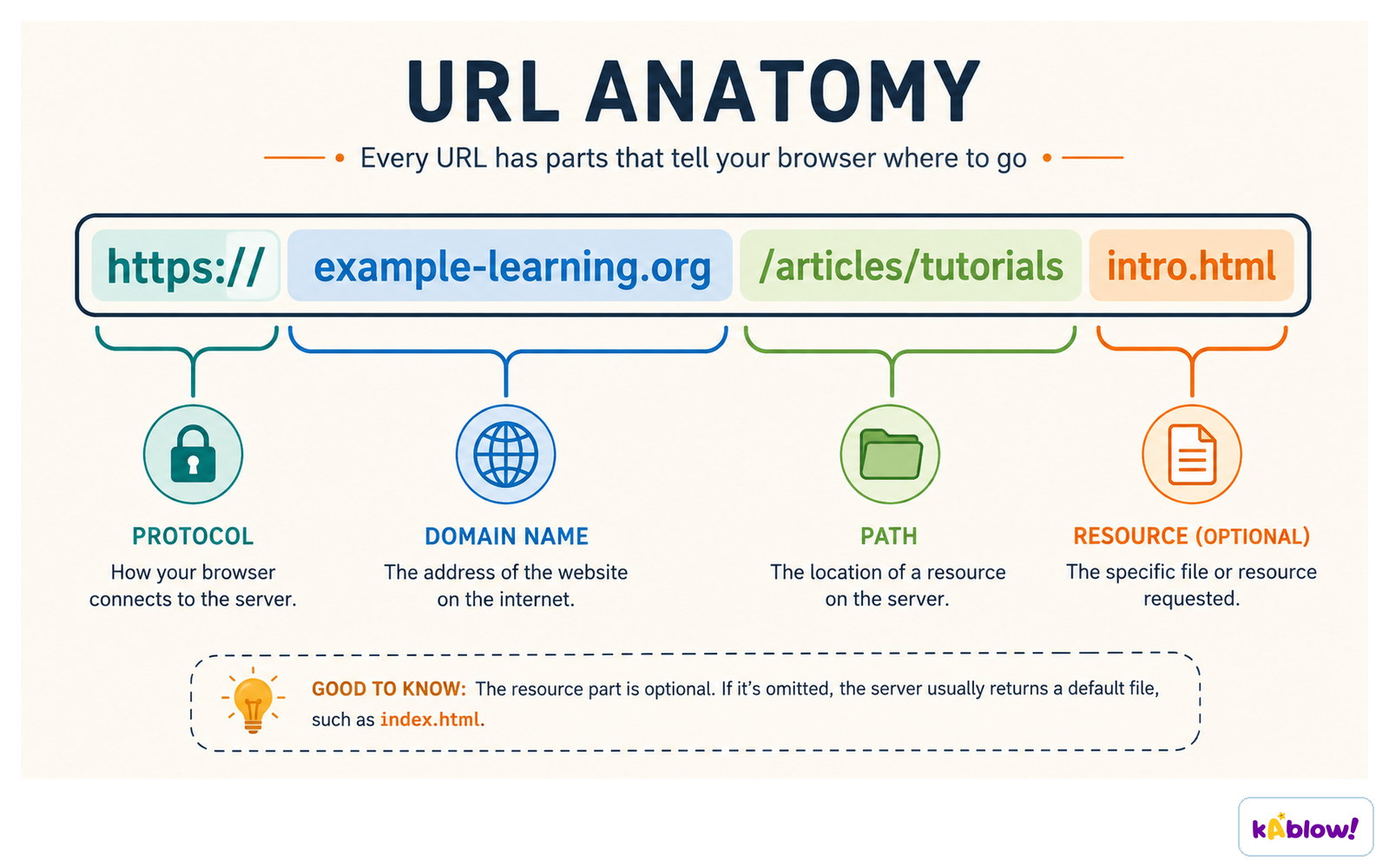
- A URL is a unique text-based address for a web page.
- It consists of three parts: protocol (e.g., https), domain name (e.g., www.example.com), and file path (e.g., /page).
A URL has a protocol, a domain name, a path, and an optional resource.
DNS (Domain Name System)
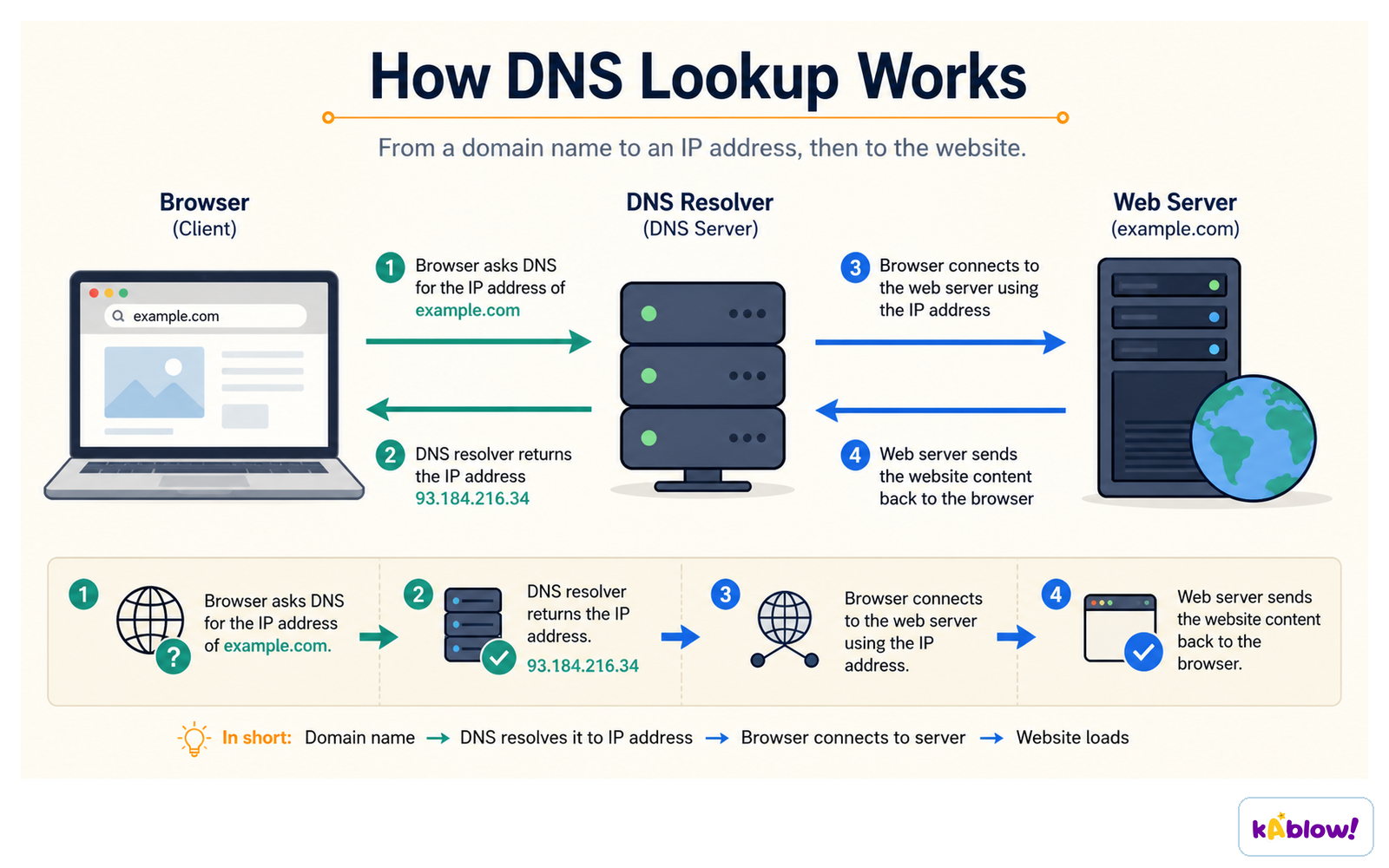
- The DNS translates human-readable domain names into numeric IP addresses.
- It acts like a phone book for the Internet.
- Without DNS, users would have to remember IP addresses of every website.
DNS resolves a domain name to an IP address so the browser can connect to the web server.
HTML (Hypertext Markup Language)
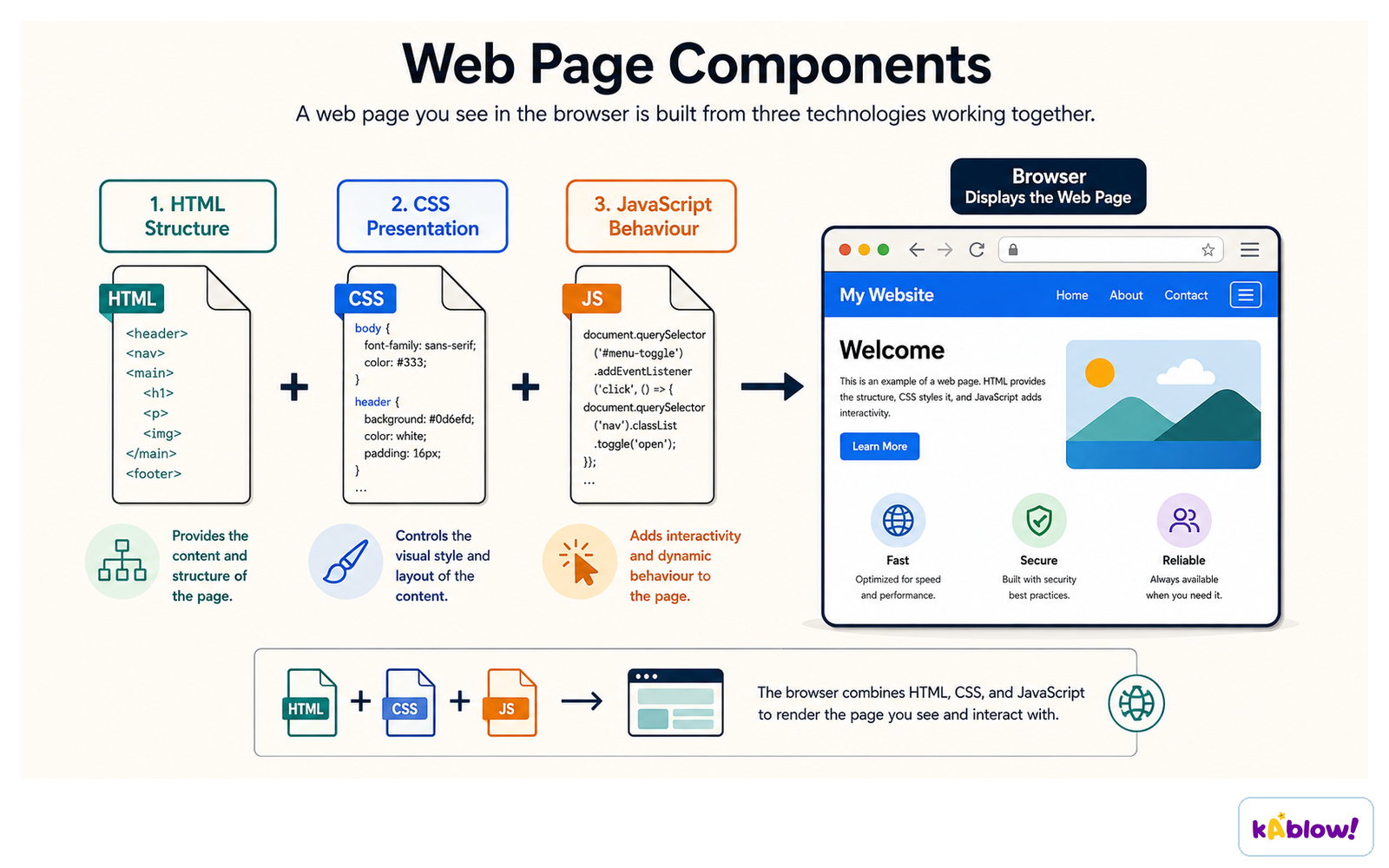
- HTML is the language used to structure and present content on web pages.
- It uses tags (e.g., <html>, <h1>, <p>) to define structure and formatting.
- HTML organises content into sections (headers, paragraphs, footers) and presents it with headings, text, images, etc.
- The browser renders HTML to display the page visually.
HTML gives a page its structure, CSS its presentation, and JavaScript its behaviour.
Cookies
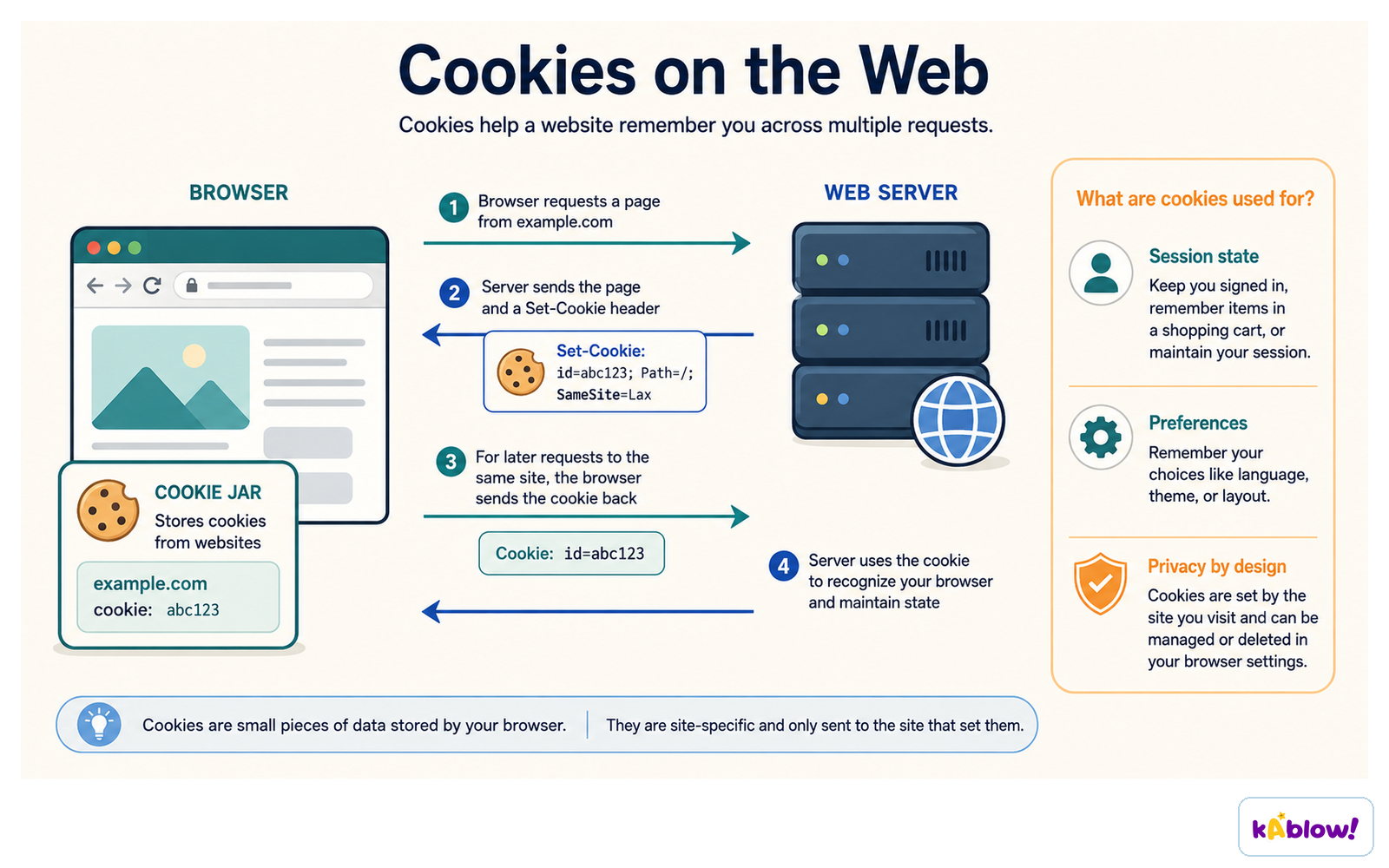
- A cookie is a small data file stored by the browser containing browsing activity info.
- Session cookies are stored in RAM, deleted when the browser closes; used to track current session (e.g., shopping cart).
- Persistent cookies are stored on the hard drive, remain until expiry or manual deletion; remember login details and preferences across visits.
The server sets a cookie, the browser stores it and sends it back, so the site recognises the visit.
Loading a Web Page (Process)
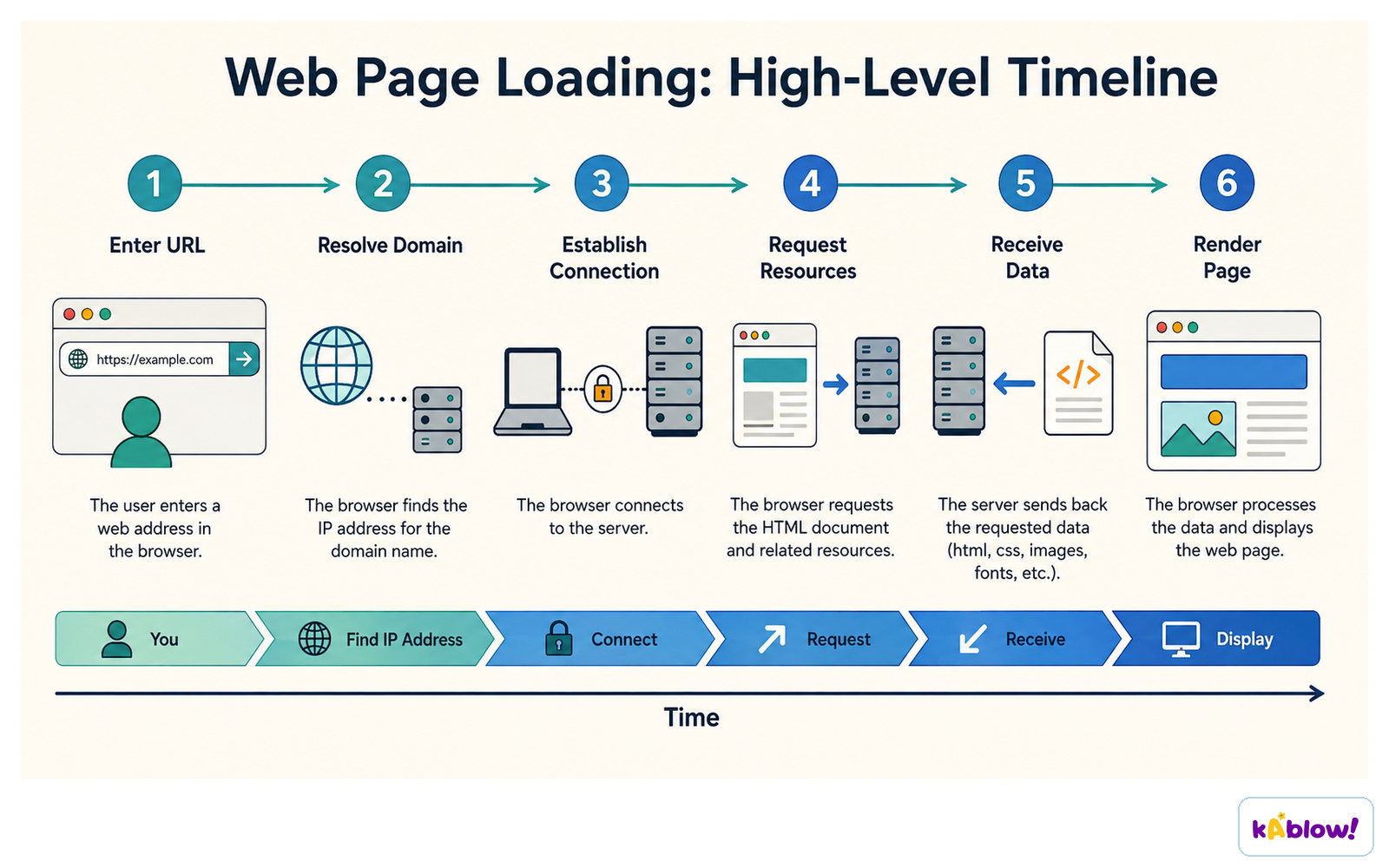
- User enters a URL in the browser's address bar.
- Browser sends the domain name to a DNS to get the IP address.
- Browser connects to the web server and requests the page.
- Server sends HTML data back; browser renders it to display the page.
Loading a page: enter the URL, resolve the domain, connect, request resources, receive data, render.
Slides
Sign up free to view the lesson slides
Step through every slide for this topic — plus flashcards and revision notes — with a free account.
Practice questions
Free preview — 8 of 47 questions. Sign up to see them all.
1.What is the Internet?
Easy- AA collection of websites and web pages accessed using a web browser
- BA global network of networks that provides connectivity to the World Wide Web
- CA type of Wide Area Network (WAN) used only for email
- DA software application used to display web pages
2.Who created the World Wide Web in 1989?
Easy- AVint Cerf
- BTim Berners-Lee
- CBill Gates
- DRobert Cailliau
3.Which of the following is a key difference between the Internet and the World Wide Web?
Medium- AThe Internet is a service that runs on the World Wide Web
- BThe World Wide Web is a collection of websites, while the Internet is the network that connects them
- CThe Internet is used only for email, while the World Wide Web is used for websites
- DThe World Wide Web was created before the Internet
4.What does HTTP stand for?
Easy- AHyperText Transfer Protocol
- BHyperText Transmission Protocol
- CHigh Transfer Text Protocol
- DHyperText Transfer Process
5.What is the main advantage of HTTPS over HTTP?
Easy- AHTTPS is faster than HTTP
- BHTTPS encrypts data to keep it secure
- CHTTPS uses a different protocol for data transfer
- DHTTPS does not require a web server
6.What is the function of a Domain Name System (DNS)?
Easy- ATo store web pages on a server
- BTo translate domain names into IP addresses
- CTo encrypt data transmitted over the Internet
- DTo provide a user interface for browsing the web
7.A user types a URL into a web browser. Which of the following is the correct sequence of events to load the web page?
Hard- ABrowser sends request to DNS → DNS returns IP address → Browser requests HTML from web server → Browser renders HTML
- BBrowser requests HTML from web server → DNS translates domain name → Browser renders HTML → IP address is assigned
- CDNS sends HTML to browser → Browser connects to web server → Browser renders page → URL is resolved
- DBrowser sends request to web server → Web server sends DNS to browser → Browser translates IP address → HTML is rendered
8.What is a web browser?
Easy- AA remote computer that stores web pages
- BA piece of software used to access and display information on the Internet
- CA protocol for transferring data over the Internet
- DA file format for web pages
Unlock all 47 questions & more
Create a free account to see every question, the slides, flashcards and revision notes for this topic.