
Validation, authentication and file handling
விளையாடிக் கற்றுக்கொள்ளுங்கள்
ஆற்றல் சம்பாதிக்க இந்த கேள்விகளுக்குப் பதிலளியுங்கள், பின்னர் மீன் பிடித்து ஆராயுங்கள். கணக்கு தேவையில்லை.
கல்வியாளர்களுக்கு: Validation, authentication and file handling (Computer Science, Programming)-க்கான தயாரான பாட ஸ்லைடுகள், திருப்புதல் குறிப்புகள் — உங்கள் பாடத்தில் அவற்றைப் பயன்படுத்தவும், அல்லது கற்பவர்கள் நேரலை விளையாட்டாக விளையாடும் ஊடாடும் வகுப்பு செயல்பாடாக தலைப்பை இயக்கவும்.
பாட குறிப்புகள்
Validation
- Validation checks that data entered is reasonable and sensible, but not necessarily correct. Types:
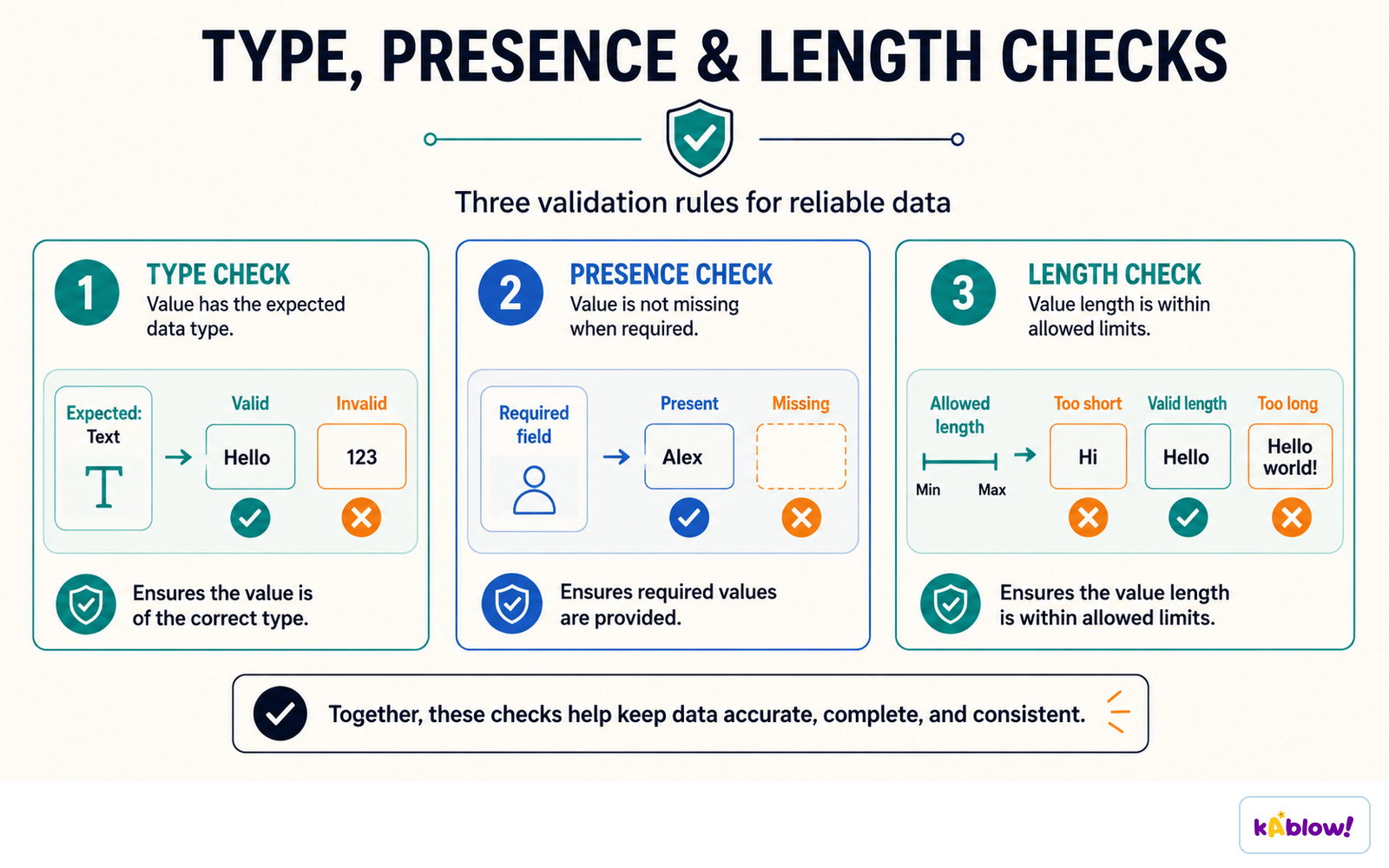
- Range check: within limits (age 0-120). Length check: number of characters (password at least 8). Type check: correct data type (integer). Presence check: something has been entered. Format check: pattern (postcode). Lookup check: value is in a list.
- Verification checks data was entered correctly: double entry (type twice) or visual check.
Validation checks
Authentication
- Authentication checks evidence of a claimed identity, such as a password or fingerprint. Two-factor authentication combines different factor categories, for example a password and possession of a security key.
- CAPTCHA checks whether activity is likely human rather than automated; it is not proof of identity.
- Use long unique passwords or passphrases. Systems should store suitably salted password hashes rather than plaintext passwords.
Different authentication factors
Defensive design
- Anticipate invalid input and misuse: validate against rules, handle errors, avoid hard-coded passwords and use meaningful names.
- Sanitise or encode content appropriately for its destination. Use parameterised database queries; deleting suspicious characters is not a complete SQL-injection defence.
File handling
- Programs can read from and write to text files so data persists after the program closes.
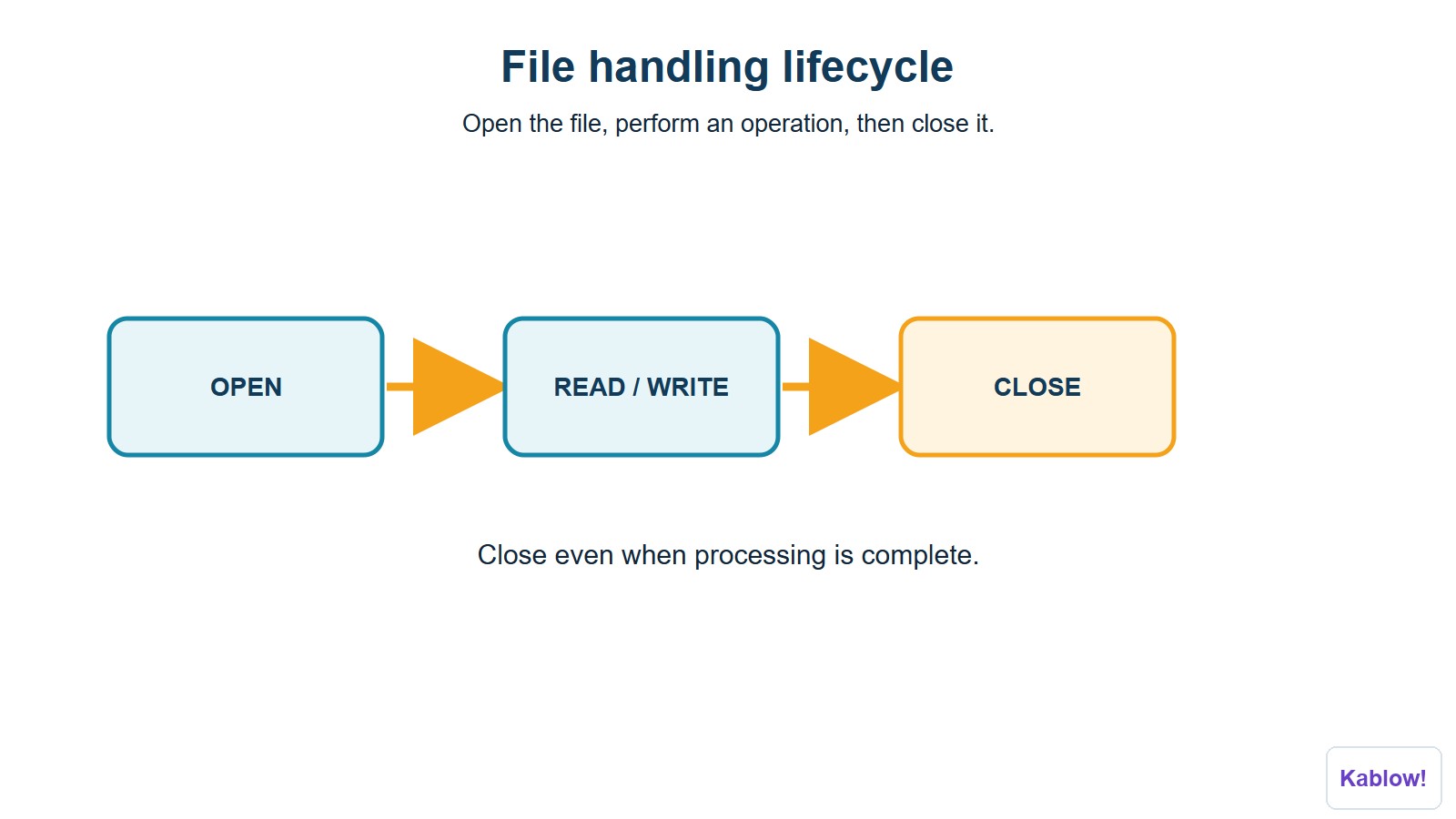
- Steps: open the file (read, write or append), read/write data, close the file.
- Example: file = OPEN("scores.txt") line = file.READLINE() file.CLOSE().
File-handling lifecycle
Why use files?
- Store results, load configuration, and keep records.
ஸ்லைடுகள்
Sign up free to view the lesson slides
Step through every slide for this topic — plus flashcards and revision notes — with a free account.
பயிற்சி கேள்விகள்
இலவச முன்னோட்டம் — 33-இல் 8 கேள்விகள். அனைத்தையும் பார்க்க பதிவு செய்யவும்.
1.What is validation?
Easy- Achecking input is sensible and acceptable
- Bchecking input is correct
- Cdeleting input
- Dencrypting input
2.What is authentication?
Easy- Achecking a user's identity
- Bchecking data type
- Cchecking range
- Dchecking length
3.What does a length check do?
Easy- Achecks the number of characters
- Bchecks the type
- Cchecks a list
- Dchecks a range
4.What does a type check do?
Easy- Achecks data is the correct data type
- Bchecks the length
- Cchecks the format
- Dchecks the range
5.What does a lookup check do?
Easy- Achecks the value is in a list
- Bchecks the length
- Cchecks the range
- Dchecks the presence
6.Which check would validate a postcode pattern?
Easy- Aformat check
- Brange check
- Ctype check
- Dpresence check
7.What is verification?
Easy- Achecking data was entered correctly
- Bchecking it is sensible
- Cchecking identity
- Dencrypting
8.What is double entry?
Easy- Atyping data twice to check it matches
- Btyping it once
- Ccopying it
- Ddeleting it
Unlock all 33 questions & more
இந்த தலைப்பிற்கான ஒவ்வொரு கேள்வியையும், ஸ்லைடுகளையும், ஃப்ளாஷ் கார்டுகளையும் மற்றும் திருப்புதல் குறிப்புகளையும் பார்க்க இலவச கணக்கை உருவாக்கவும்.
முந்தைய தேர்வுகள்
இந்த தலைப்பிற்கான முந்தைய தேர்வு பயிற்சி விரைவில் வருகிறது.
விரைவில் வருகிறது