
Validation, authentication and file handling
Học bằng cách chơi
Trả lời những câu hỏi này để kiếm năng lượng, rồi câu cá và khám phá. Không cần tài khoản.
Dành cho nhà giáo dục: slide bài học, ghi chú ôn tập sẵn dùng cho Validation, authentication and file handling (Computer Science, Programming) — dùng trong bài giảng của bạn, hoặc chạy chủ đề như một hoạt động lớp học tương tác để người học chơi như một trò chơi trực tiếp.
Ghi chú bài học
Validation
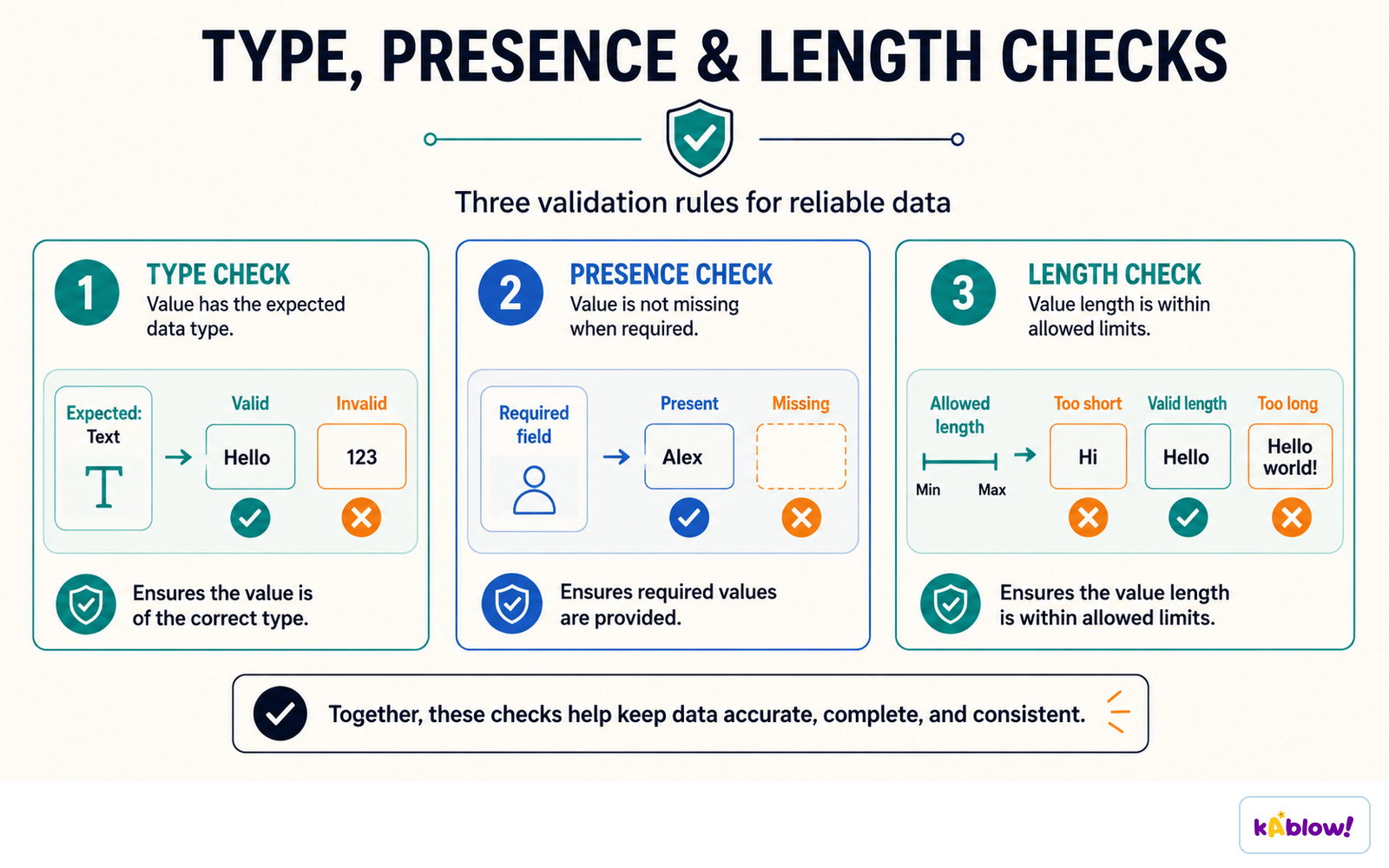
- Validation checks that data entered is reasonable and sensible, but not necessarily correct. Types:
- Range check: within limits (age 0-120). Length check: number of characters (password at least 8). Type check: correct data type (integer). Presence check: something has been entered. Format check: pattern (postcode). Lookup check: value is in a list.
- Verification checks data was entered correctly: double entry (type twice) or visual check.
Validation checks
Authentication
- Authentication checks evidence of a claimed identity, such as a password or fingerprint. Two-factor authentication combines different factor categories, for example a password and possession of a security key.
- CAPTCHA checks whether activity is likely human rather than automated; it is not proof of identity.
- Use long unique passwords or passphrases. Systems should store suitably salted password hashes rather than plaintext passwords.
Different authentication factors
Defensive design
- Anticipate invalid input and misuse: validate against rules, handle errors, avoid hard-coded passwords and use meaningful names.
- Sanitise or encode content appropriately for its destination. Use parameterised database queries; deleting suspicious characters is not a complete SQL-injection defence.
File handling
- Programs can read from and write to text files so data persists after the program closes.
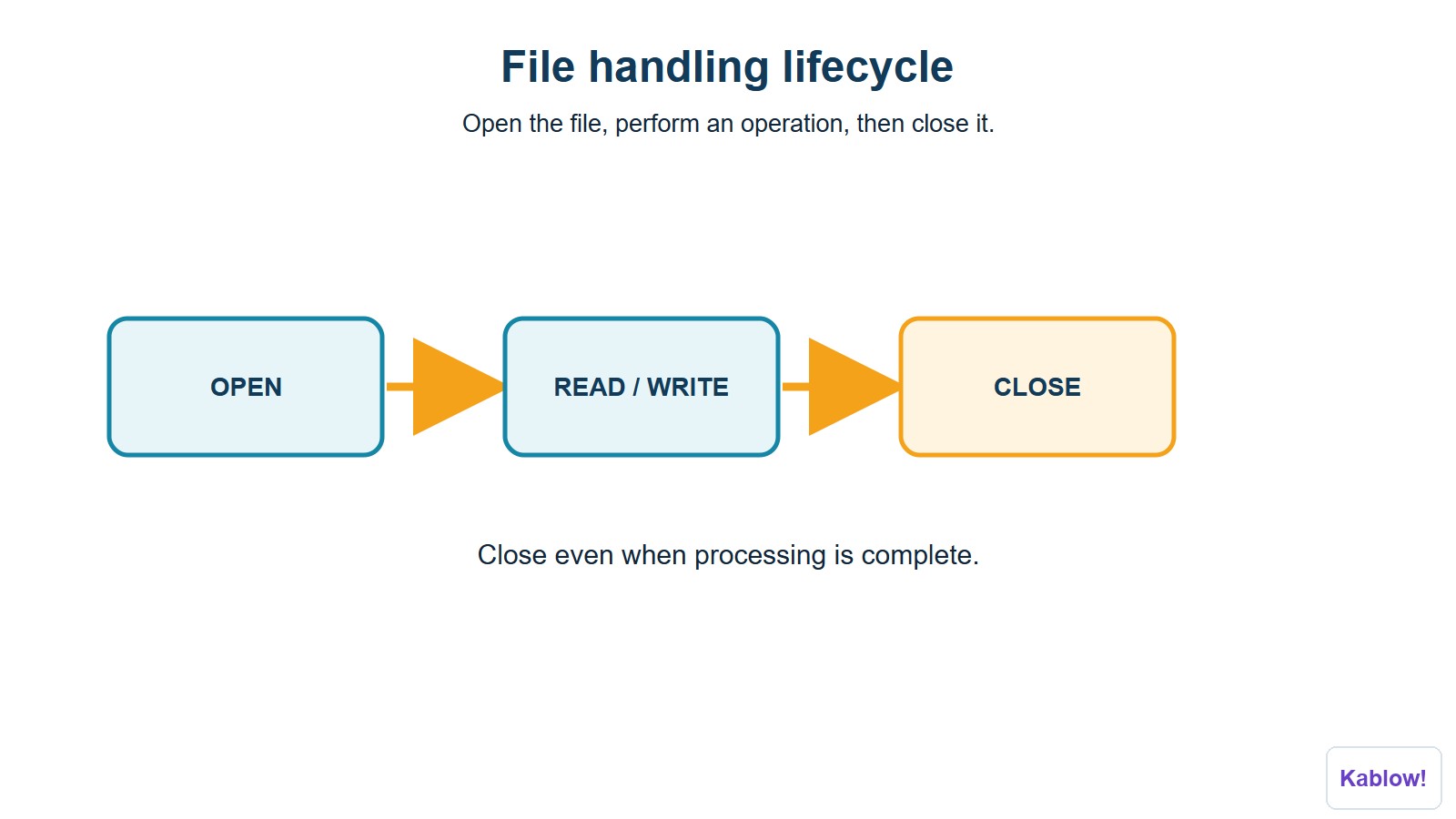
- Steps: open the file (read, write or append), read/write data, close the file.
- Example: file = OPEN("scores.txt") line = file.READLINE() file.CLOSE().
File-handling lifecycle
Why use files?
- Store results, load configuration, and keep records.
Slide
Sign up free to view the lesson slides
Step through every slide for this topic — plus flashcards and revision notes — with a free account.
Câu hỏi luyện tập
Xem trước miễn phí — 8 trên 33 câu hỏi. Đăng ký để xem tất cả.
1.What is validation?
Easy- Achecking input is sensible and acceptable
- Bchecking input is correct
- Cdeleting input
- Dencrypting input
2.What is authentication?
Easy- Achecking a user's identity
- Bchecking data type
- Cchecking range
- Dchecking length
3.What does a length check do?
Easy- Achecks the number of characters
- Bchecks the type
- Cchecks a list
- Dchecks a range
4.What does a type check do?
Easy- Achecks data is the correct data type
- Bchecks the length
- Cchecks the format
- Dchecks the range
5.What does a lookup check do?
Easy- Achecks the value is in a list
- Bchecks the length
- Cchecks the range
- Dchecks the presence
6.Which check would validate a postcode pattern?
Easy- Aformat check
- Brange check
- Ctype check
- Dpresence check
7.What is verification?
Easy- Achecking data was entered correctly
- Bchecking it is sensible
- Cchecking identity
- Dencrypting
8.What is double entry?
Easy- Atyping data twice to check it matches
- Btyping it once
- Ccopying it
- Ddeleting it
Unlock all 33 questions & more
Tạo tài khoản miễn phí để xem mọi câu hỏi, slide, thẻ ghi nhớ và ghi chú ôn tập cho chủ đề này.
Đề thi cũ
Luyện đề thi cũ cho chủ đề này sắp ra mắt.
Sắp ra mắt