
Memory and storage
Apprends en jouant
Réponds à ces questions pour gagner de l'énergie, puis pêche et explore. Sans compte.
Pour les enseignants : diapos de leçon, notes de révision prêts à l'emploi pour Memory and storage (Computer Science, Computer Systems) — utilise-les en cours, ou lance le thème en activité de classe interactive que tes apprenants jouent en direct.
Notes de leçon
Primary memory
- RAM (random access memory): volatile (loses data when power is off), holds programs and data currently in use; read and write.
- ROM (read-only memory): non-volatile, holds the boot-up instructions (BIOS/firmware); cannot normally be changed.
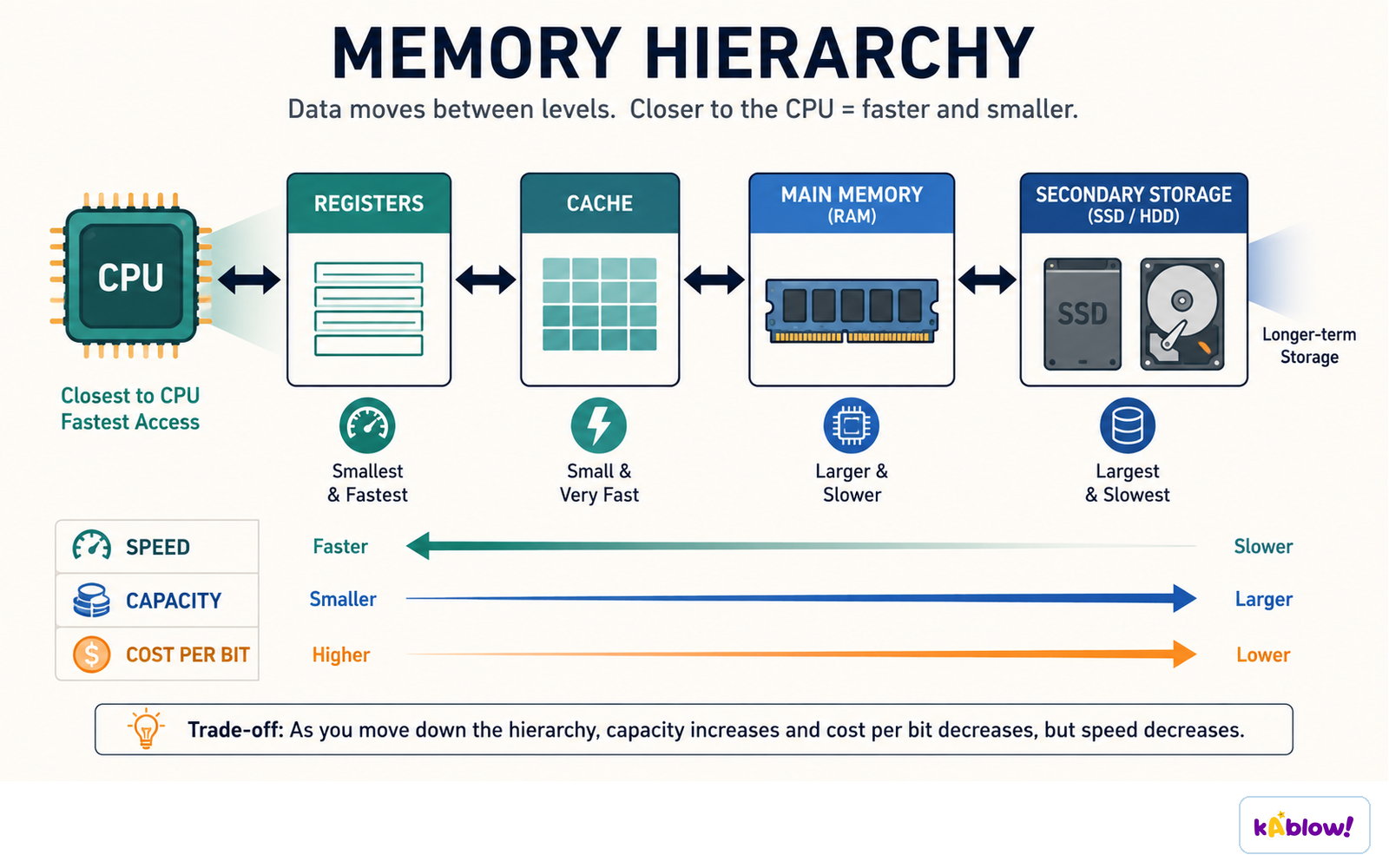
- Cache: small, very fast memory in or near the CPU.
- Virtual memory: secondary storage (an SSD or HDD) used to hold memory pages when they cannot all remain in RAM; accessing it is slower than RAM.
Memory hierarchy
Secondary storage
- Secondary storage retains saved files without continuous power, but devices can fail or wear out; non-volatile does not mean permanent.
- Magnetic (hard disk drive, HDD): large capacity, cheap, slower, moving parts, can be damaged.
- Solid-state (SSD, USB flash): no moving parts, fast, durable, quiet, more expensive per GB.
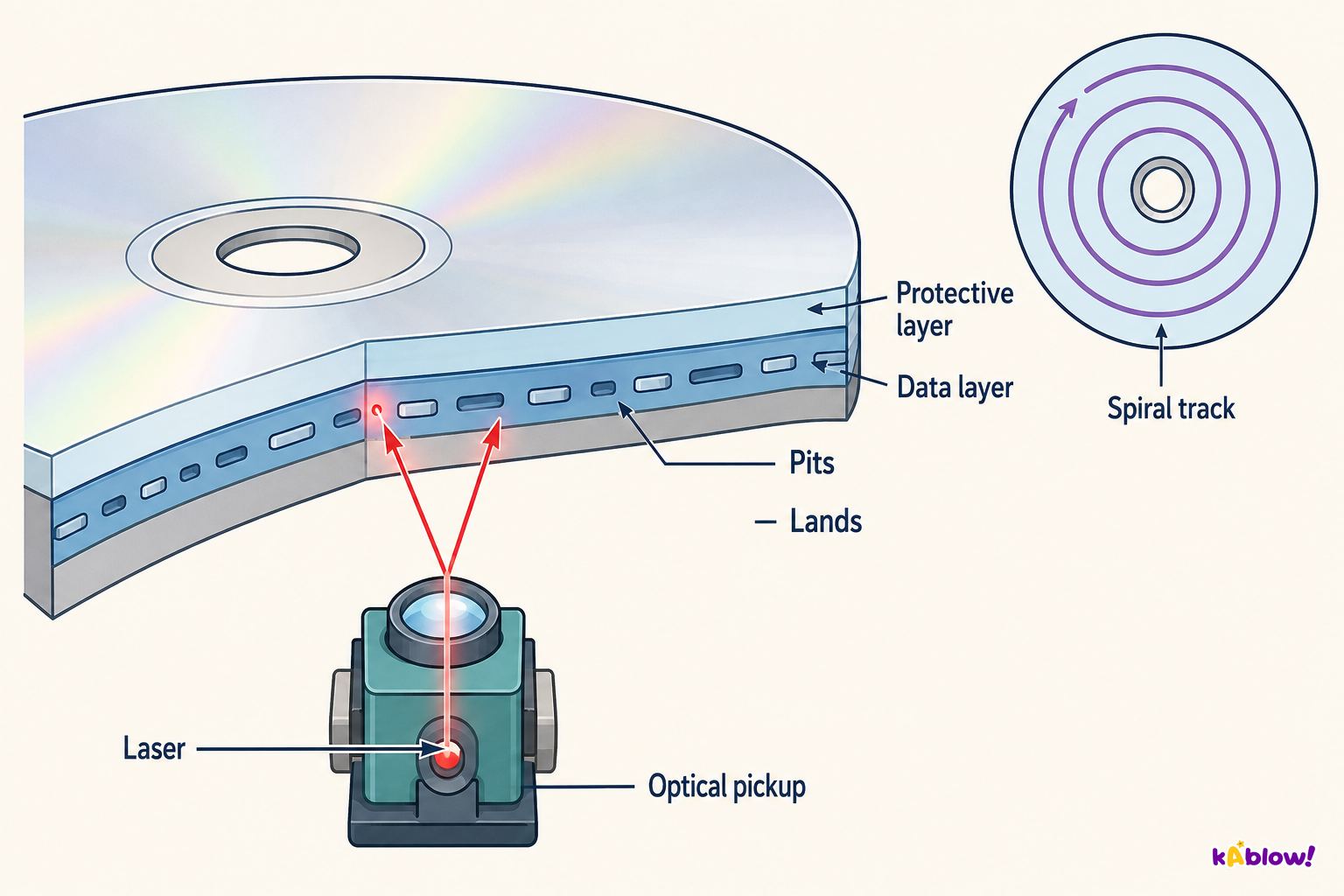
- Optical (CD, DVD, Blu-ray): portable, low capacity, can scratch; used for media.
Optical storage
Comparing storage
- Consider capacity, speed, portability, durability, reliability and cost.
Cloud storage
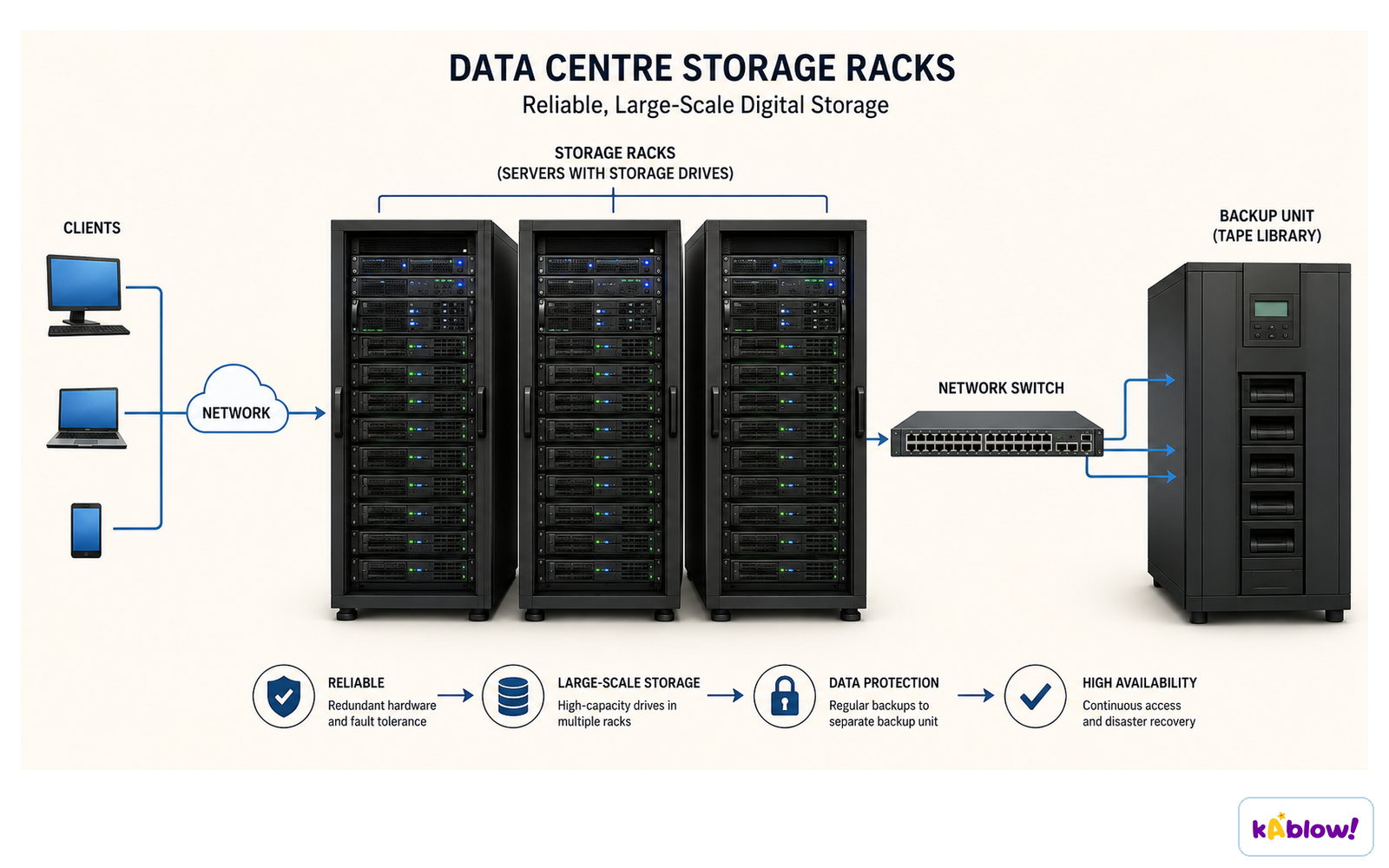
- Cloud storage uses remote systems reached through a network, typically the Internet. Compatible devices and authorised access are required.
- Synchronised local copies may remain usable offline. Synchronisation is not automatically a separate backup: deletions or corruption may propagate, so check version history and recovery arrangements.
Remote storage in a data centre
Units
- Capacity in bytes: KB, MB, GB, TB.
Diapos
Sign up free to view the lesson slides
Step through every slide for this topic — plus flashcards and revision notes — with a free account.
Questions d'entraînement
Aperçu gratuit — 8 sur 33 questions. Inscris-toi pour toutes les voir.
1.What does RAM stand for?
Easy- Arandom access memory
- Bread access memory
- Crapid access memory
- Dremote access memory
2.What does ROM stand for?
Easy- Aread-only memory
- Brandom-only memory
- Creal-time memory
- Dremote memory
3.In the simplified GCSE model, which kind of instructions is commonly stored in ROM?
Easy- Aboot-up instructions
- Bdocuments
- Cphotos
- Dgames
4.What does volatile mean?
Easy- Adata is lost without power
- Bdata is kept
- Cdata is hidden
- Ddata is large
5.What is secondary storage for?
Easy- Aretaining files and programs without continuous power
- Breplacing every CPU register
- Cperforming every arithmetic instruction
- Dshowing images on a screen
6.Which is magnetic storage?
Easy- AHDD
- BSSD
- CDVD
- DROM
7.Which is optical storage?
Easy- ADVD
- BSSD
- CHDD
- DRAM
8.What is virtual memory?
Easy- Ausing secondary storage for memory pages that cannot all remain in RAM
- Badding physical cache to the CPU
- Ca type of read-only memory
- Dstoring all data only in the cloud
Unlock all 33 questions & more
Crée un compte gratuit pour voir toutes les questions, les diapos, les cartes mémo et les notes de révision de ce thème.
Annales
Les annales d'entraînement pour ce thème arrivent bientôt.
Bientôt disponible