Programming fundamentals: sequence, variables and input/output
Lerne es beim Spielen
Beantworte diese Fragen für Energie, dann angle und erkunde. Kein Konto nötig.
Lektionsnotizen
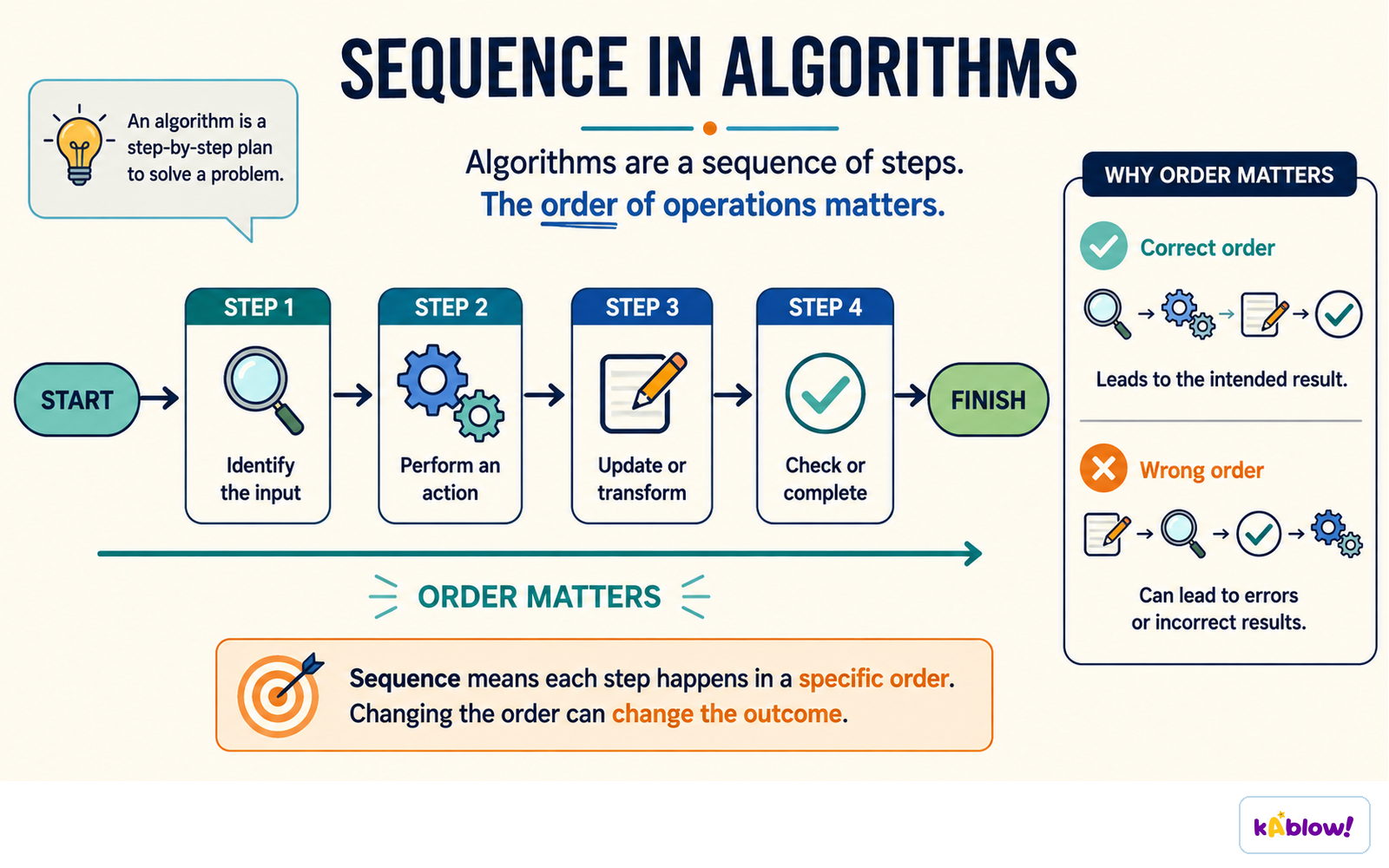
Sequence
- A program is a sequence of instructions executed in order, one after another.
- Each instruction is a step that the computer carries out, from top to bottom.
- Changing the order of instructions can change the outcome of the program.
- The sequence is the simplest program structure; all programs rely on it.
- Algorithms are step-by-step procedures that are implemented as sequences of code.
Sequence: each instruction runs in a precise order from start to output.
Variables
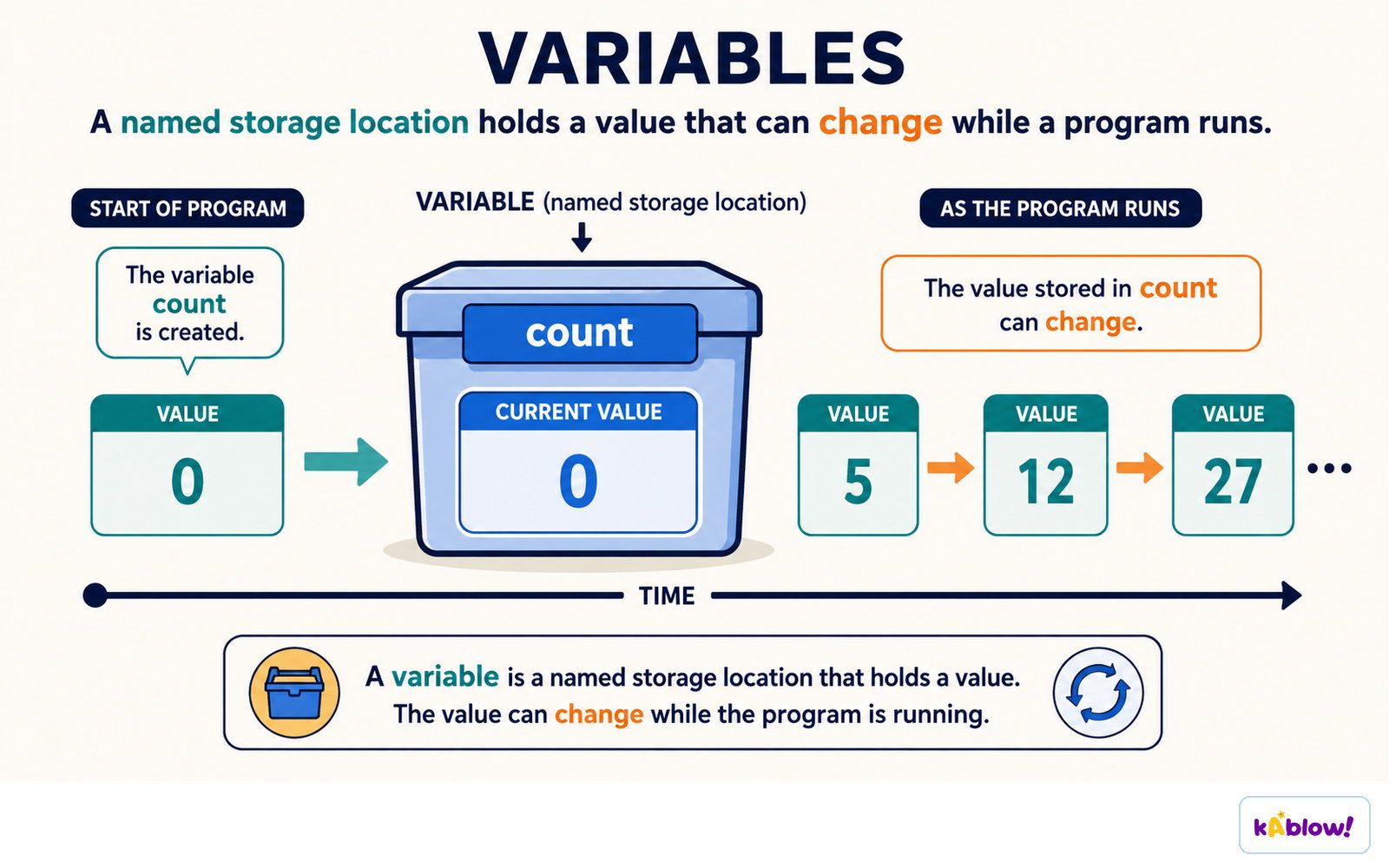
- A variable is a named storage location in memory that holds a value.
- Use the assignment operator (`=`) to store a value in a variable, e.g., `score = 10`.
- Variable names should be descriptive, like `age` or `total`, and follow rules (no spaces, start with a letter).
- The value of a variable can be changed later by assigning a new value.
- Variables allow programs to store and manipulate data dynamically.
A variable is a named storage location whose value can change while the program runs.
Data Types
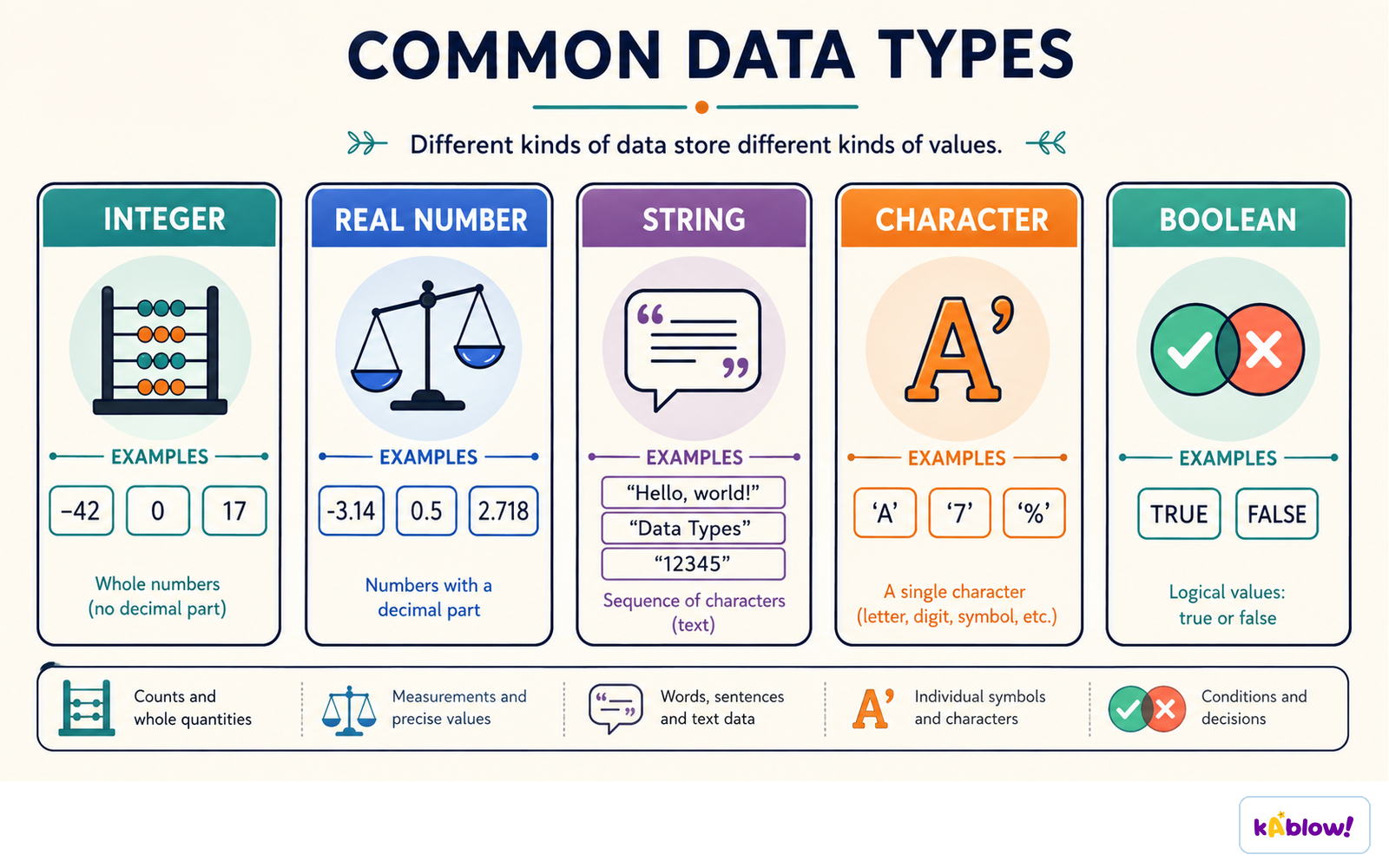
- Common data types include integer (whole numbers), string (text), and boolean (True/False).
- Integers are used for counting and arithmetic, e.g., `5`, `-3`.
- Strings are sequences of characters enclosed in quotes, e.g., `"Hello"`.
- Booleans represent logical values: `True` or `False`.
- The type of a variable determines what operations you can perform on it.
Integer, real, string, character and Boolean each store a different kind of value.
Input and Output
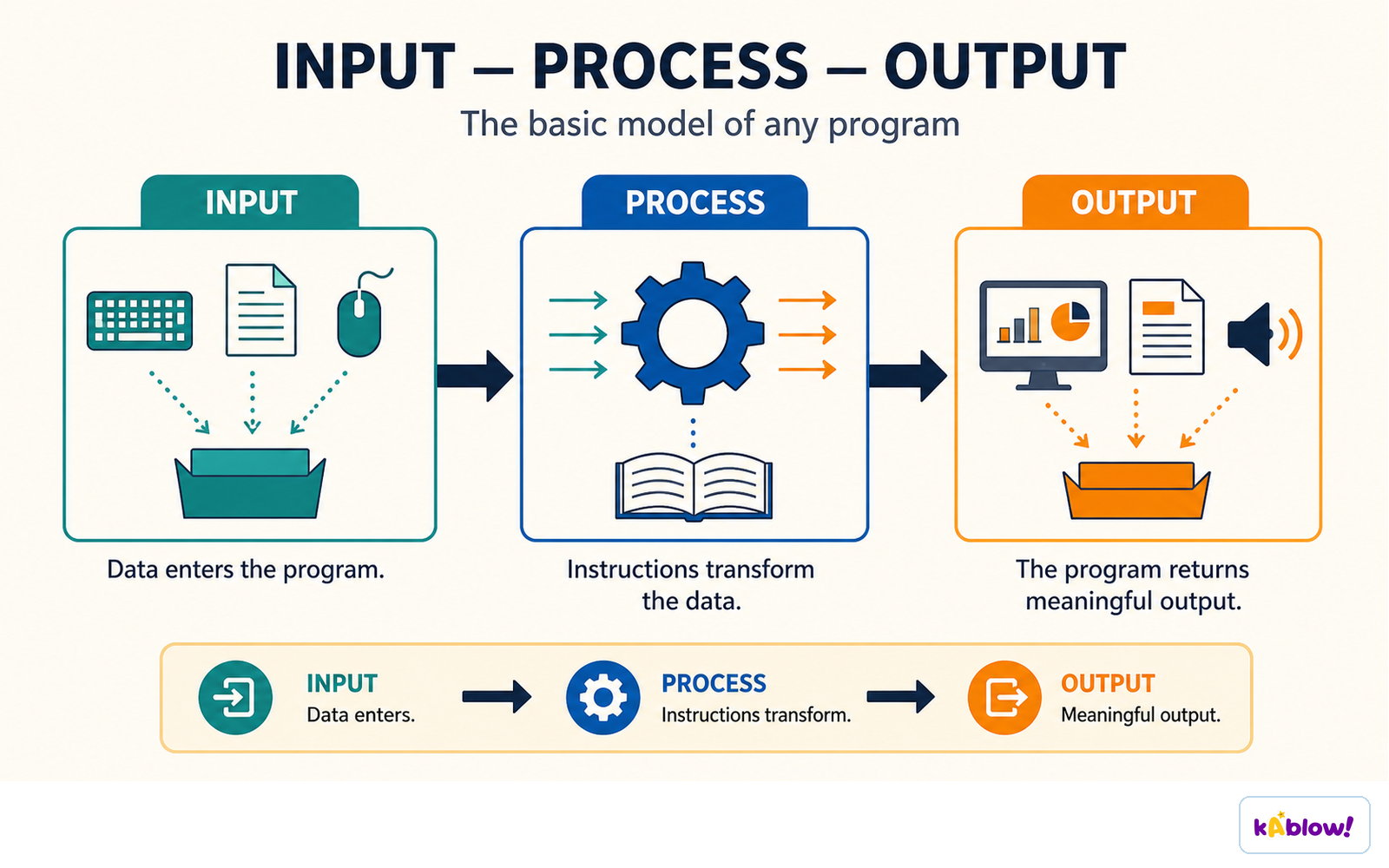
- Input is data given to the program by the user or another source.
- In Python, `input()` reads a line of text from the user and returns it as a string.
- Output is information the program produces, often displayed to the user.
- In Python, `print()` outputs text or values to the screen.
- Input and output allow programs to interact with the outside world.
Every program has the same shape: data enters, instructions transform it, and meaningful output leaves.
Arithmetic Operations
- Use arithmetic operators: `+` (addition), `-` (subtraction), `×` (multiplication), `/` (division).
- Integer division `//` and modulo `%` give quotient and remainder.
- Operations follow standard precedence: multiplication/division before addition/subtraction.
- Parentheses `()` can be used to group operations and change order.
- Results can be stored in variables or used directly in output.
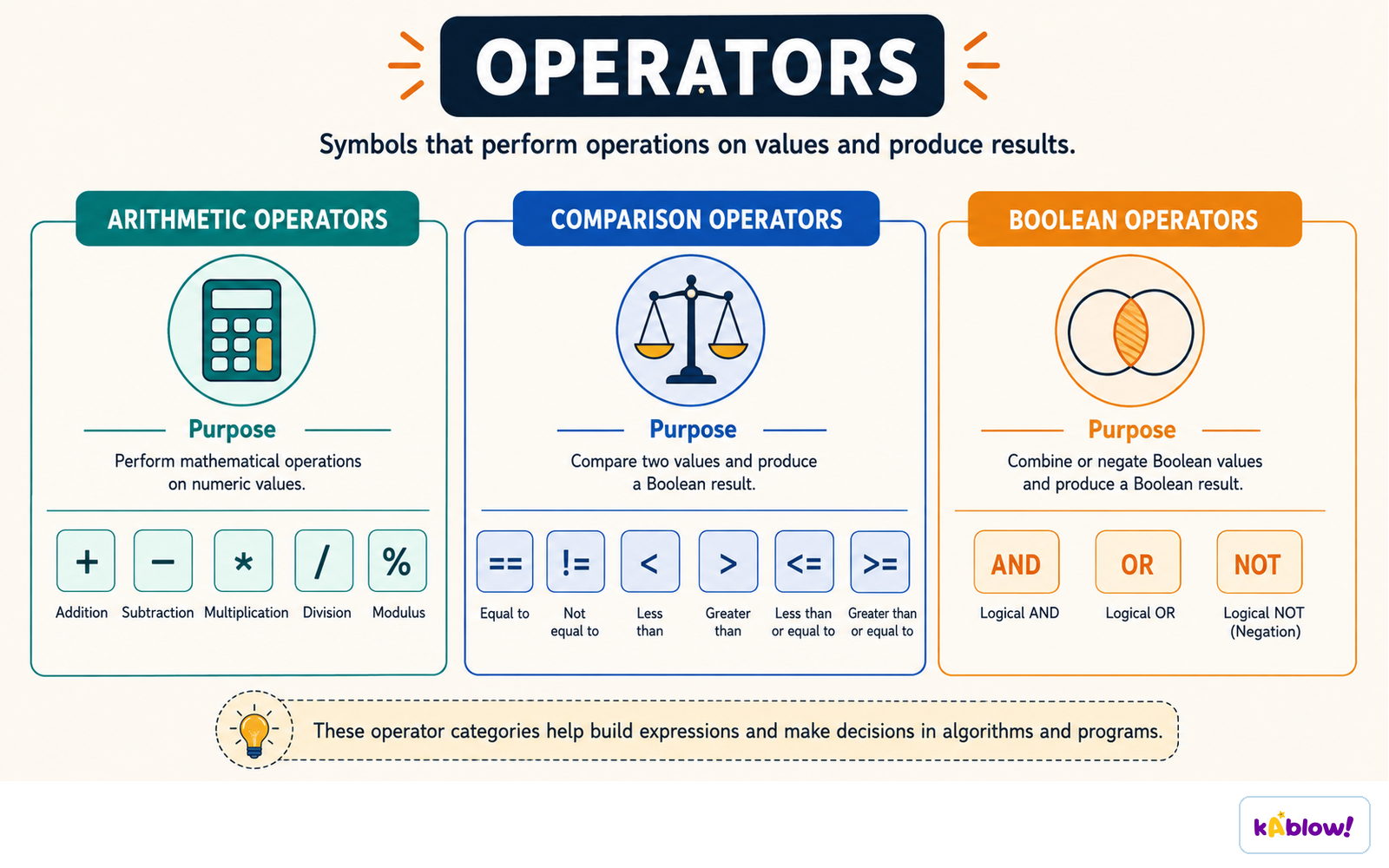
Arithmetic operators compute values, comparison operators produce a Boolean, and Boolean operators combine them.
String Operations
- Strings can be concatenated (joined) using the `+` operator.
- Example: `"Hello" + " " + "World"` gives `"Hello World"`.
- You can repeat a string with `×`, e.g., `"ha"×3` gives `"hahaha"`.
- Use `len()` to find the length of a string.
- Strings are immutable; operations create new strings.
Example Program
- A simple program: `name = input("What is your name? ")` then `print("Hello, " + name)`.
- This shows sequence (two lines), variable storage, input, and output.
- Another example: `age = int(input("Age? "))` converts input to integer for arithmetic.
- Programs often combine input, processing, and output in sequence.
Debugging and Testing
- Testing involves running a program to check it works correctly.
- Debugging is finding and fixing errors (bugs) in code.
- Common errors: syntax errors (typos), logic errors (wrong results), runtime errors (e.g., division by zero).
- Use print statements to trace variable values and locate problems.
- Test with different inputs to ensure reliability.
Folien
Sign up free to view the lesson slides
Step through every slide for this topic — plus flashcards and revision notes — with a free account.
Übungsfragen
Gratis-Vorschau — 8 von 61 Fragen. Registriere dich, um alle zu sehen.
1.What is a sequence in programming?
Easy- AA set of instructions executed in order
- BA random order of instructions
- CA type of variable
- DA programming language
2.Which of the following is a correct way to assign the value 10 to a variable called 'score' in Python?
Easy- Ascore = 10
- B10 = score
- Cscore == 10
- Dvar score = 10
3.What is the output of the following Python code? x = 5 y = 2 print(x + y×3)
Medium- A11
- B21
- C17
- D13
4.Which data type would be most appropriate to store a person's name?
Easy- Astring
- Binteger
- Cboolean
- Dfloat
5.What is the purpose of the input() function in Python?
Medium- ATo read data from the user
- BTo display data to the user
- CTo convert data to a string
- DTo store data in a file
6.What is the value of the variable 'result' after this code runs? num1 = 8 num2 = 3 result = num1 // num2
Medium- A2
- B2.666...
- C3
- D24
7.Which of the following are valid variable names in Python? (select all that apply)
Medium- Amyvar
- B2ndvalue
- Ctotal
- Duser-name
- Escore1
8.In Python, the print() function is used to display output to the screen.
EasyTrue or false?
Unlock all 61 questions, flashcards & more
Erstelle ein Gratis-Konto, um alle Fragen, Folien, Karteikarten und Lernnotizen zu diesem Thema zu sehen.