Algorithms
Apréndelo jugando
Responde estas preguntas para ganar energía, luego pesca y explora. Sin cuenta.
Apuntes de la lección
What is an Algorithm?
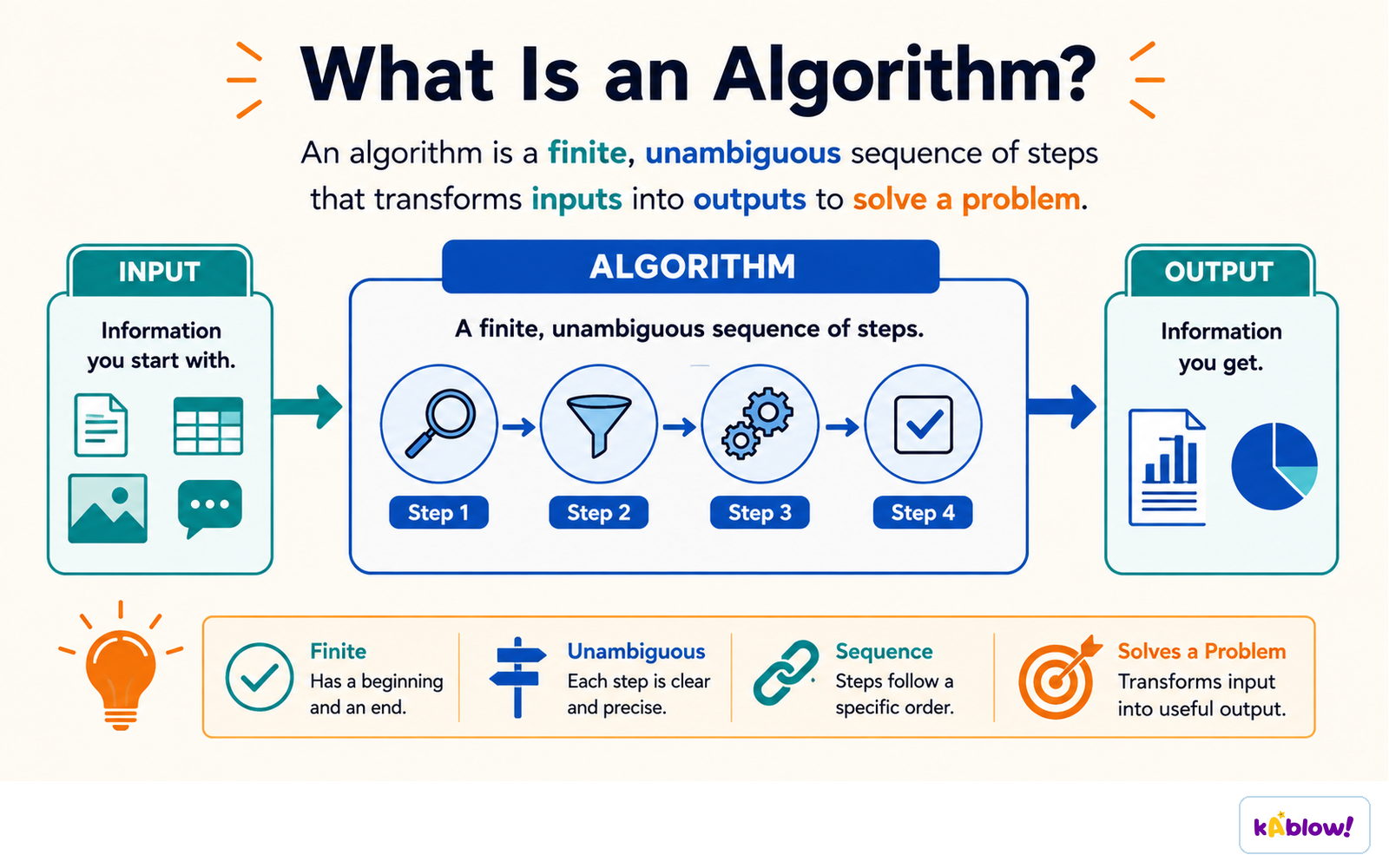
- An algorithm is a precise set of rules or instructions to solve a specific problem or task.
- Algorithms can be designed using structure diagrams, flowcharts, or pseudocode.
- A well-designed algorithm should be interpretable by a new user to explain its purpose.
An algorithm is a finite, unambiguous sequence of steps that turns an input into an output.
Structure Diagrams
- Structure diagrams show hierarchical top-down design in a visual form.
- Each problem is divided into sub-problems, and each sub-problem is further divided.
- At each level, the problem is broken down into more detailed tasks that can be implemented using a single subroutine.
- Example: A mobile app structure diagram might show top-level modules like 'Login', 'Main Menu', and 'Settings', each with sub-tasks.
Flowcharts
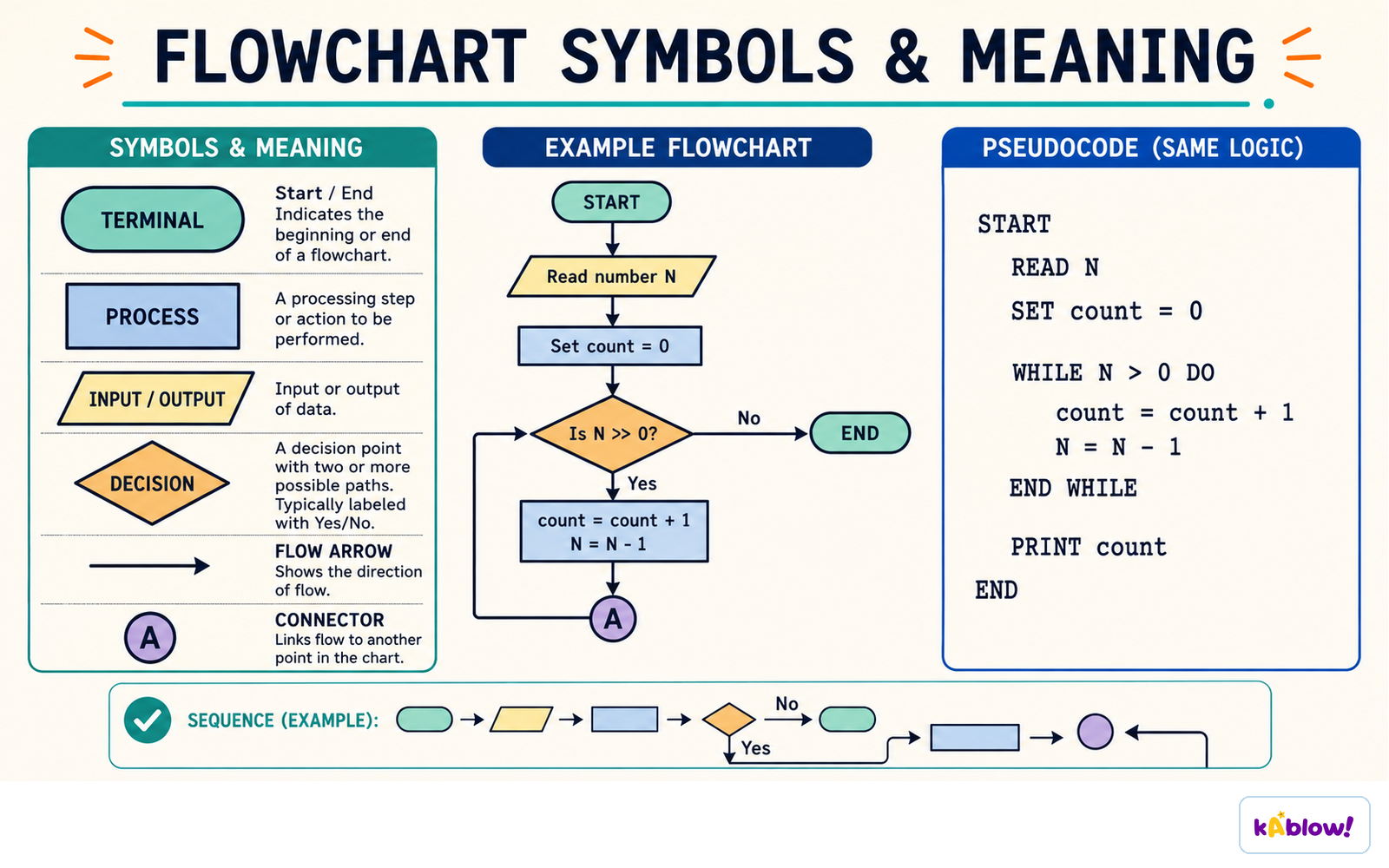
- Flowcharts use shapes to represent different functions (e.g., process, decision, input/output).
- Lines show the flow of control between steps.
- Common shapes: oval (start/end), rectangle (process), diamond (decision), parallelogram (input/output).
- Example: A flowchart for age verification inputs age, checks if ≥18, and outputs appropriate message.
The standard flowchart symbols - terminal, process, input/output and decision - and the same logic written as pseudocode.
Pseudocode
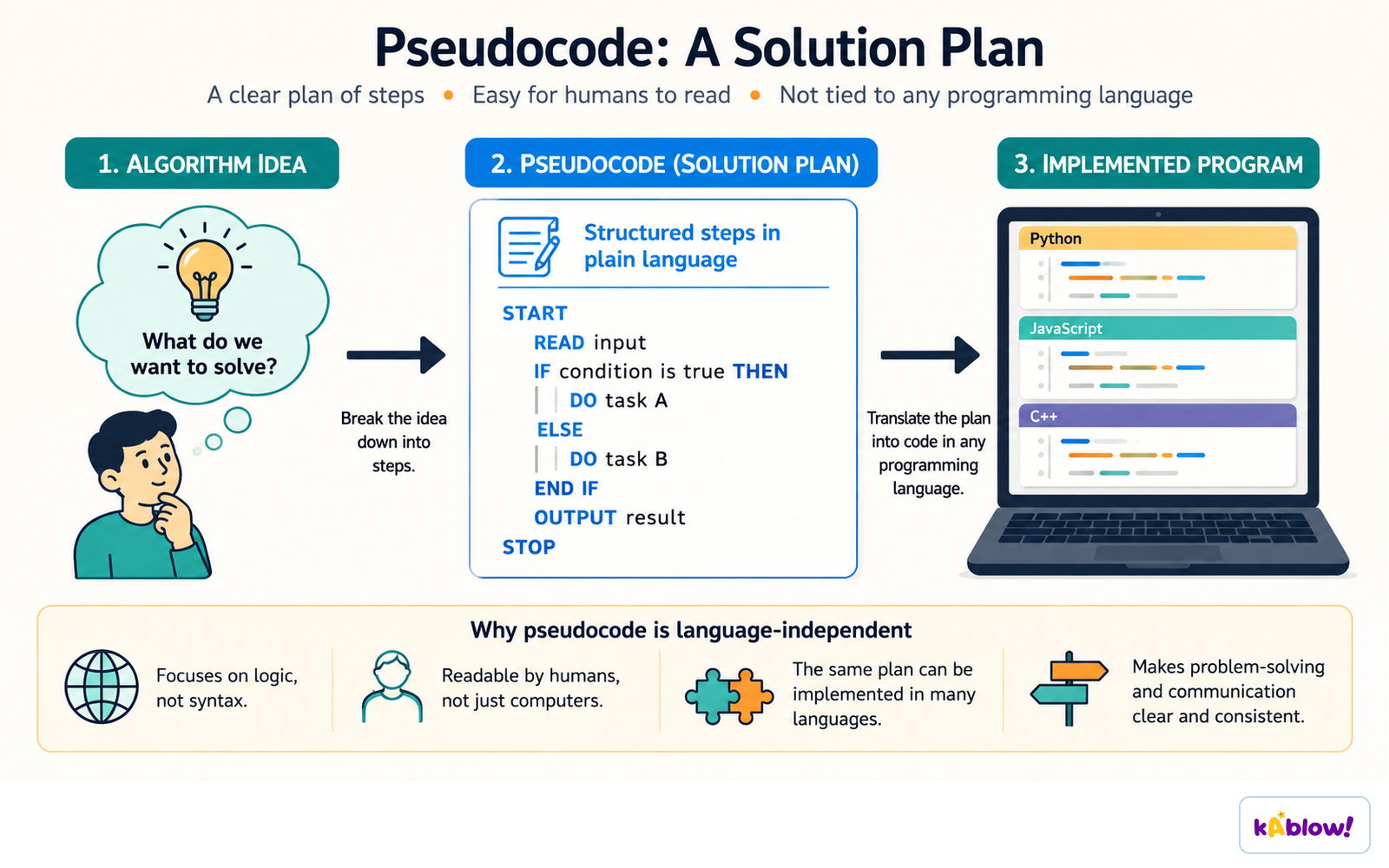
- Pseudocode is a text-based tool using short English words/statements to describe an algorithm.
- It is more structured than plain English but very flexible.
- Use INPUT and OUTPUT statements (not `print()` or `input()` with brackets).
- Example: `INPUT Age` / `IF Age ≥ 18 THEN OUTPUT "Welcome"`.
- Default to pseudocode when writing algorithms; use flowcharts only when asked.
Pseudocode is a language-independent plan: the idea becomes structured steps before it becomes code.
Explaining Algorithms
- To explain an algorithm, follow the instructions step by step to determine its purpose.
- Look for comments in the code, consider the context, and test with different inputs.
- The algorithm's purpose should become clear by tracing its logic.
- Example: A REPEAT loop that inputs 10 numbers and outputs the total adds ten user-entered numbers.
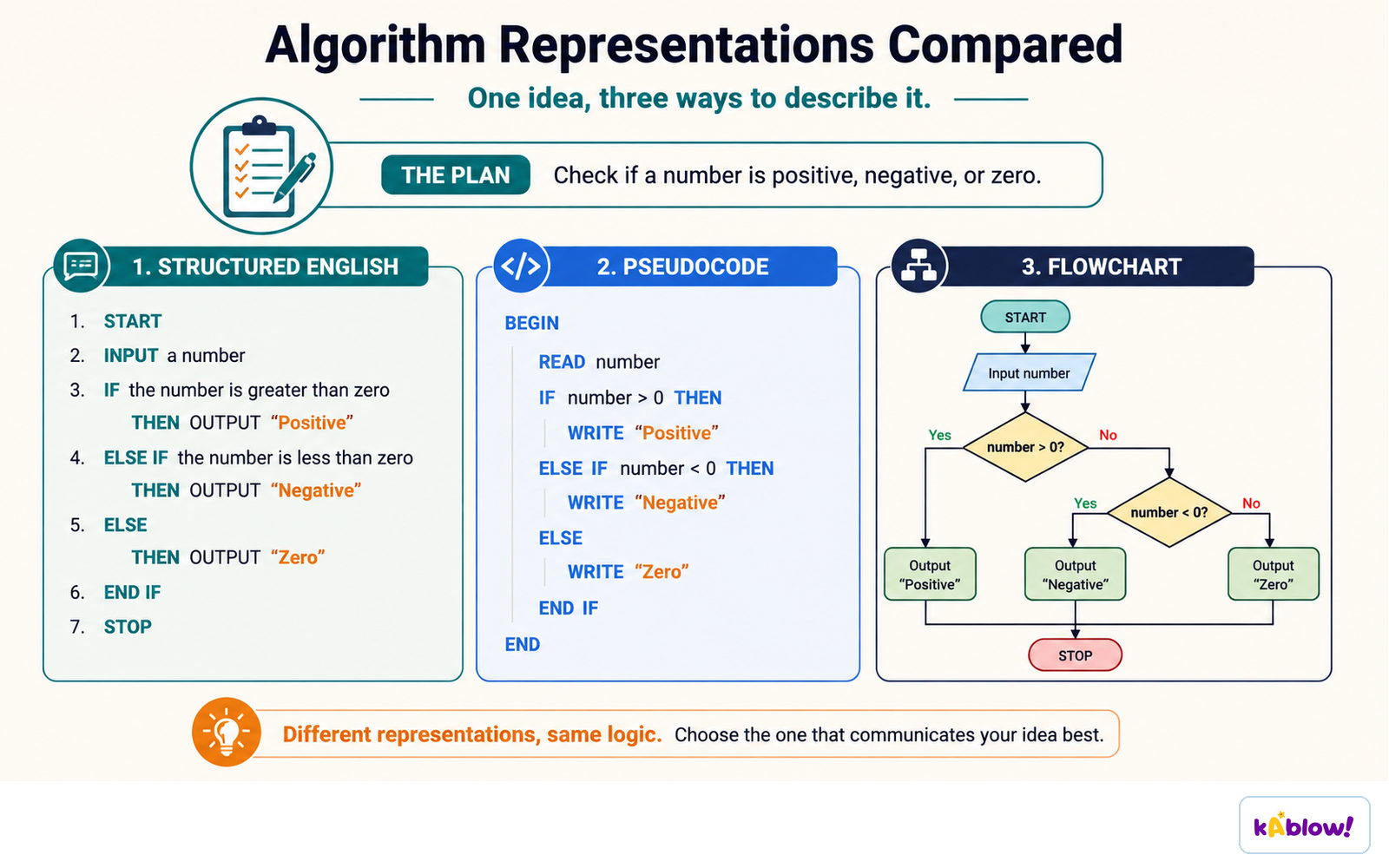
One algorithm written three ways: structured English, pseudocode and a flowchart.
Worked Example: Grade Assignment
- Input marks are stored in an array `Score[]`.
- Each mark is checked against boundaries (70, 60, 50, 40, 30) to assign a grade (A–F).
- The grade is stored in `Grade[]` at the same index as the mark.
- The algorithm repeats until 30 marks have been input and processed.
Diapositivas
Sign up free to view the lesson slides
Step through every slide for this topic — plus flashcards and revision notes — with a free account.
Preguntas de práctica
Vista previa gratis — 8 de 52 preguntas. Regístrate para verlas todas.
1.What is an algorithm?
Easy- AA precise set of rules or instructions to solve a specific problem
- BA type of computer hardware
- CA programming language
- DA data structure
2.Which of the following is NOT a method for designing an algorithm?
Easy- AStructure diagrams
- BFlowcharts
- CPseudocode
- DBinary search
3.In a flowchart, which shape is used to represent a decision?
Easy- ARectangle
- BDiamond
- COval
- DParallelogram
4.What does a structure diagram show?
Easy- AThe flow of control through an algorithm
- BHierarchical top-down design, breaking a problem into sub-problems
- CThe exact syntax of a programming language
- DThe data types used in a program
5.In pseudocode, which of the following is the correct way to output a message?
Easy- AOUTPUT 'Hello'
- Bprint('Hello')
- CPRINT 'Hello'
- DDISPLAY 'Hello'
6.Consider the following pseudocode: Count ← 1 Total ← 0 REPEAT INPUT Number Total ← Total + Number Count ← Count + 1 UNTIL Count > 10 OUTPUT Total What does this algorithm do?
Medium- AIt outputs the sum of ten numbers entered by the user
- BIt outputs the average of ten numbers entered by the user
- CIt outputs the largest of ten numbers entered by the user
- DIt outputs the count of numbers entered
7.In the following pseudocode, what is stored in Grade[2] if the input Score[2] is 65? Count ← 0 REPEAT INPUT Score[Count] IF Score[Count] ≥ 70 THEN Grade[Count] ← 'A' ELSE IF Score[Count] ≥ 60 THEN Grade[Count] ← 'B' ELSE IF Score[Count] ≥ 50 THEN Grade[Count] ← 'C' ELSE IF Score[Count] ≥ 40 THEN Grade[Count] ← 'D' ELSE IF Score[Count] ≥ 30 THEN Grade[Count] ← 'E' ELSE Grade[Count] ← 'F' ENDIF ENDIF ENDIF ENDIF ENDIF Count ← Count + 1 UNTIL Count = 30
Medium- A'B'
- B'A'
- C'C'
- D'D'
8.Which of the following is a characteristic of pseudocode?
Easy- AIt uses strict syntax like a programming language
- BIt is a visual tool using shapes
- CIt uses short English words/statements to describe an algorithm
- DIt is written in binary
Unlock all 52 questions & more
Crea una cuenta gratis para ver todas las preguntas, las diapositivas, las tarjetas y los apuntes de repaso de este tema.