Identifying Errors
플레이하며 배우기
이 문제들을 풀어 에너지를 얻은 뒤 낚시하고 탐험하세요. 계정이 필요 없어요.
수업 노트
Types of Errors
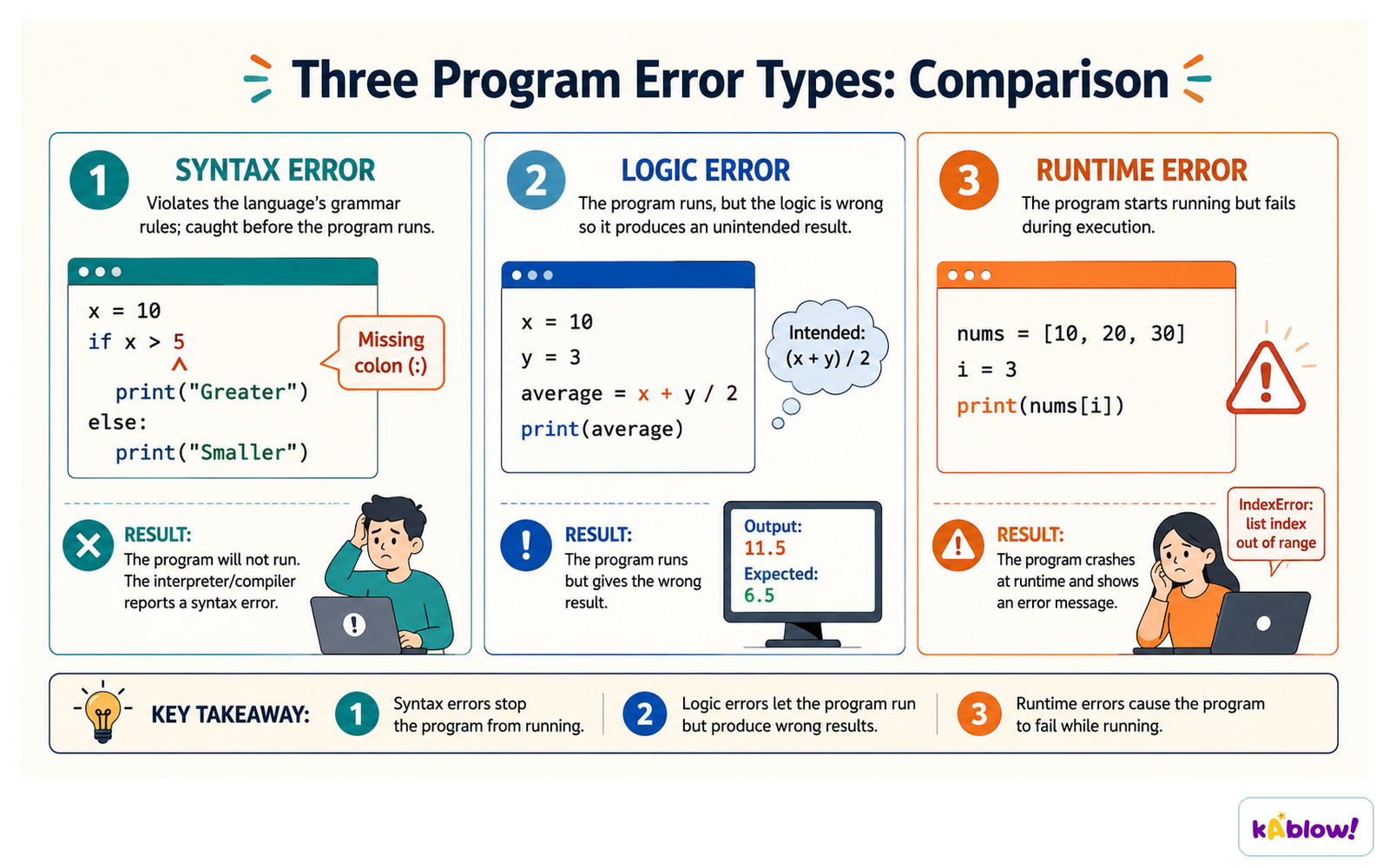
- Three main categories: syntax errors, logic errors, and runtime errors.
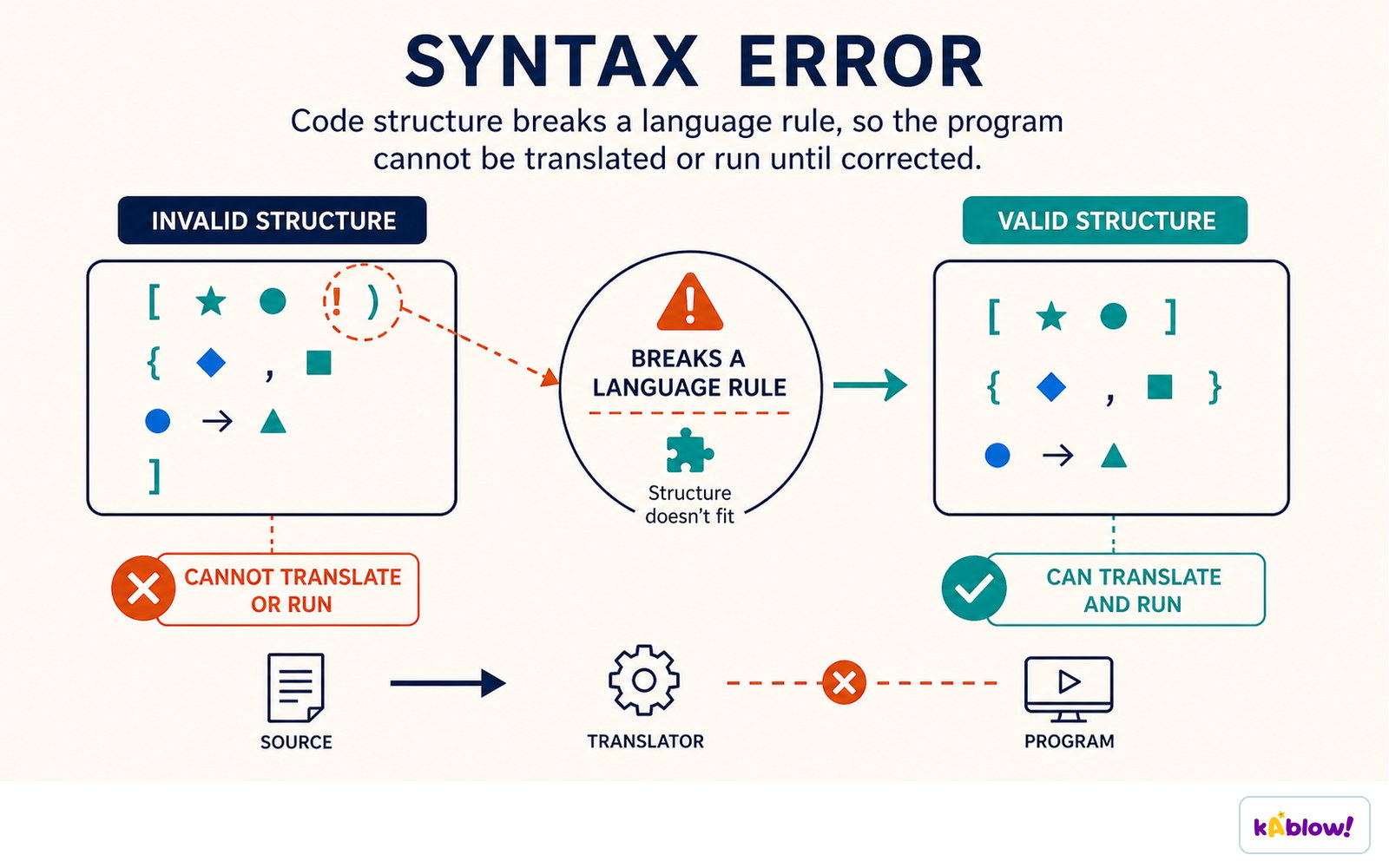
- Syntax errors break grammatical rules of the programming language and prevent the program from running.
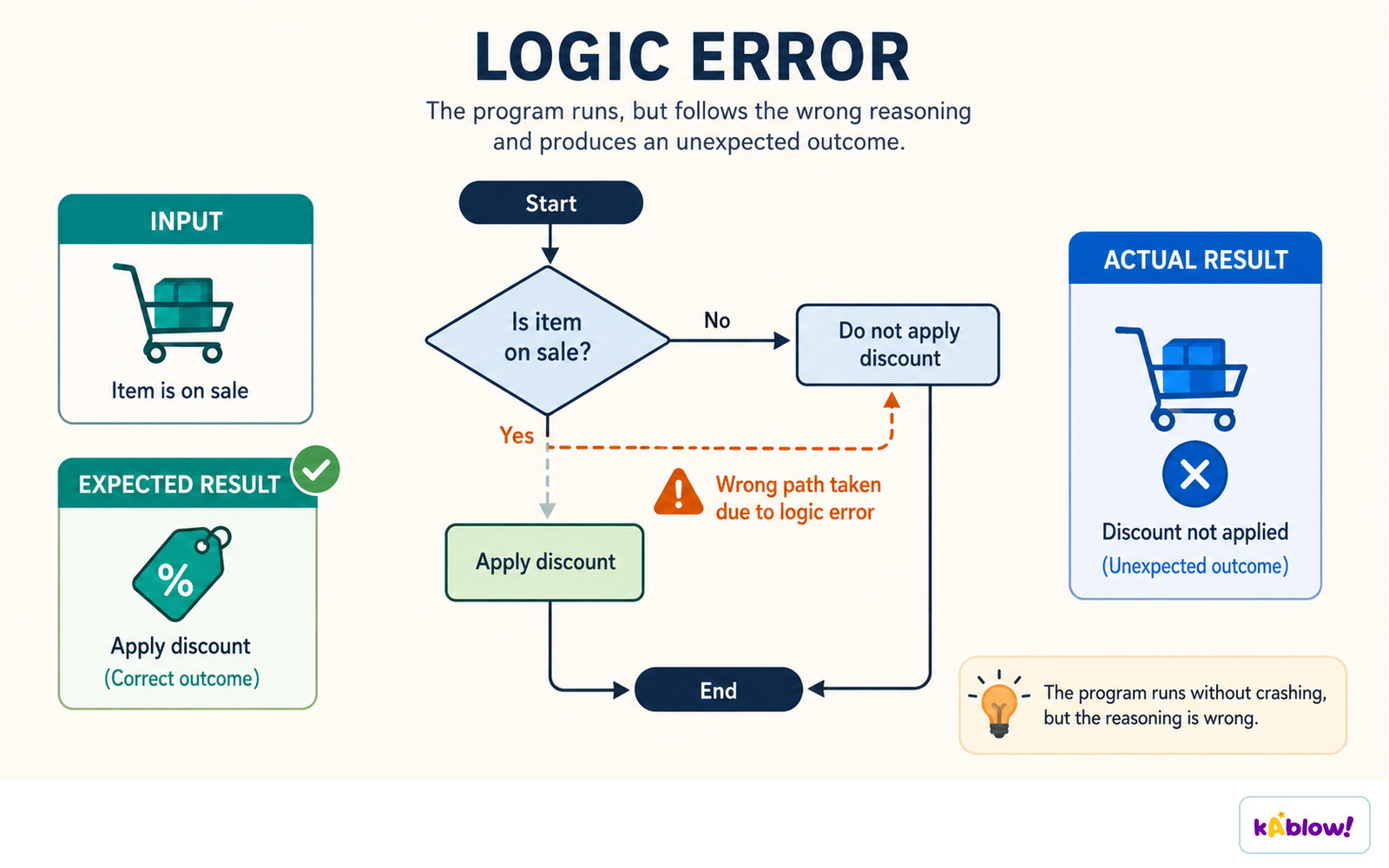
- Logic errors cause the program to run but produce incorrect output.
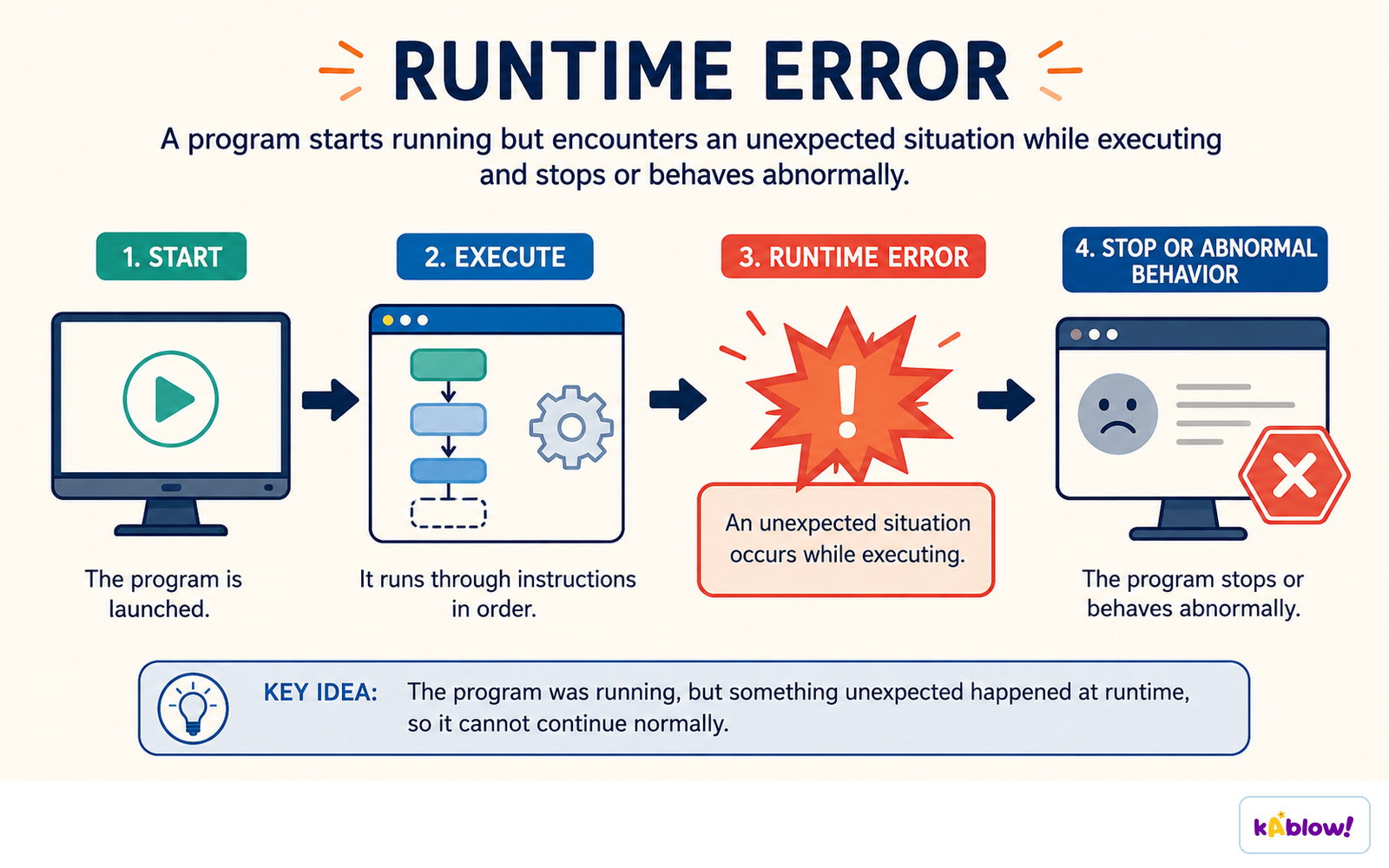
- Runtime errors cause the program to crash during execution.
- Trace tables help identify all types of errors by simulating program execution.
Syntax errors stop the program running, logic errors run but give the wrong result, runtime errors crash it during execution.
Syntax Errors
- Examples: missing brackets, misplaced semicolons, typos in variable names, incorrect operator use.
- Example: `def generateusername(firstname, lastname)` missing colon (`:`) at end.
- Example: `firstname = imput(...)` misspelling `input` as `imput`.
- Example: `usdrname = ...` typo in variable name.
- Example: `main` missing parentheses `()` to call the function.
A syntax error breaks a rule of the language, so the program cannot be translated or run.
Logic Errors
- Program runs but gives wrong results due to flawed logic.
- Examples: incorrect comparison operators (`<` instead of `≤`), using `AND` instead of `OR`, off-by-one loops, array index errors.
- Example: `if length < 0 or width < 0:` should be `≤ 0` to reject zero as non-positive.
- Logic errors are often found using trace tables and test data.
A logic error runs without crashing but follows the wrong reasoning and gives an unexpected result.
Runtime Errors
- Errors that occur during program execution, causing a crash.
- Examples: division by zero, array index out of bounds, file not found, type conversion failure.
- Example: entering `"abc"` for a float input crashes without a loop to retry.
- Fix: wrap input in a `while True` loop with try-except to handle invalid input gracefully.
A runtime error happens while the program is running and stops it or makes it behave abnormally.
Using Trace Tables
- A trace table records the state of variables at each step of algorithm execution.
- Helps detect logic errors by comparing expected vs actual outcomes.
- Each column represents a variable; each row shows values after a line of code.
- Useful for dry-running algorithms in exams.
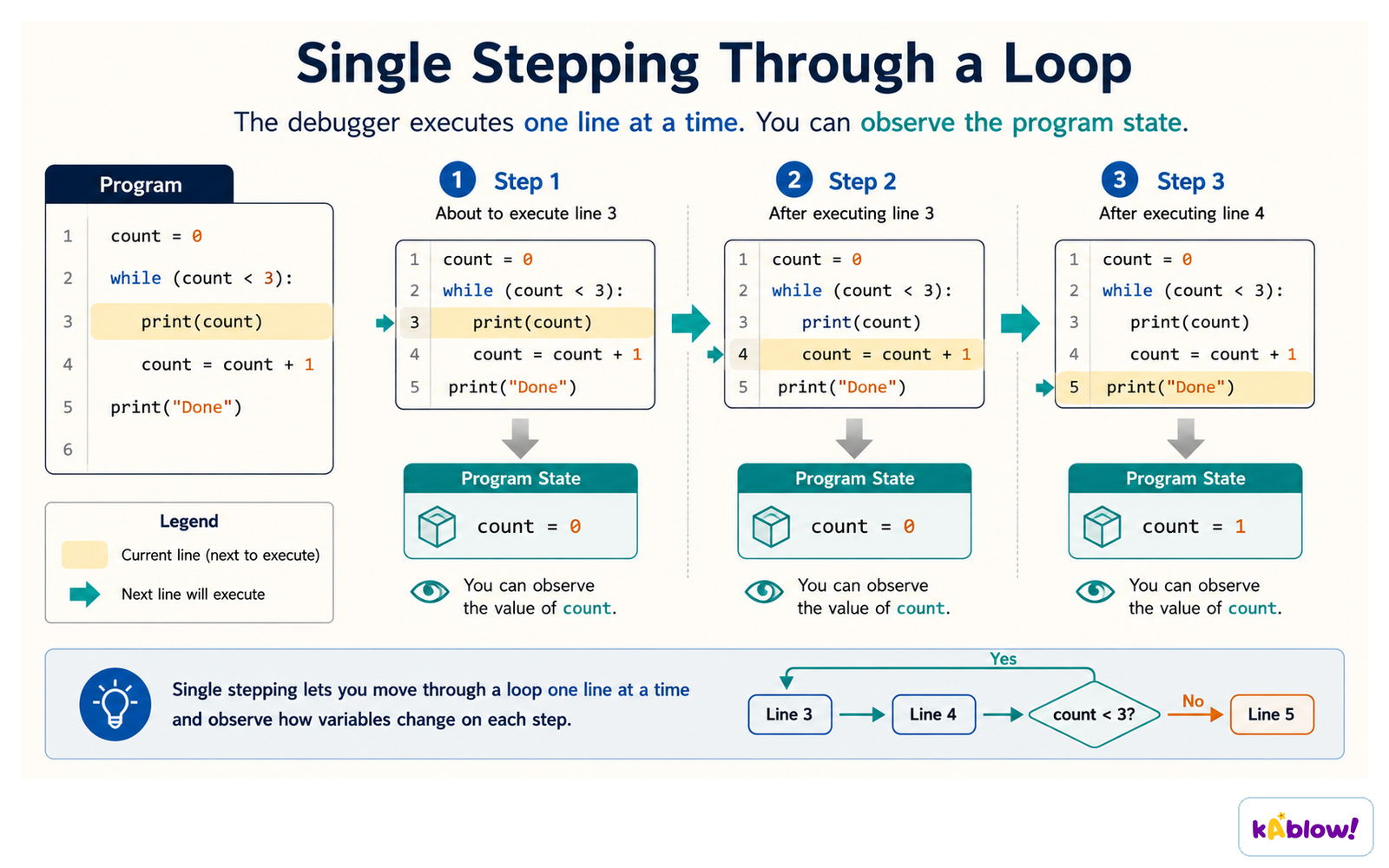
Single stepping runs one line at a time so you can watch each variable change.
Writing & Amending Algorithms
- Algorithmic thinking uses abstraction and decomposition to break problems into steps.
- Plan algorithm in parts: declare variables, input, process, loop, output.
- Use variable names and data exactly as given in the question to avoid losing marks.
- Comment code to explain logic and help examiners award marks.
- Pseudocode has no strict syntax, but follow IGCSE specification for consistency.
Exam Tips
- Describe syntax errors as 'prevents the program from running'.
- Describe logic errors as 'produces incorrect output'.
- Describe runtime errors as 'causes the program to crash'.
- Name the error type, locate it, and explain its impact on output/execution.
- Use scrap paper to draft algorithms before writing final answer.
슬라이드
연습 문제
무료 미리 보기 — 59개 중 8개 문제. 가입하면 전부 볼 수 있어요.
1.Which type of error prevents a program from running?
Easy- ASyntax error
- BLogic error
- CRuntime error
- DOff-by-one error
2.Which type of error causes a program to crash while it is running?
Easy- ASyntax error
- BLogic error
- CRuntime error
- DCompilation error
3.A program runs but produces an incorrect result. What type of error is most likely present?
Easy- ASyntax error
- BLogic error
- CRuntime error
- DInput error
4.Which of the following is an example of a syntax error?
Easy- AUsing a variable before it is assigned
- BDividing by zero
- CMissing a colon at the end of a function definition
- DAn array index going out of bounds
5.In the following pseudocode, what type of error is present? FOR i ← 1 TO 10 OUTPUT i NEXT i (Assume the loop should output numbers 1 to 10, but it outputs 1 to 11.)
Medium- ASyntax error
- BLogic error
- CRuntime error
- DNo error
6.Which of the following is NOT a common type of error in programming?
Easy- ASyntax error
- BLogic error
- CRuntime error
- DDesign error
7.A programmer writes: IF age > 18 THEN OUTPUT 'Adult' ELSE OUTPUT 'Child'. The program always outputs 'Child' even when age is 20. What type of error is this?
Medium- ASyntax error
- BLogic error
- CRuntime error
- DTypo error
8.A program crashes when the user enters a string instead of a number. This is an example of a:
Easy- ASyntax error
- BLogic error
- CRuntime error
- DCompilation error