Arrays
Learn it by playing
Answer these questions to earn energy, then fish and explore. No account needed.
Lesson notes
1-Dimensional Arrays
- An array is an ordered, static set of elements stored in a fixed-size memory location.
- An array can only store one data type (e.g., all integers or all strings).
- In CIE pseudocode, indexing starts at 1; in Python, indexing starts at 0 (zero-indexed).
- Declare a 1D array in pseudocode: `DECLARE scores: ARRAY[1:5] OF INTEGER` creates an array with 5 elements (indices 1–5).
- Assign a value: `scores[4] ← "Red"` (pseudocode) or `scores[4] = "Red"` (Python).
- Access an element: `MyArray[1]` (pseudocode) or `array[0]` (Python).
- Modify an element: `MyArray[index] ← newValue` (pseudocode) or `array[index] = newValue` (Python).
- Use `len(array)` in Python to get array length; pseudocode requires storing the length in a variable.
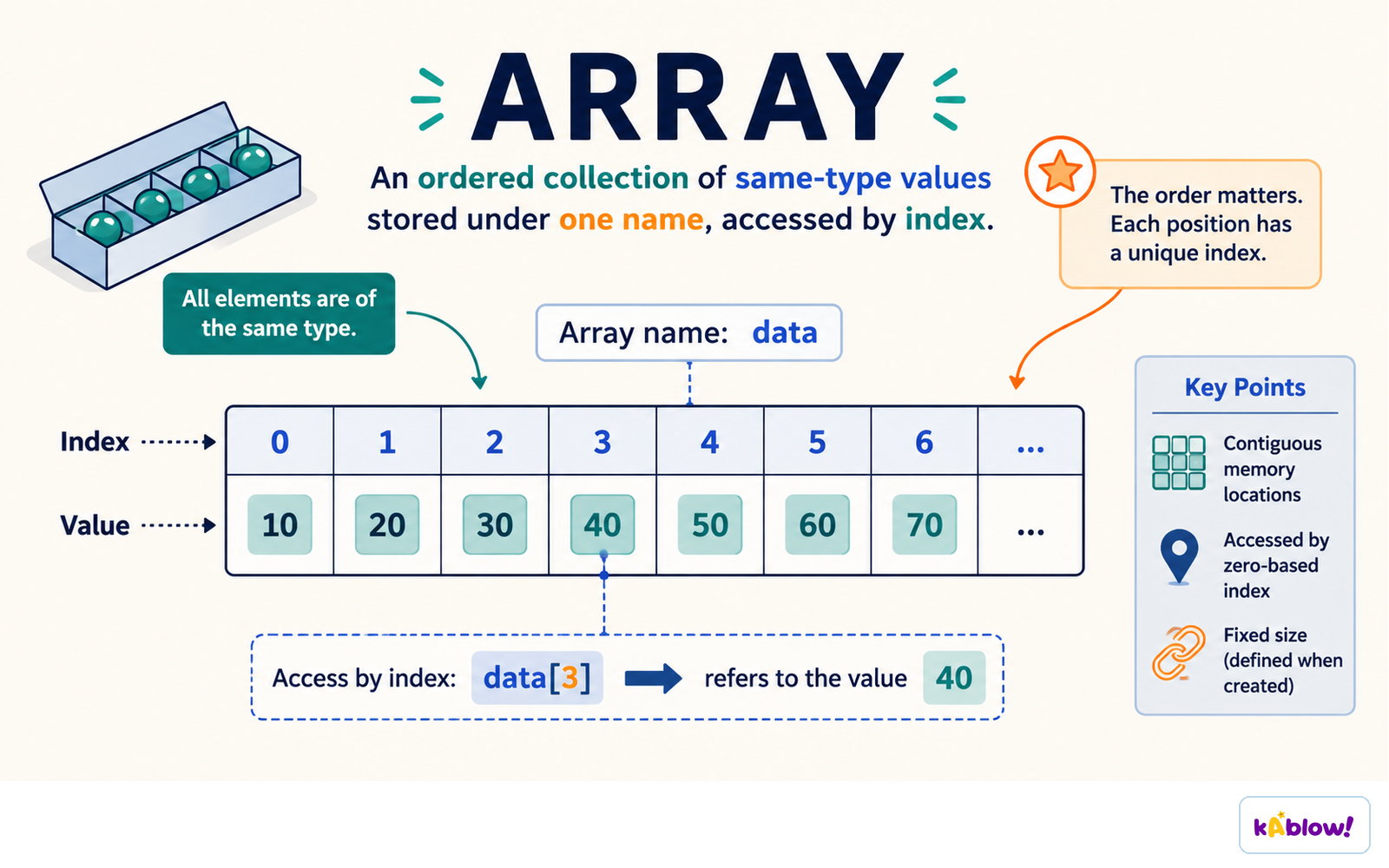
An array is an ordered collection of same-type values stored under one name and reached by index.
2-Dimensional Arrays
- A 2D array extends a 1D array by adding another dimension, visualised as a table with rows and columns.
- In pseudocode, declare: `DECLARE arr: ARRAY[1:3, 1:2] OF STRING` (3 rows, 2 columns).
- In Python, initialise as a list of lists: `arr = [["Alice", 25], ["Bob", 30]]`.
- Access an element: `arr[row, col]` (pseudocode) or `arr[row][col]` (Python).
- Assign a value: `players[3,1] ← "Holly"` (pseudocode) or `players[2][0] = "Holly"` (Python).
- Iterate using nested loops: outer loop for rows, inner loop for columns.
- Examiner tip: Always check the question's example to see whether the order is `[row][col]` or `[col][row]`.
Common Operations on Arrays
- Iterating over a 1D array: use a single `FOR` loop from 1 to length (pseudocode) or `for element in array:` (Python).
- Iterating over a 2D array: use nested `FOR` loops (pseudocode) or nested `for` loops (Python).
- Length of a 1D array: in Python, `len(array)`; in pseudocode, store the declared size in a variable.
- Modifying elements: assign a new value to a specific index.
- Accessing elements: use the index (starting at 1 in pseudocode, 0 in Python).
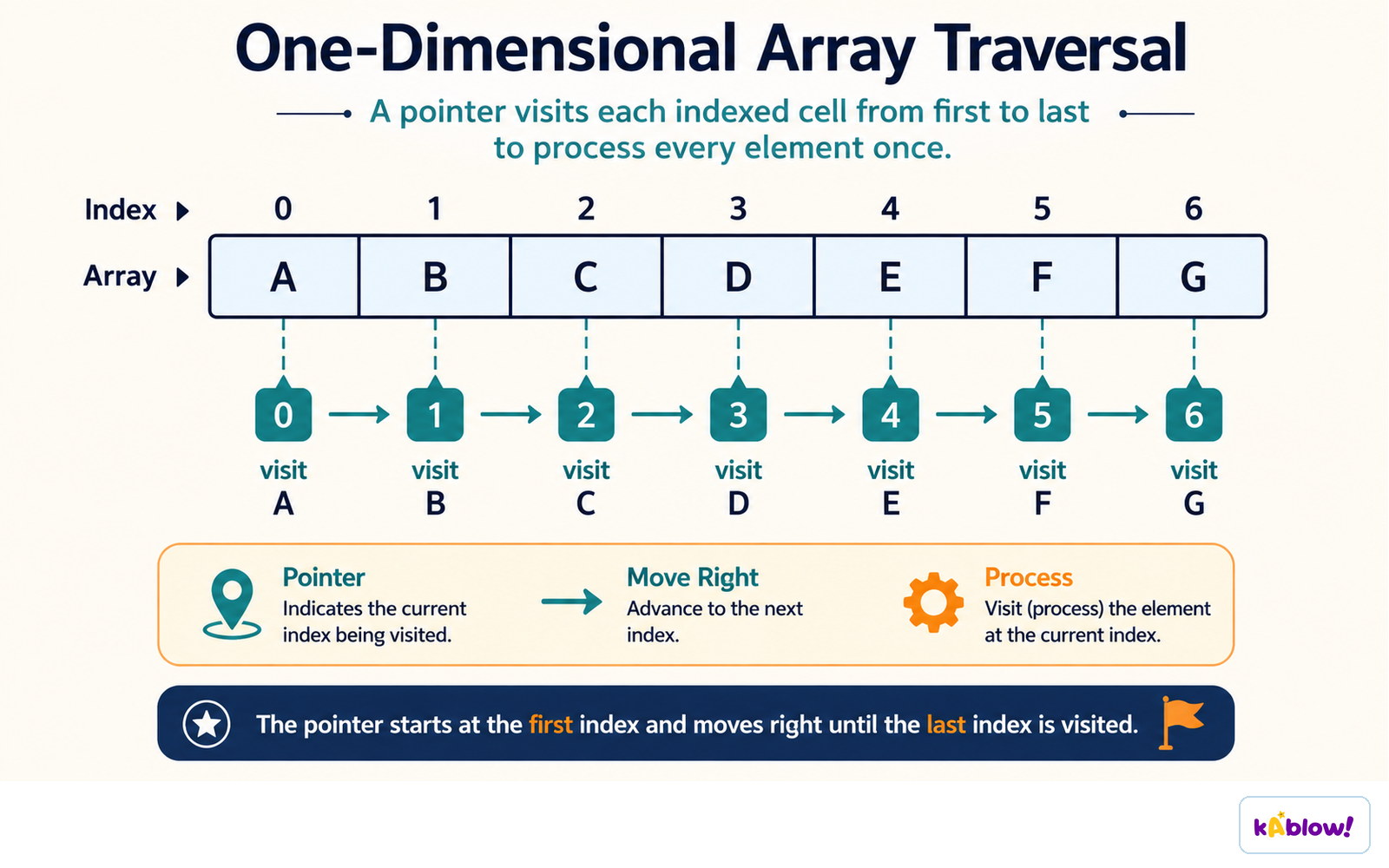
Traversal visits each indexed cell in turn, from the first index to the last.
Pseudocode vs Python Syntax
- Declaration: `DECLARE arr: ARRAY[1:5] OF INTEGER` (pseudocode) vs `arr = [0]×5` or `arr = []` (Python).
- Indexing: pseudocode uses `arr[1]` for first element; Python uses `arr[0]`.
- Assignment: `arr[1] ← 10` (pseudocode) vs `arr[0] = 10` (Python).
- 2D indexing: `arr[1,2]` (pseudocode) vs `arr[0][1]` (Python).
- Iteration: `FOR i ← 1 TO 5` (pseudocode) vs `for i in range(5):` (Python).
Worked Example: 2D Array Access
- Given a 2D array `minsWatched` with rows (days) and columns (children), access specific values.
- Example: `minsWatched[0][3]` gives Elias's minutes on Monday (row 0, col 3).
- To output Lyla's minutes on Tuesday: `print(minsWatched[1][1])` (row 1, col 1).
- To output Harry's minutes on Friday: `print(minsWatched[4][2])` (row 4, col 2).
- To output Quinn's minutes on Wednesday: `print(minsWatched[2][0])` (row 2, col 0).
Slides
Sign up free to view the lesson slides
Step through every slide for this topic — plus flashcards and revision notes — with a free account.
Practice questions
Free preview — 8 of 59 questions. Sign up to see them all.
1.What is an array?
Easy- AAn ordered, static set of elements in a fixed-size memory location
- BAn unordered collection of elements that can change size dynamically
- CA single variable that stores multiple data types
- DA data structure that can only store characters
2.In CIE pseudocode, what is the starting index of an array?
Easy- A0
- B1
- CDepends on the programming language
- DThe index is always specified by the programmer
3.Which of the following correctly declares a 1D array in CIE pseudocode?
Easy- ADECLARE scores: ARRAY[1:5] OF INTEGER
- BDECLARE scores: ARRAY[0:4] OF INTEGER
- Cscores = [1,2,3,4,5]
- DARRAY scores[5]
4.What does the following CIE pseudocode output? DECLARE MyArray : ARRAY[1:3] OF INTEGER MyArray[1] ← 5 MyArray[2] ← 10 MyArray[3] ← 15 OUTPUT MyArray[2]
Easy- A5
- B10
- C15
- DError
5.A 2D array is declared as DECLARE table: ARRAY[1:4, 1:3] OF INTEGER. How many elements does it contain?
Easy- A7
- B12
- C4
- D3
6.In CIE pseudocode, what is the correct way to assign the value 'Red' to the fourth element of a 1D array called colours?
Easy- Acolours[4] ← 'Red'
- Bcolours[3] ← 'Red'
- Ccolours[4] = 'Red'
- Dcolours[0] ← 'Red'
7.Consider the following 2D array in CIE pseudocode: DECLARE grid : ARRAY[1:2, 1:2] OF INTEGER grid[1,1] ← 1 grid[1,2] ← 2 grid[2,1] ← 3 grid[2,2] ← 4 What is the value of grid[2,1]?
Easy- A1
- B2
- C3
- D4
8.In CIE pseudocode, which loop structure is typically used to iterate through all elements of a 1D array?
Easy- AFOR...NEXT loop
- BWHILE loop
- CREPEAT...UNTIL loop
- DIF...THEN statement
Unlock all 59 questions & more
Create a free account to see every question, the slides, flashcards and revision notes for this topic.