Programming Concepts
விளையாடிக் கற்றுக்கொள்ளுங்கள்
ஆற்றல் சம்பாதிக்க இந்த கேள்விகளுக்குப் பதிலளியுங்கள், பின்னர் மீன் பிடித்து ஆராயுங்கள். கணக்கு தேவையில்லை.
பாட குறிப்புகள்
Variables & Constants
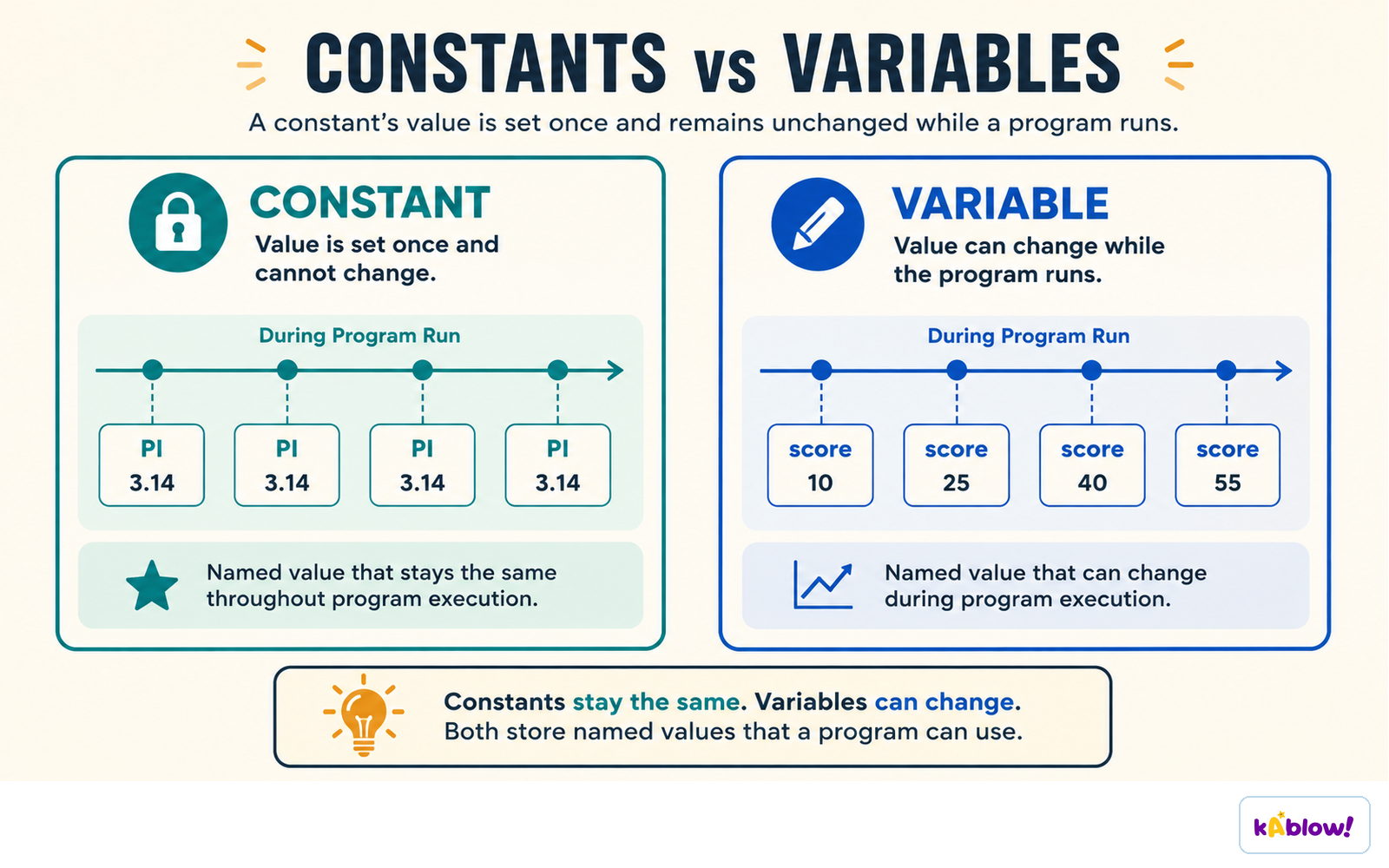
- A variable is an identifier that can change during program execution; declared with `DECLARE <id> : <datatype>` in pseudocode.
- Identifiers should use PascalCase, contain only letters/digits, and start with a capital letter.
- A constant is an identifier set once; named in UPPERCASE to improve readability and maintainability.
- Constants are declared with `CONSTANT <id> ← <value>`; changing a constant only requires alteration in one place.
A constant is set once and stays fixed; a variable can change while the program runs.
Data Types
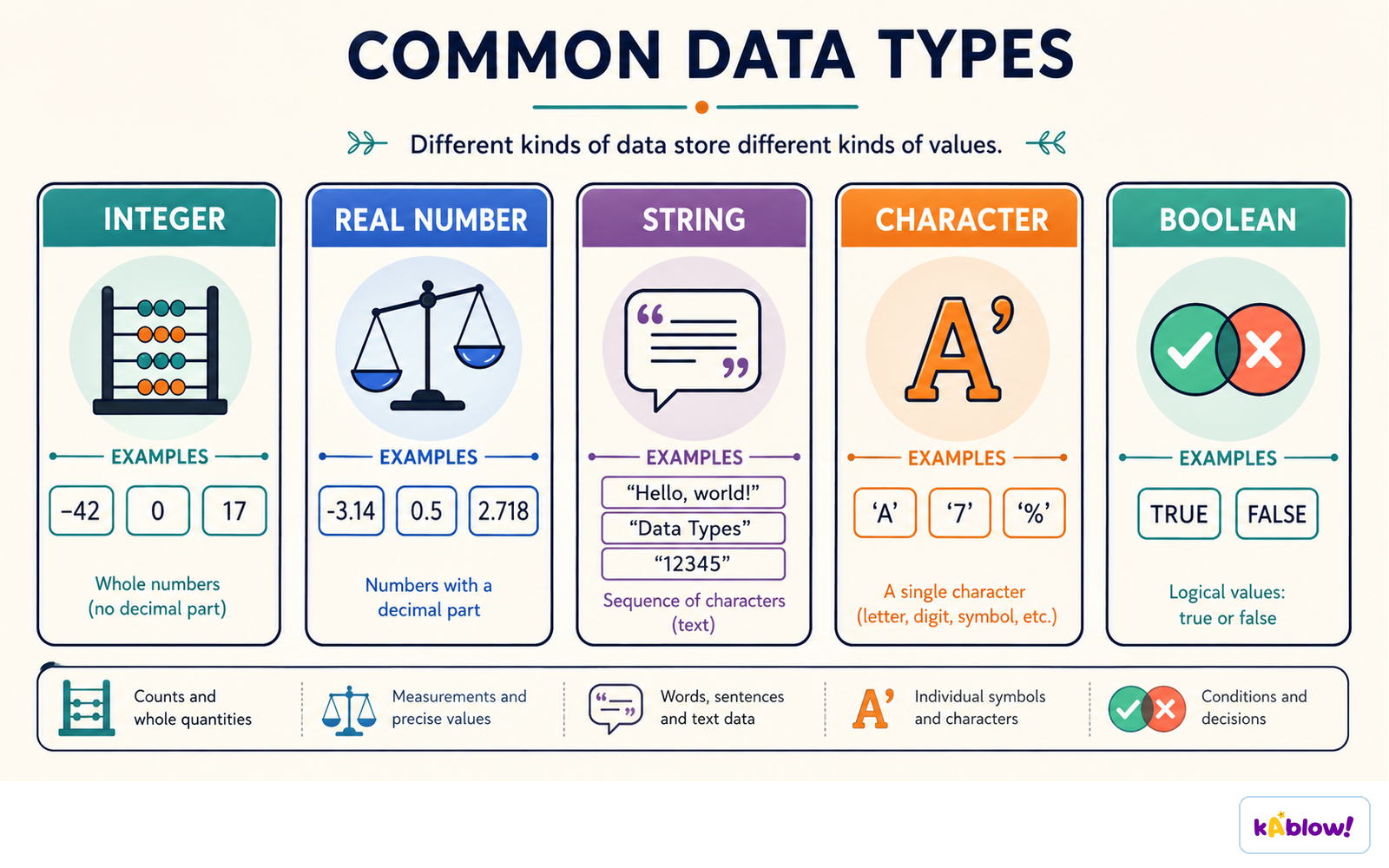
- Basic data types: Integer (whole numbers), Real (decimal), Character (single char), String (sequence of chars), Boolean (True/False).
- Choosing the correct data type ensures accuracy and efficiency; casting converts between types.
- Pseudocode examples: `DECLARE Age : INTEGER`, `DECLARE Price : REAL`, `DECLARE GameOver : BOOLEAN`.
Integer, real, string, character and Boolean each store a different kind of value.
Input & Output
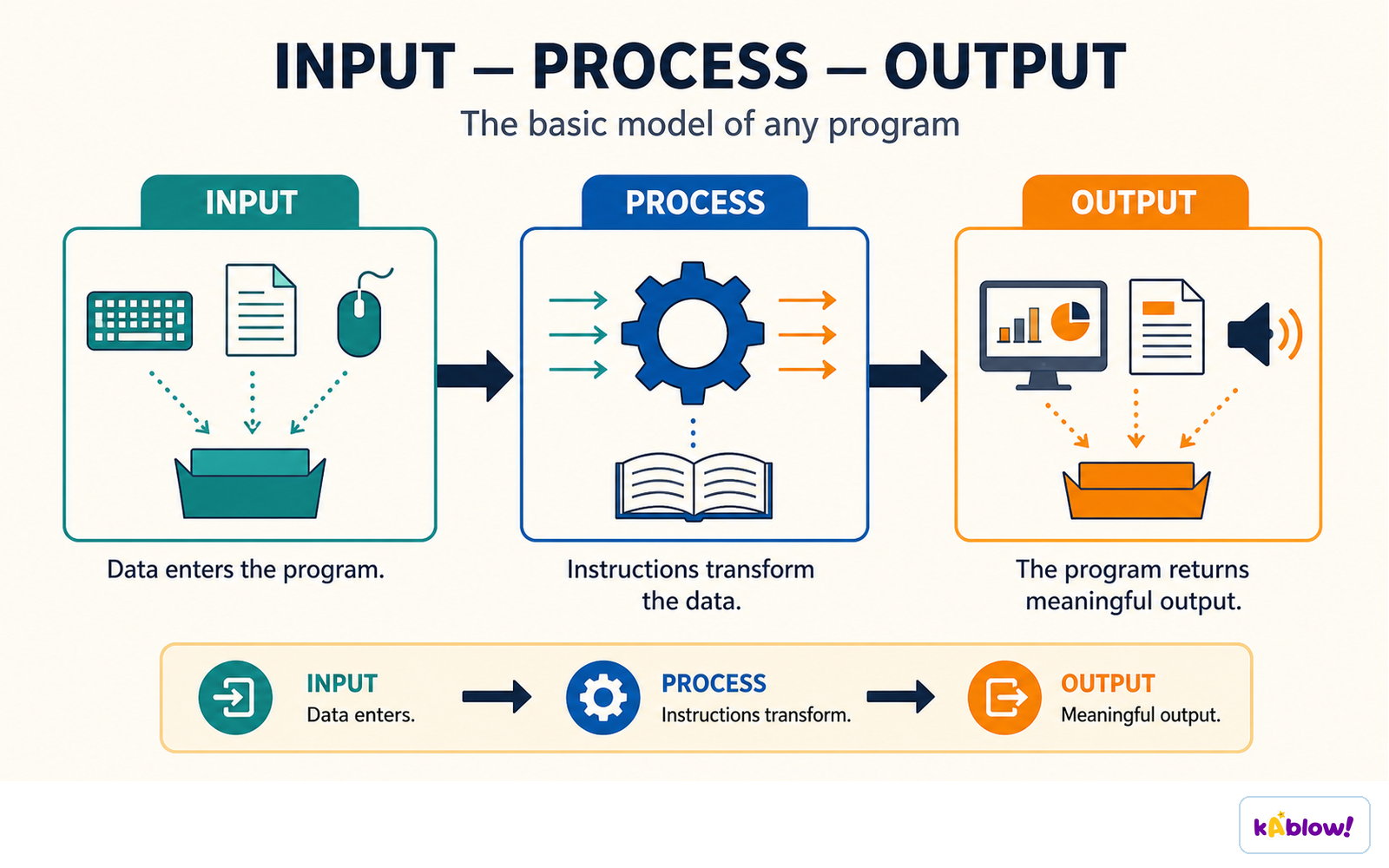
- Input reads data from an input device (e.g., keyboard) using `INPUT <identifier>` in pseudocode.
- Output sends data to an output device (e.g., monitor) using `OUTPUT <identifier(s)>`.
- Without input, programs cannot interact with the outside world; without output, results cannot be seen.
Every program has the same shape: data enters, instructions transform it, and meaningful output leaves.
Sequence
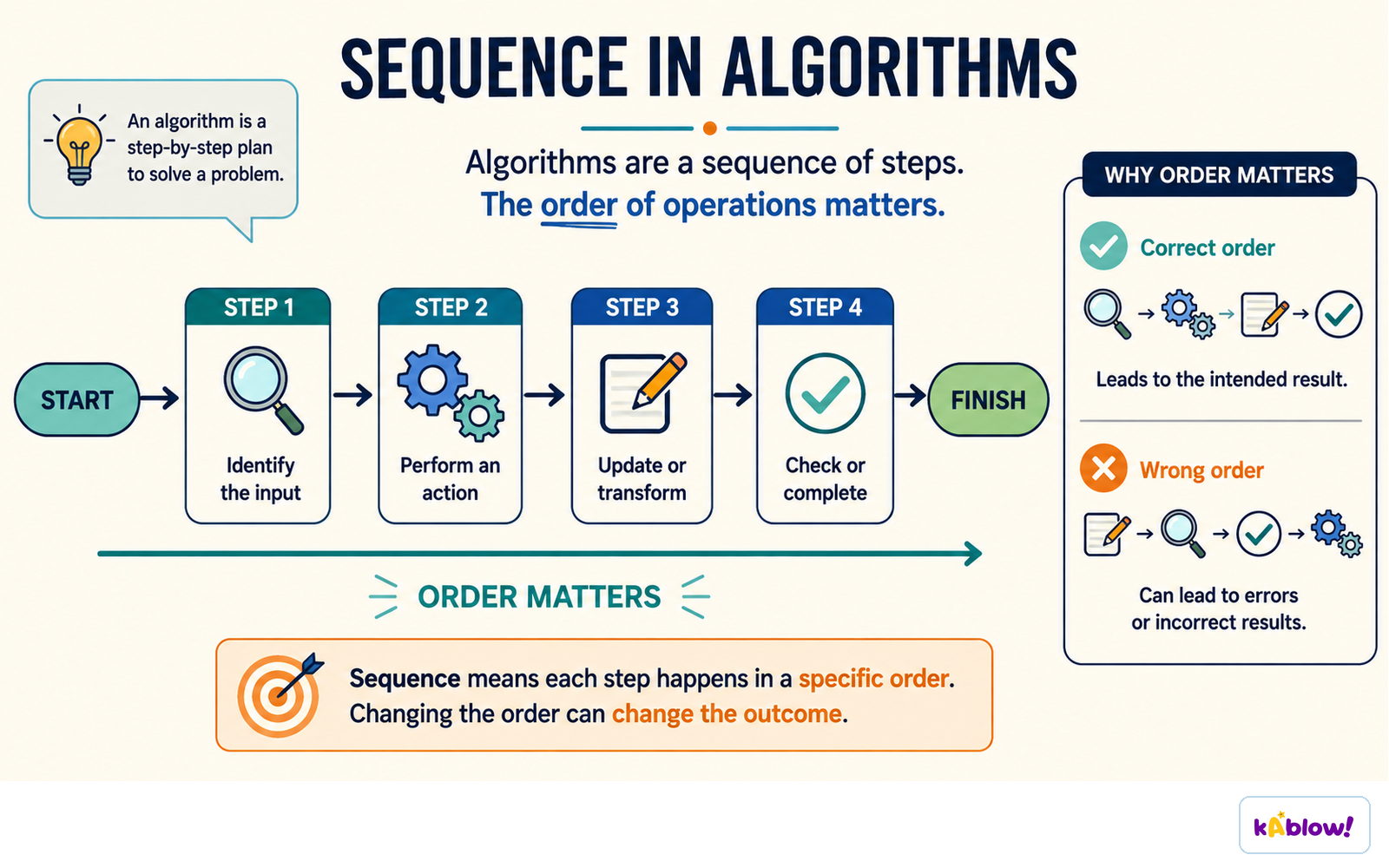
- Sequence means lines of code run one at a time in the order they are written.
- Incorrect sequence can cause unexpected behaviour or runtime errors (e.g., returning a variable before it is assigned).
Sequence: each instruction runs in a precise order from start to output.
Selection
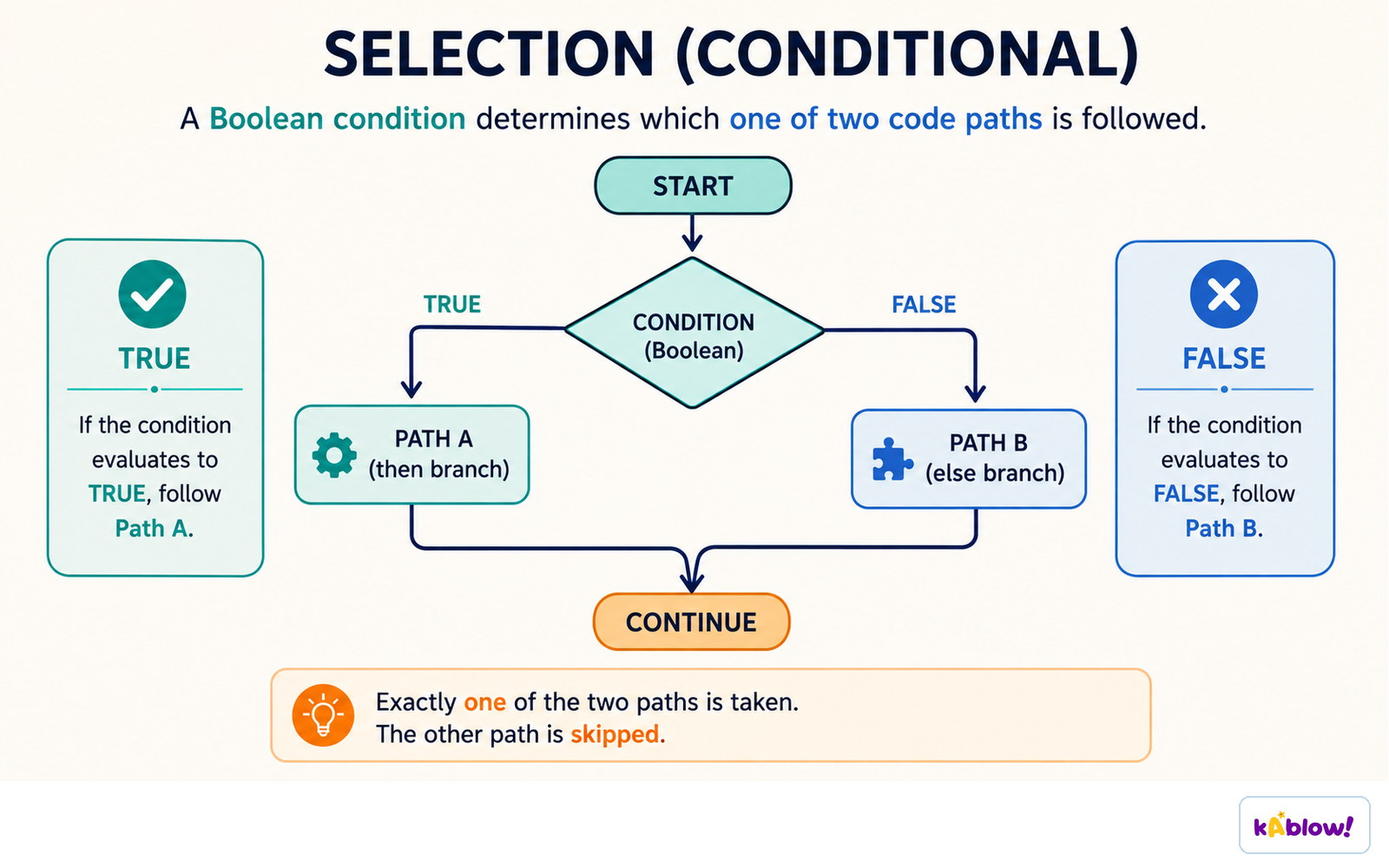
- Selection changes program flow based on conditions; uses `IF...THEN...ELSE` or `CASE` statements.
- `IF` statements: `IF <condition> THEN <statements> ELSE <statements> ENDIF`.
- Nested selection places one IF inside another; CASE compares multiple values of the same variable.
- Boolean operators `AND`, `OR`, `NOT` combine conditions; `AND` true if both true, `OR` true if at least one true, `NOT` inverts.
A Boolean condition decides which one of two paths runs; the other is skipped.
Iteration
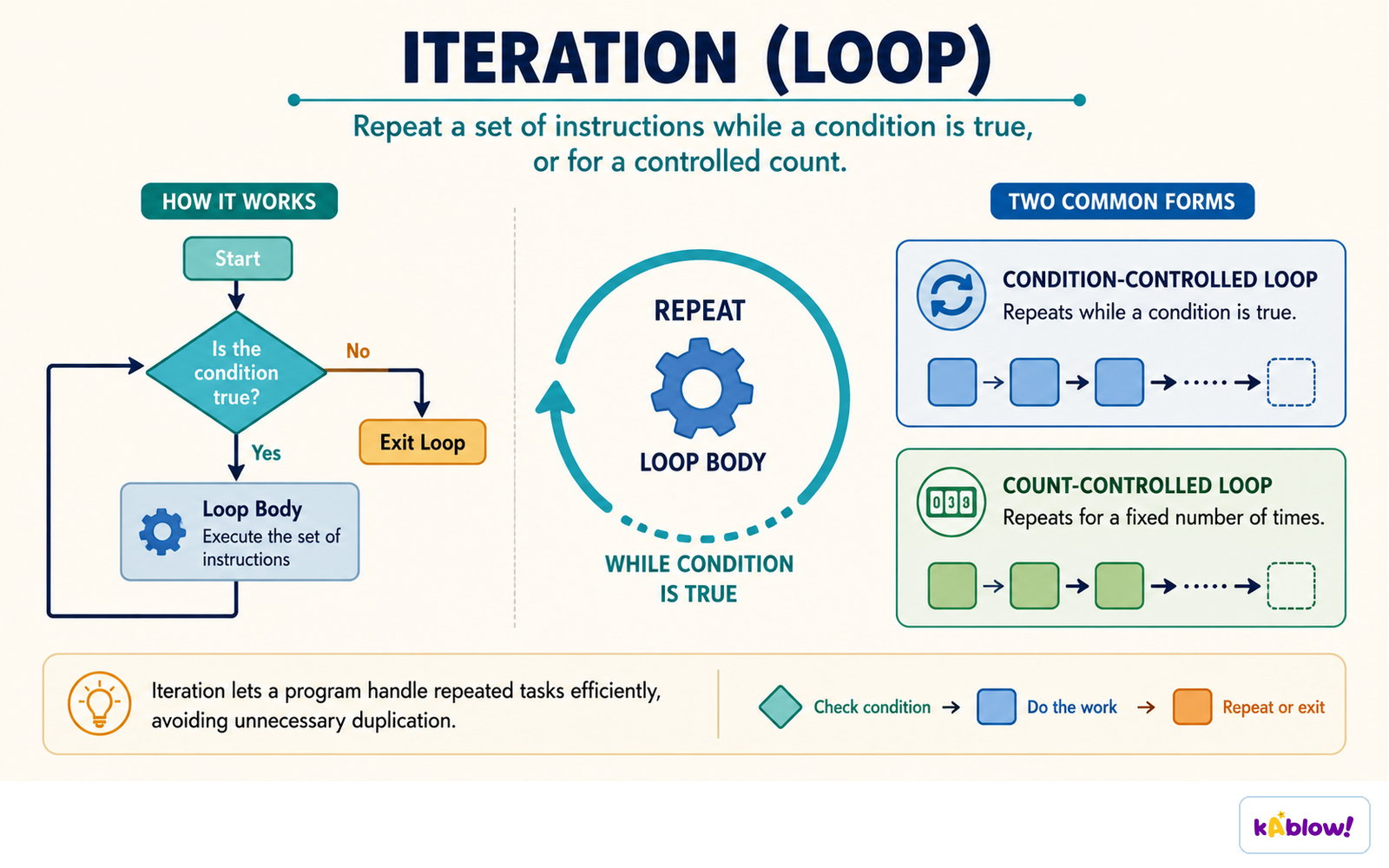
- Count-controlled loops repeat a fixed number of times using `FOR <id> ← <start> TO <end> [STEP <inc>]`.
- Condition-controlled loops repeat until a condition is met: `WHILE` (pre-condition) or `REPEAT...UNTIL` (post-condition).
- Nested iteration is a loop inside another loop, e.g., a FOR inside another FOR.
A loop repeats while a condition holds, or for a fixed number of repetitions.
Totalling & Counting
- Totalling adds up values in a loop: initialise total to 0, then update inside loop.
- Counting tracks occurrences: initialise count to 0, increment when condition met.
- Both are commonly used with loops to accumulate results.
String Handling
- Case conversion: `UCASE`/`LCASE` (pseudocode) or `.upper()`/`.lower()` (Python).
- Length: `LENGTH(string)` (pseudocode) or `len(string)` (Python).
- Substring: `SUBSTRING(string, start, length)` in pseudocode (start at 1); Python uses slicing `string[start:end]` (start at 0).
Arithmetic, Logical & Boolean Operators
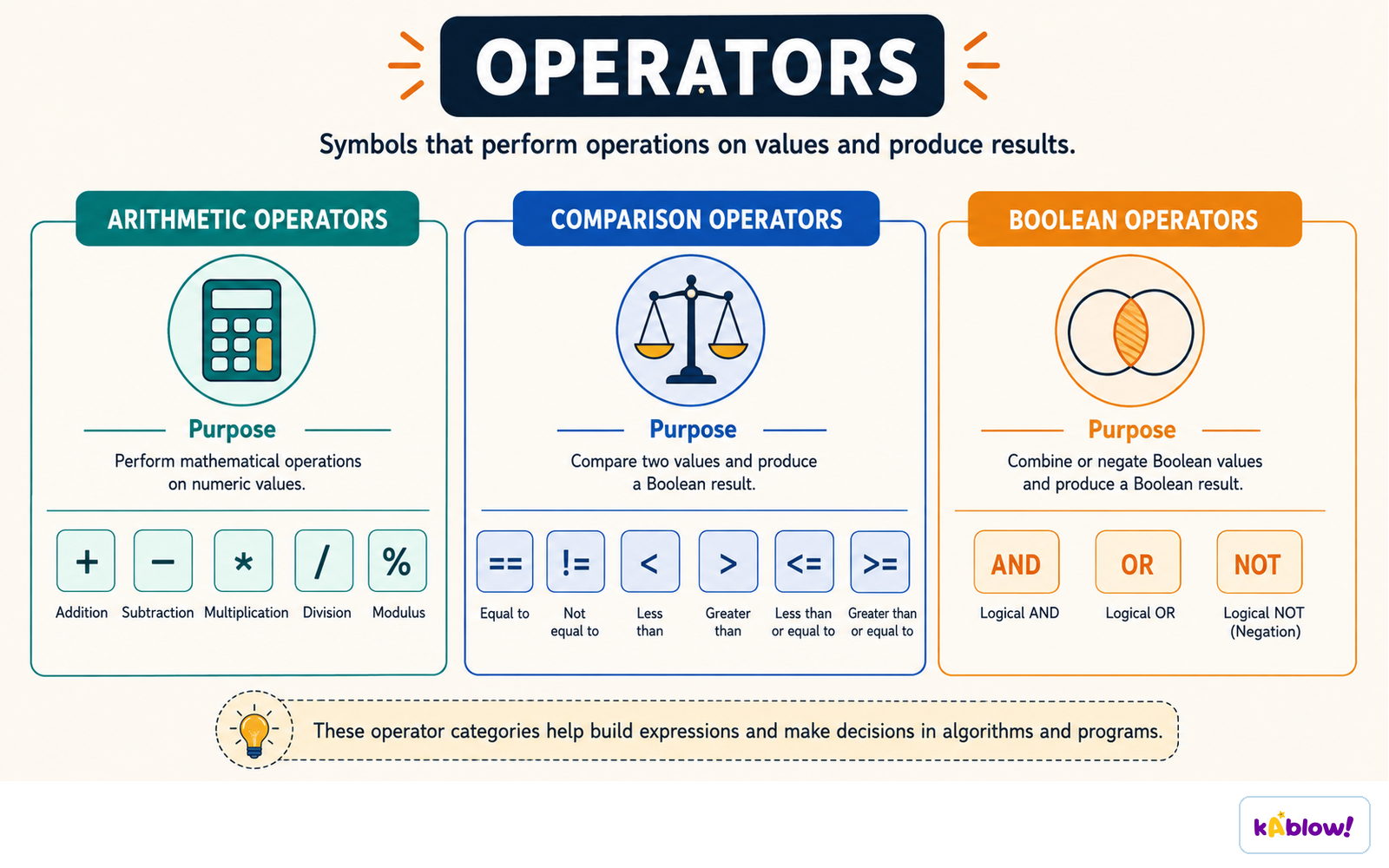
- Arithmetic operators: `+`, `-`, `×`, `/`, `MOD` (remainder), `DIV` (quotient), `^` (exponent).
- Logical operators compare values: `==`, `<>`, `<`, `≤`, `>`, `≥`.
- Boolean operators: `AND`, `OR`, `NOT` used to combine conditions.
Arithmetic operators compute values, comparison operators produce a Boolean, and Boolean operators combine them.
Procedures & Functions
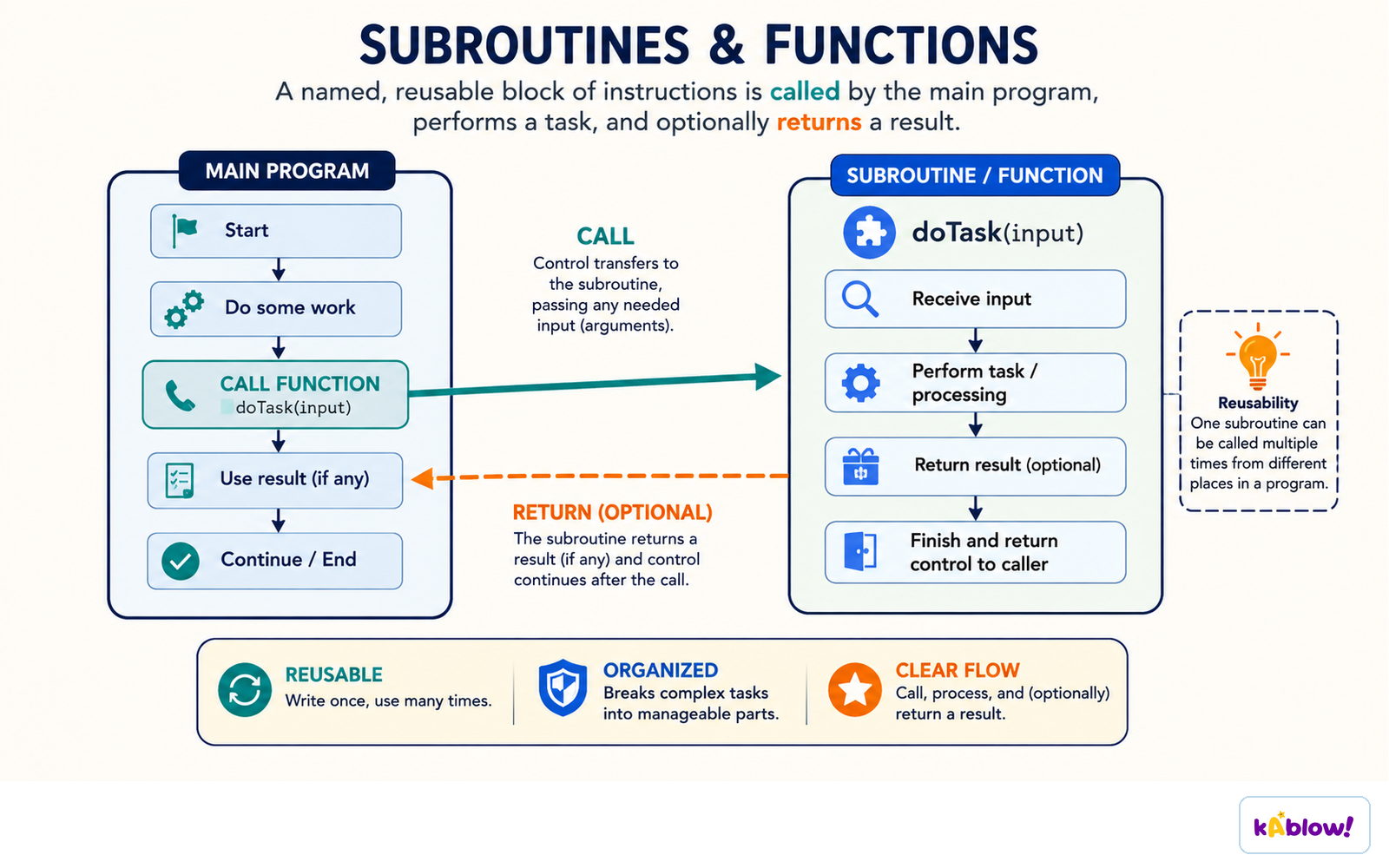
- Procedures do not return a value; defined with `PROCEDURE ... ENDPROCEDURE` and called with `CALL`.
- Functions return a value; defined with `FUNCTION ... RETURNS <type> ... ENDFUNCTION` and called in expressions.
- Parameters pass data into sub-programs; multiple parameters allowed.
- Sub-programs improve readability, maintainability, and avoid code duplication.
A subroutine is a named, reusable block: the main program calls it, it does its task, and it returns.
Local & Global Variables
- Local variables declared inside a sub-program; only accessible there; destroyed when the sub-program ends.
- Global variables declared at the outermost level; accessible from anywhere in the program.
- Use local variables to avoid unintended side-effects; global variables can be modified by any part of the program.
Library Routines
- Library routines are pre-written, reusable code (e.g., `RANDOM`, `ROUND`) that save time and are already tested.
- `RANDOM` generates random numbers; in pseudocode `RANDOM(lower, upper)`; in Python `import random; random.randint(a,b)`.
- `ROUND` rounds a number to a specified number of decimal places: `ROUND(value, places)`.
Maintaining Programs
- Use layout, indentation, comments, meaningful variable names, white space, and sub-programs to make code easy to maintain.
- Consistent use of these techniques improves readability and reduces errors when modifying code.
ஸ்லைடுகள்
Sign up free to view the lesson slides
Step through every slide for this topic — plus flashcards and revision notes — with a free account.
பயிற்சி கேள்விகள்
இலவச முன்னோட்டம் — 54-இல் 8 கேள்விகள். அனைத்தையும் பார்க்க பதிவு செய்யவும்.
1.Which of the following is the correct way to declare a variable in pseudocode?
Easy- ADECLARE Age : INTEGER
- BDECLARE Age = INTEGER
- CAge : INTEGER
- DINTEGER Age
2.Which data type would be most appropriate to store the value 'True'?
Easy- ABOOLEAN
- BSTRING
- CINTEGER
- DCHAR
3.What is the output of the following pseudocode? Total ← 0 FOR X ← 1 TO 3 Total ← Total + X NEXT X OUTPUT Total
Medium- A6
- B3
- C1
- D0
4.Which of the following correctly represents a condition-controlled loop in pseudocode?
Medium- AWHILE Colour ≠ 'Red' DO INPUT Colour ENDWHILE
- BFOR X ← 1 TO 10 OUTPUT X NEXT X
- CREPEAT INPUT Colour UNTIL Colour = 'Red'
- DIF Colour = 'Red' THEN OUTPUT 'Stop' ENDIF
5.What is the value of Result after executing the following pseudocode? Result ← 10 MOD 3
Easy- A1
- B3
- C0
- D10
6.Which of the following is a valid constant declaration in pseudocode?
Easy- ACONSTANT π ← 3.142
- BCONSTANT π = 3.142
- CDECLARE π : CONSTANT ← 3.142
- Dπ CONSTANT ← 3.142
7.What is the purpose of a procedure in programming?
Easy- ATo perform a task without returning a value
- BTo return a value
- CTo store data permanently
- DTo handle user input
8.Which of the following is the correct pseudocode to output the length of a string stored in variable Word?
Easy- AOUTPUT LENGTH(Word)
- BOUTPUT LEN(Word)
- COUTPUT Word.LENGTH
- DOUTPUT LENGTH Word
Unlock all 54 questions & more
இந்த தலைப்பிற்கான ஒவ்வொரு கேள்வியையும், ஸ்லைடுகளையும், ஃப்ளாஷ் கார்டுகளையும் மற்றும் திருப்புதல் குறிப்புகளையும் பார்க்க இலவச கணக்கை உருவாக்கவும்.