Computer hardware: input, output and storage devices
边玩边学
回答这些题目来赚取能量,然后钓鱼探索。无需账号。
给教育者: 面向 Computer hardware: input, output and storage devices(KS3 Computing,Computer Systems)的即用型课程幻灯片, 复习笔记——用在你的课堂上,或将该知识点作为学习者可实时游玩的互动课堂活动来运行。
课程笔记
What is Computer Hardware?
- Computer hardware includes all the physical parts of a computer, such as the CPU, RAM, motherboard, and storage.
- External devices like the monitor, mouse, keyboard, and speakers are also hardware.
- Software is a set of written instructions that can be stored and run by hardware.
- Hardware is 'hard' because it is difficult to change, while software is 'soft' because it is easy to modify.
- Hardware is directed by software to execute commands; together they form a usable computing system.
Input Devices
- Input devices send data and instructions to the computer.
- Common examples include the keyboard, mouse, microphone, and scanner.
- They allow users to interact with the computer and provide information for processing.
- Input devices convert user actions or physical data into a digital form the computer can understand.
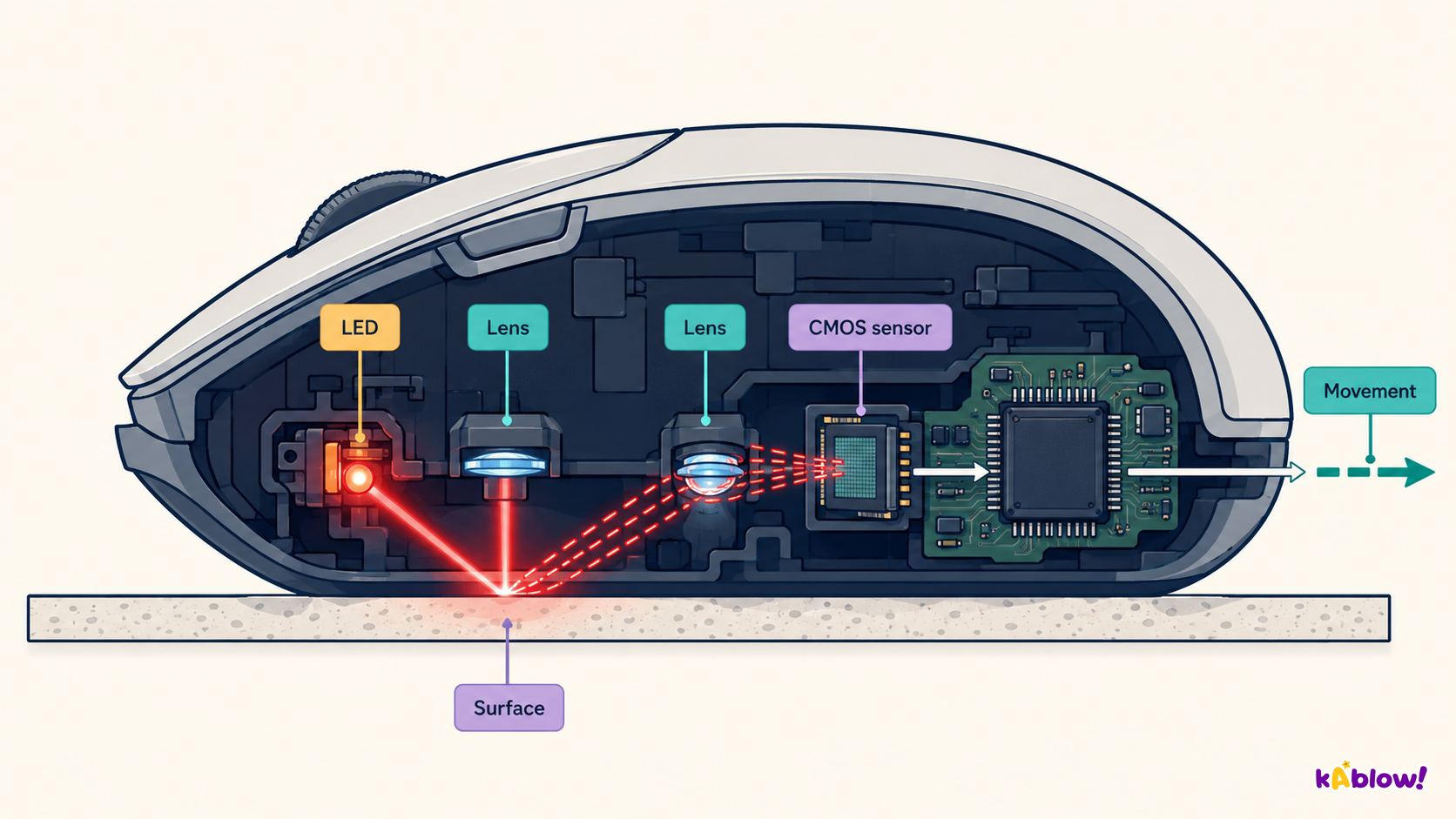
Optical mouse
Output Devices
- Output devices present data from the computer to the user.
- Examples include the monitor, speakers, and printer.
- They convert digital information into a form humans can perceive, such as visual, audio, or printed output.
- Output devices are essential for the computer to communicate results to the user.
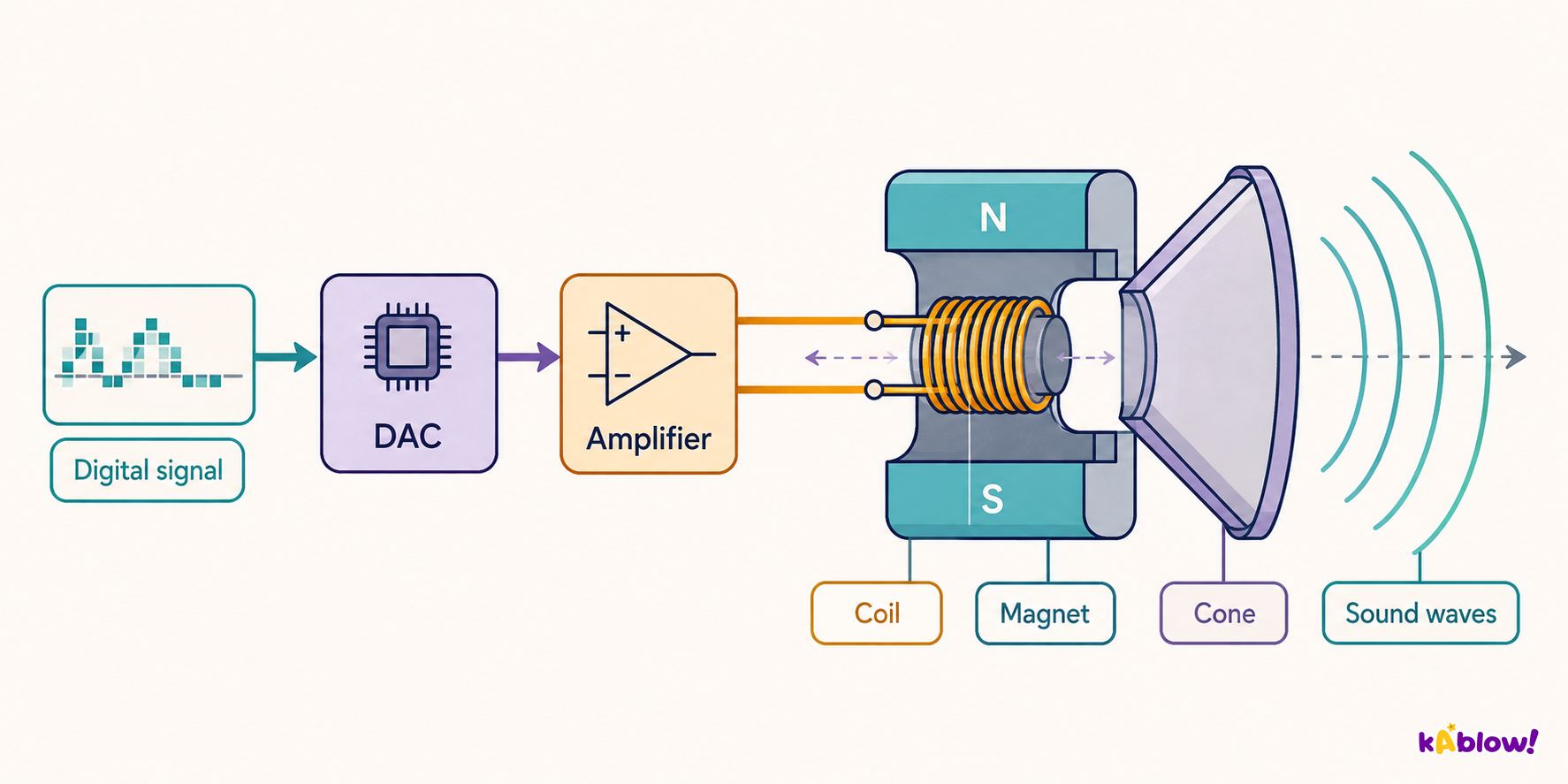
Loudspeaker as an output device
Storage Devices
- Storage devices are used to save data and programs permanently or temporarily.
- Examples include hard disk drives (HDD), solid-state drives (SSD), USB flash drives, and memory cards.
- Storage can be internal (inside the computer) or external (connected via USB or other ports).
- Storage devices retain data even when the computer is turned off (non-volatile).
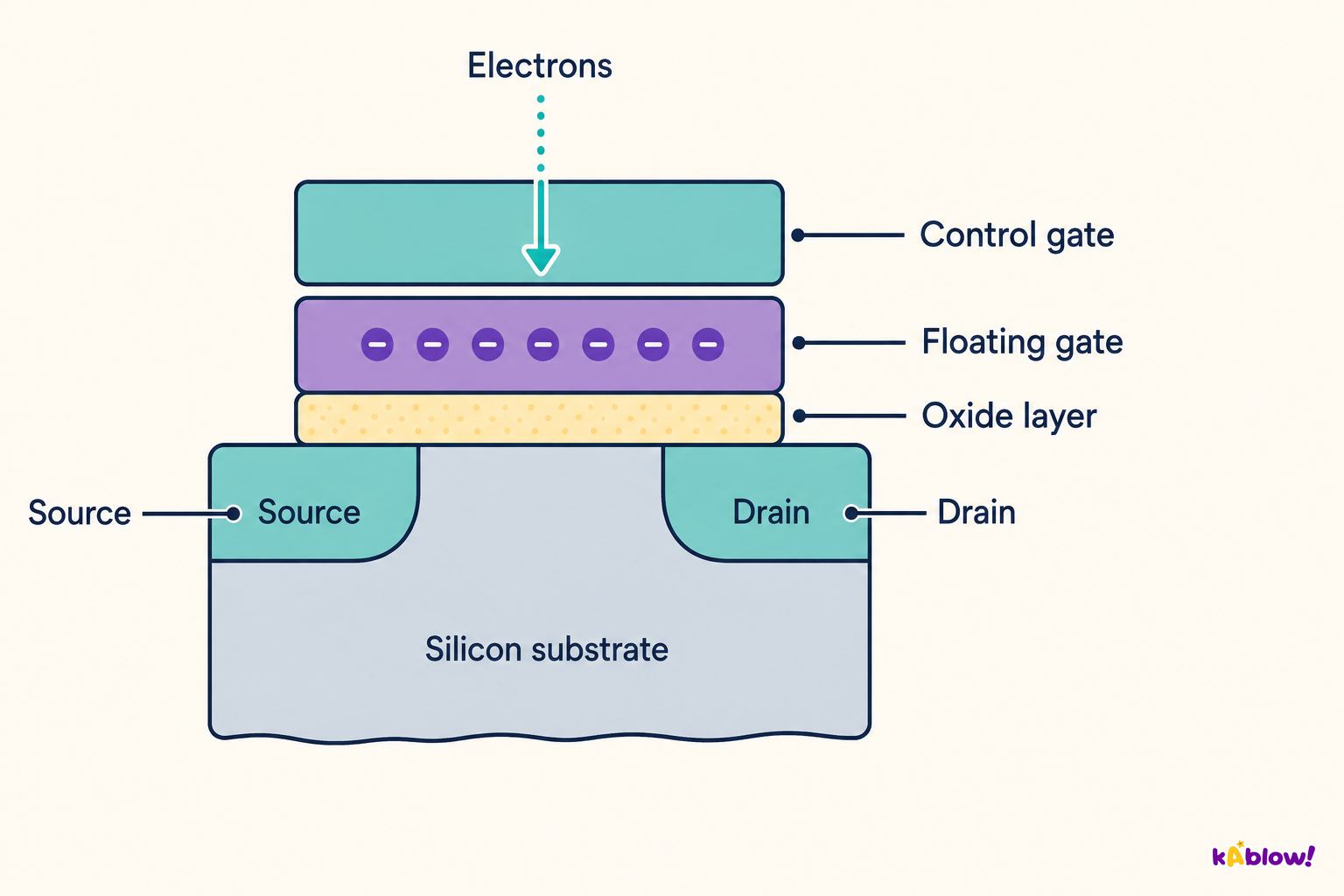
Flash memory cell
Internal Hardware Components
- The central processing unit (CPU) is the 'brain' of the computer, executing instructions.
- Random-access memory (RAM) is temporary storage that holds data and programs currently in use.
- The motherboard is the main circuit board that connects all components together.
- Other internal components include the graphics card and sound card, which handle visual and audio output.
- The computer case houses and protects the internal components.
How Components Connect and Communicate
- Components are connected via the motherboard and buses (data pathways).
- The von Neumann architecture describes a system with a central memory, a CPU, and input/output units.
- In this architecture, data and programs are stored in the same memory, accessed by the CPU.
- A single bus for data and instructions can cause the von Neumann bottleneck, where the CPU waits for data, slowing performance.
- Modern computers may use multiple buses or caches to reduce this bottleneck.
Embedded Systems
- Embedded systems are computers built into other devices to control specific functions.
- They are found in everyday items like washing machines, cars, microwaves, and smartphones.
- Embedded systems are designed for a single purpose and often have limited hardware resources.
- They use input, output, and storage components tailored to their specific task.
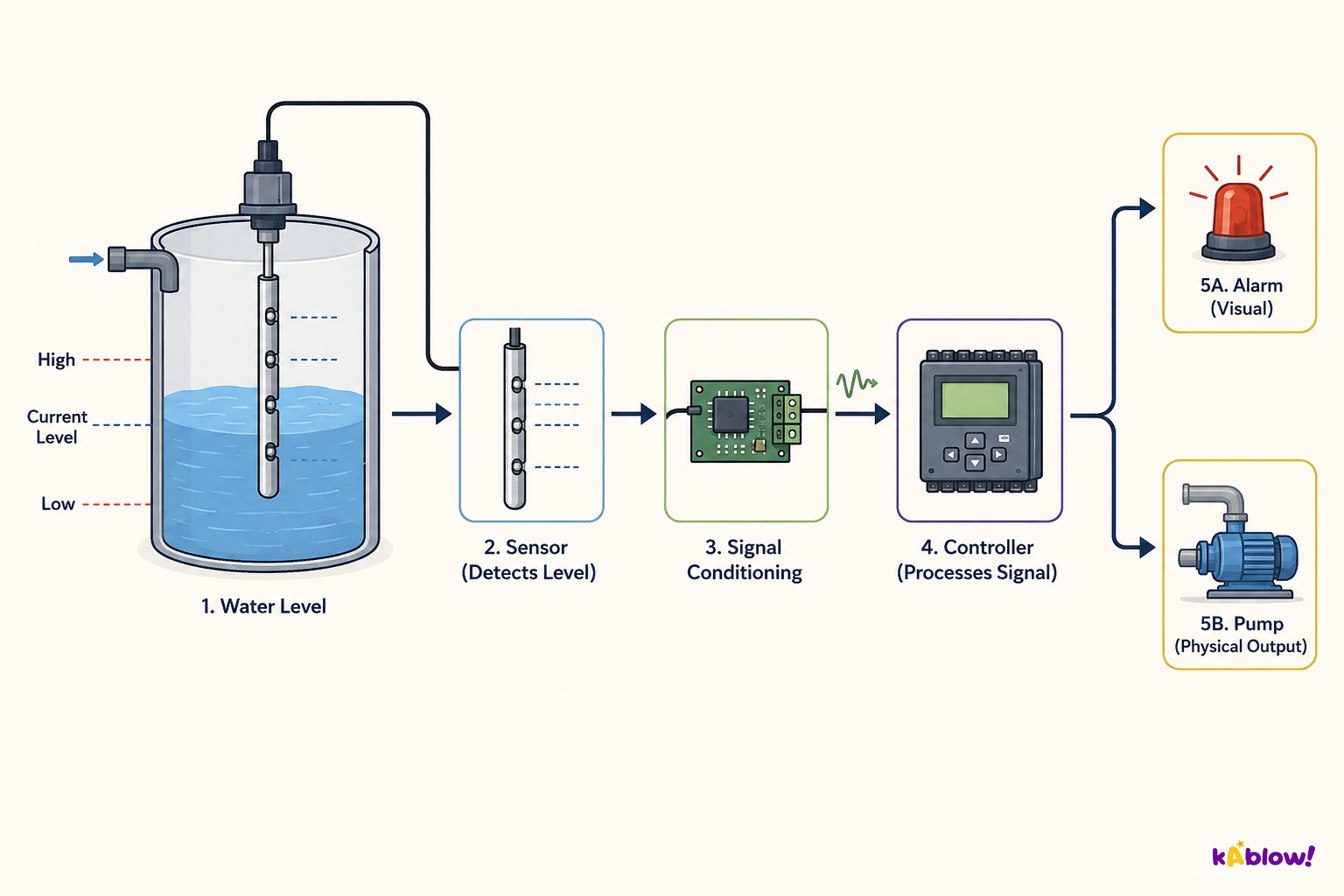
Water-level monitoring and control
Historical Context
- Early computing devices include the Pascaline (1642) and the stepped reckoner (1676), which performed arithmetic.
- Charles Babbage designed the difference engine and a general-purpose computer in the 19th century.
- Alan Turing proposed the universal Turing machine in 1936, a theoretical model for any computer.
- John von Neumann developed the von Neumann architecture in 1945, which is the basis for most modern computers.
- Boolean algebra, invented by George Boole, underpins the logic circuits in modern hardware.
幻灯片
练习题
免费预览——55 题中的 8 题。注册即可查看全部。
1.Which of the following is an input device?
Easy- AMouse
- BMonitor
- CSpeaker
- DPrinter
2.Which of the following is an output device?
Easy- AKeyboard
- BScanner
- CMonitor
- DMicrophone
3.A storage device is used to keep data and programs for later use.
EasyTrue or false?
4.The CPU is an example of an output device.
EasyTrue or false?
5.Which of the following is an example of storage hardware?
Easy- ARAM
- BCPU
- CMotherboard
- DPower supply
6.Which of the following are storage devices? (select all that apply)
Easy- AHard disk drive
- BUSB flash drive
- CMonitor
- DKeyboard
7.Which of the following are input devices? (select all that apply)
Easy- AKeyboard
- BMouse
- CPrinter
- DScanner
8.Which of the following are output devices? (select all that apply)
Easy- AMonitor
- BSpeaker
- CMicrophone
- DProjector
历年真题
该知识点的历年真题练习即将推出。
即将推出