Completing And Correcting Algorithms
邊玩邊學
回答這些題目賺取能量,接著就能釣魚、探索。不需要帳號。
課程筆記
Purpose and Exam Context
- Completing and correcting algorithms is a core skill in Paper 2 (0478), tested in sections 7.8 and 7.9.
- You must identify errors in given algorithms and suggest corrections that actually work.
- You must also complete part-written algorithms (pseudocode or flowcharts) so they run correctly.
- Amending an algorithm to meet a new requirement without breaking existing functionality is essential.
- Paper 2 is 1 hour 45 minutes for 75 marks; the final 15-mark scenario question should take about 30 minutes.
- Precision matters: write `x > y`, not "x is greater than y".
The Five-Minute Repair Routine
- Read the stem first – it states the purpose; the code is only an attempt at it.
- Skim for structure: check every `IF` has `ENDIF`, every `FOR` has `NEXT`, every `WHILE` has `ENDWHILE`, every `CASE` has `ENDCASE`, every `PROCEDURE` has `ENDPROCEDURE`.
- Check initialisations above loops: `Total ← 0`, `Count ← 0`, `Found ← FALSE`, `Max ← first element`.
- Check the loop: does the counter change? Do bounds cover every item? Is the test `≤` or `<`? Does the condition ever become false?
- Trace three values: a normal one, a boundary one, and a rejected one – a two-minute trace finds errors that re-reading won't.
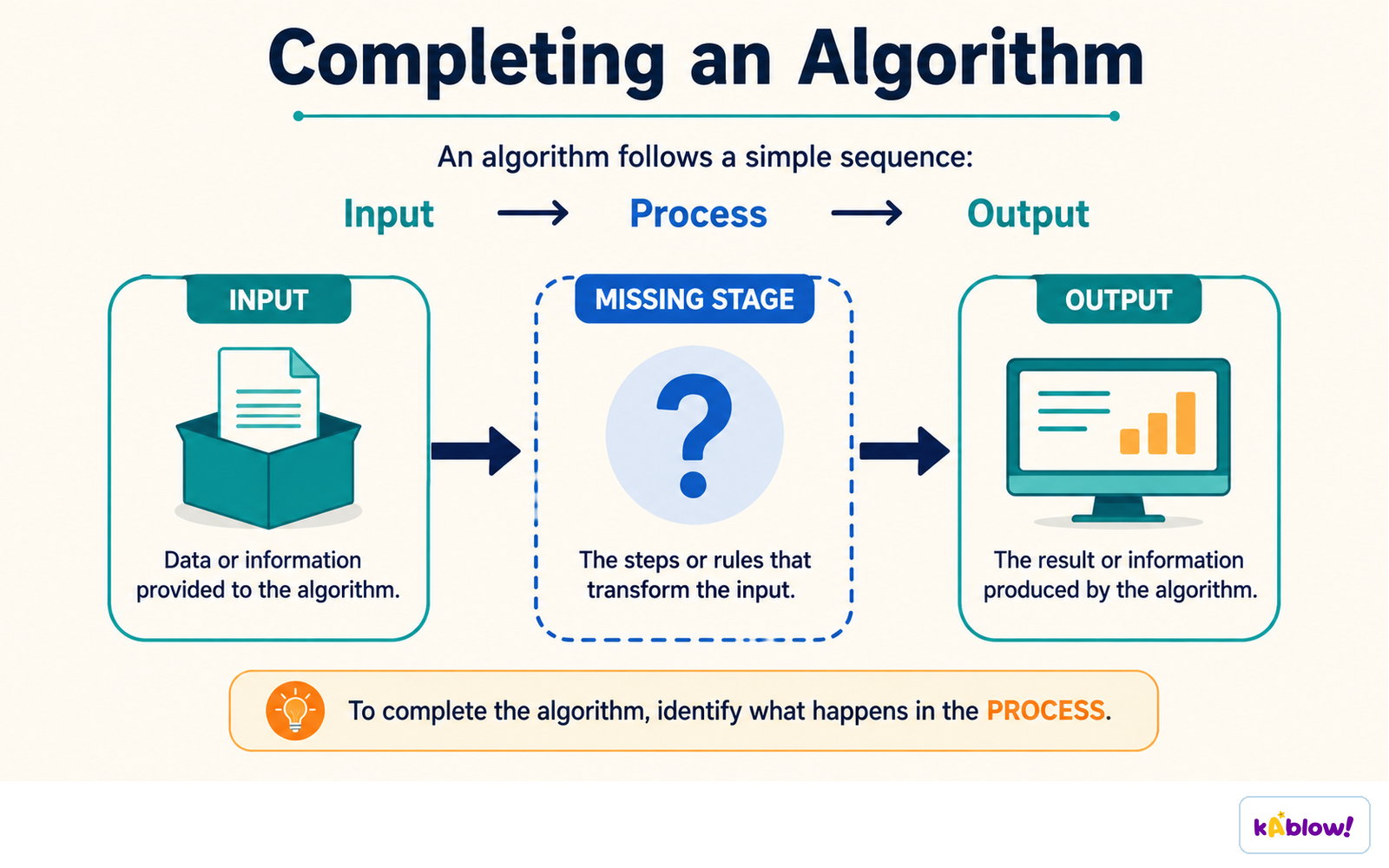
A missing stage is found by asking what has to happen between the given input and the required output.
Common Errors to Spot
- Missing initialisation – using a total or counter before setting it to 0.
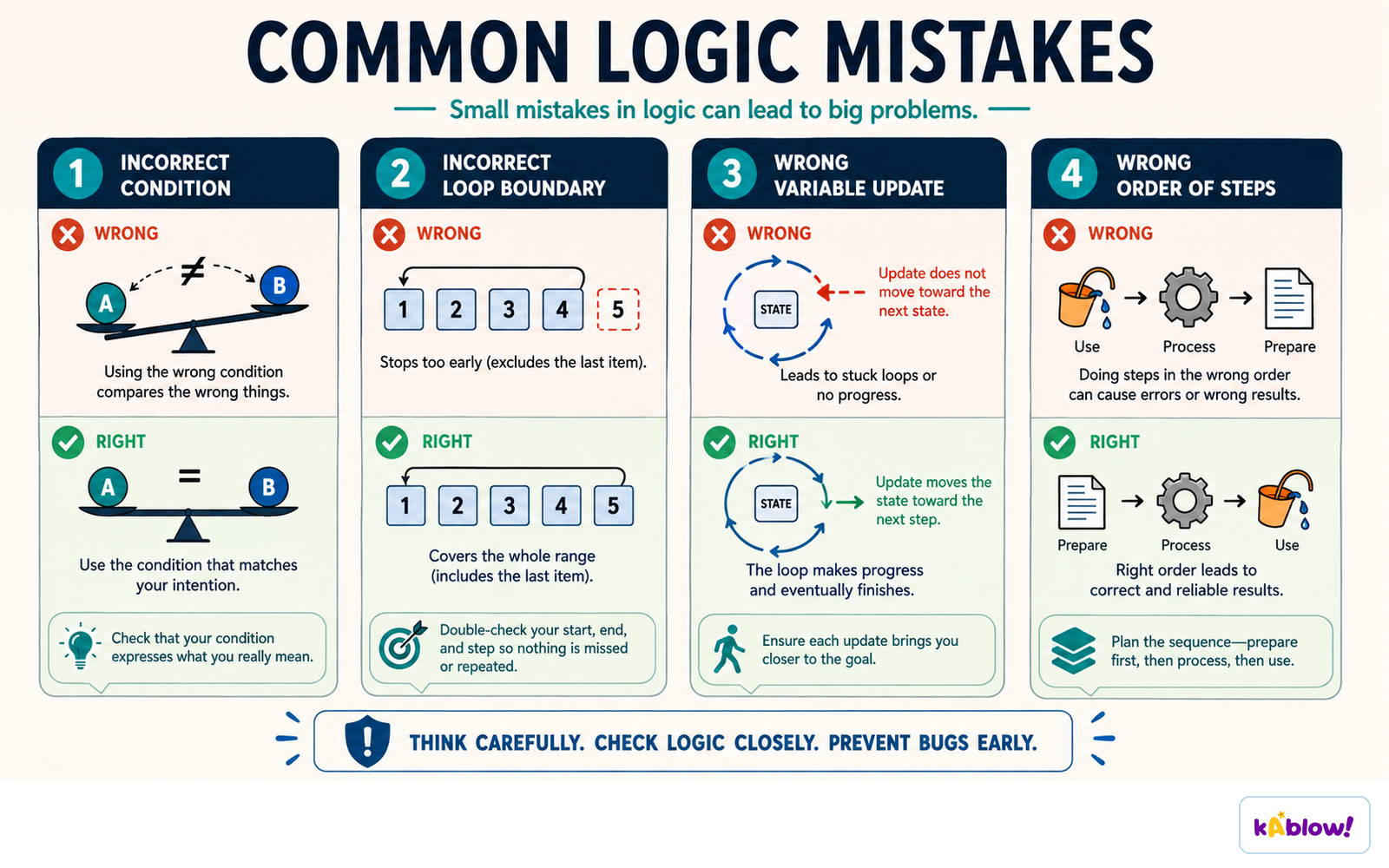
- Initialisation inside the loop – e.g., `Total ← 0` inside the loop resets it every pass, so the answer equals the last value.
- Missing increment – `Index` never increases in a `WHILE` loop, causing an infinite loop.
- Wrong loop bound – e.g., `FOR Index ← 1 TO 9` for an array of ten, or `0 TO 10` for an array declared `[1:10]`.
- Wrong comparison operator – `<` where `≤` is needed at a boundary, or `>` where `<` is needed when finding a minimum.
- Assignment written as comparison – using `=` instead of `←`.
- Wrong loop type – using `WHILE` where `REPEAT` is needed, so a validation prompt never appears the first time.
- Condition that can never be false/true – e.g., `Age < 11 AND Age > 18` rejects nothing.
- Output inside the loop – a message prints on every pass instead of after the loop.
- Swap without a temporary variable – both elements end up with the same value.
- Using an undeclared variable or storing the wrong data type.
- Off-by-one in bubble sort – the last pair is never compared.
Wrong condition, wrong loop boundary, missing variable update and wrong step order are the usual logic faults.
Writing Corrections That Score
- Answer in three parts: where, what, and the fix as code.
- Example: "Line 4 is wrong: Total is reset inside the loop, so only the last mark is counted. Correction: move `Total ← 0` to before the FOR statement."
- If line numbers are given, rewrite the line exactly as it should read.
- Example: `Line 6: IF Mark ≥ 40` (was `IF Mark > 40`, which rejects a mark of exactly 40).
- Do not say "there is a mistake in the loop" – identify the specific line and give a working correction.
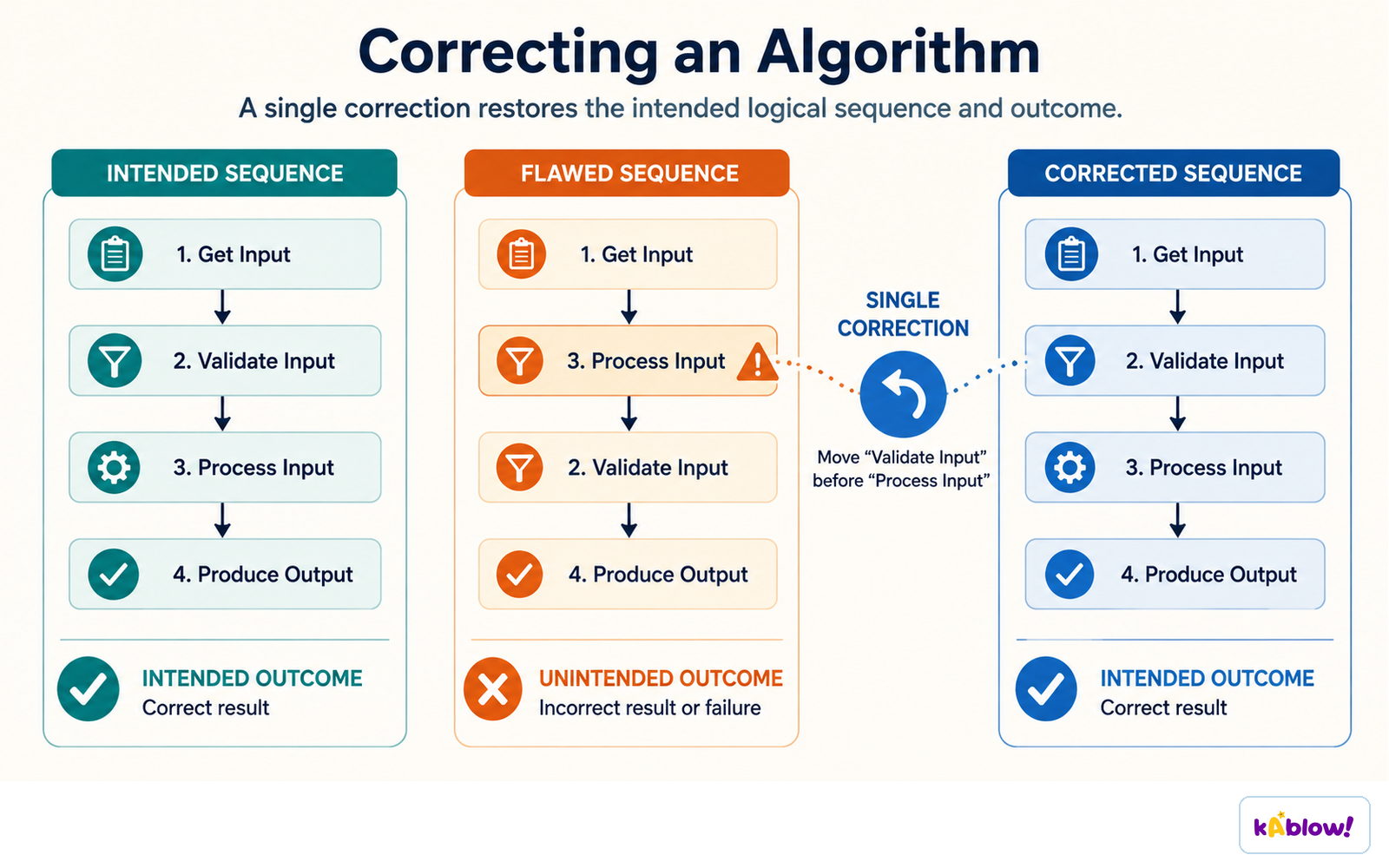
One correction - validating before processing - restores the intended sequence and outcome.
Worked Example: Completing Gaps
- Algorithm: input 10 temperatures, output the lowest.
- Gaps: `Min ← ................`, `IF Temperature ................ Min`, `Min ← ................`, `................ Index`.
- Correct answers: (1) a very large value like 1000, or the first temperature input before the loop; (2) `<`; (3) `Temperature`; (4) `NEXT`.
- Common mistake: initialising `Min` to 0 makes the algorithm output 0 for any positive temperatures, because nothing is smaller than 0.
- Always initialise `Min` to a large value or the first input.
Worked Example: Finding and Correcting Errors
- Given code with `Count ← 0`, a `FOR` loop, an `IF` without `ENDIF`, and output of `Index` instead of `Count`.
- Error 1: Missing `ENDIF` – add `ENDIF` before `NEXT Index`.
- Error 2: Wrong output variable – change `OUTPUT "There were ", Index, " high scores"` to output `Count`.
- Error 3: Boundary error – if the stem says "50 or more", the condition should be `Score ≥ 50`, not `Score > 50`.
- Test with the value 50 to expose the boundary error.
Worked Example: Broken Swap
- Incorrect swap: `Temp ← List[Index]`, `List[Index] ← List[Index + 1]`, `List[Index] ← Temp`.
- The third line writes back into the same element, so `List[Index + 1]` is never updated and one value is lost.
- Correction: `List[Index + 1] ← Temp`.
- Every swap needs three assignments through one temporary variable, and the two indices must differ.
Amending Algorithms to New Requirements
- Given a working algorithm that inputs 20 marks and outputs the average, amend it to also output the highest mark.
- Additive changes should not disturb existing functionality.
- Declare and initialise `Max ← 0` (or the first mark) before the loop.
- Add `IF Mark > Max THEN Max ← Mark ENDIF` inside the loop after the mark is input.
- Add a single `OUTPUT` after the loop.
- Re-trace one set of values to prove the original output still works.
Test Data for Verification
- For an algorithm accepting marks from 0 to 100 inclusive, use four types of test data:
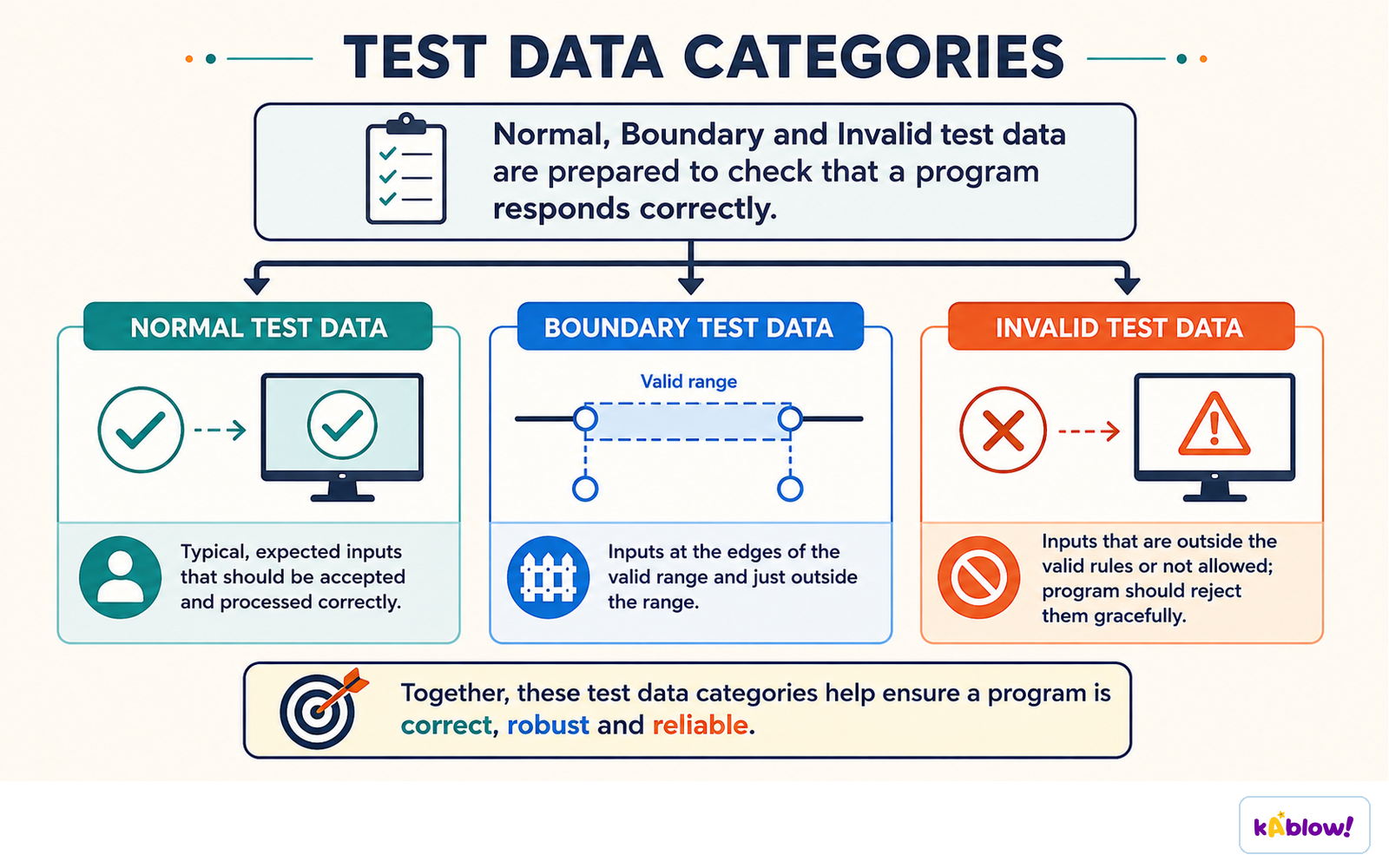
- Normal: 57 – a typical value that should be accepted and processed.
- Abnormal: "seven", -3, or an empty entry – data of the wrong type or well outside the range, should be rejected.
- Extreme: 0 and 100 – the smallest and largest acceptable values, must still be accepted.
- Boundary: 0 and -1, and 100 and 101 – the largest/smallest acceptable value with the corresponding smallest/largest rejected value, tested as a pair to prove the comparison operator is correct.
- Validation checks data is reasonable (range, length, type, presence, format, check digit) – done by the program.
- Verification checks data was entered accurately – visual check or double entry.
- A completed algorithm should validate inputs where the scenario specifies a permitted range.
Normal, boundary and invalid test data check that a program handles each kind of input correctly.
Working Under Time Pressure
- Budget one minute per mark, then reserve the last 30 minutes for the 15-mark scenario question.
- On the scenario question, write a plan sentence first (input, stored, output), then declare variables/arrays, then the loop, then selection inside it, then output.
- Write the closing keyword at the same moment as the opening one, then fill in the body – this prevents structural errors.
- If a construct won't come, write the logic in correctly indented pseudocode with the right keywords rather than leaving the page blank – logic is worth more than perfect syntax.
- Spend the final two minutes tracing one normal value and one boundary value through your code; correcting your own algorithm is the same skill tested in section 7.8.
投影片
練習題
免費預覽——58 題中的 8 題。註冊即可查看全部。
1.In pseudocode, the assignment operator is represented by a single equals sign (=).
EasyTrue or false?
2.Which of the following is the correct closing keyword for an IF statement in 0478 pseudocode?
Easy- AENDIF
- BNEXT
- CENDWHILE
- DEND
3.An algorithm uses a WHILE loop to input a mark between 0 and 100. The loop is written as: WHILE Mark < 0 OR Mark > 100. What type of test data would best check the boundary values?
Easy- A0 and 100, and -1 and 101
- B57 and 58
- C0 and -1
- D100 and 101
4.In a bubble sort, the inner loop bound should be one less than the number of items to ensure the last pair is compared.
EasyTrue or false?
5.Arrange the steps to correct an algorithm that has an error: first read the stem, then check structure, then check initialisations, then check the loop, then trace test values.
Medium- Read the stem to understand the purpose
- Check for missing closing keywords (ENDIF, NEXT, etc.)
- Check initialisations before loops
- Check the loop counter and bounds
- Trace normal, boundary, and rejected values
6.An algorithm should count how many of 5 input scores are greater than 50. It contains the following code: IF Score > 50 THEN Count ← Count + 1. If a score of exactly 50 should be counted, what is the error?
Medium- AThe condition uses > instead of ≥
- BCount is not initialised
- CThe IF has no ENDIF
- DThe loop bound is wrong
7.Which of the following are common errors in algorithms? (Select all that apply)
Medium- AMissing initialisation of a total
- BUsing AND instead of OR in a validation condition
- CUsing a variable without declaring it
- DUsing a WHILE loop instead of a REPEAT loop for validation
- EUsing a temporary variable in a swap
8.Match each type of test data to its example for an algorithm that accepts marks from 0 to 100 inclusive.
Medium- Normal
- Extreme
- Boundary
- 57
- 0 and 100
- 0 and -1